
How to configure the battery indicator on the Wireless Board PRO
1. Principle
To help users intuitively understand the current battery status of the flight control system, the wireless USB expansion board for the CoreWing F405 WING V2 features a completely redesigned battery indicator system. This system offers higher accuracy and faster response speeds, capable of reflecting battery voltage changes in real-time.
Voltage calibration reference values are sourced from the flight controller. Precise adjustments to the battery indicator display can be made by modifying the flight controller's voltage-related parameters.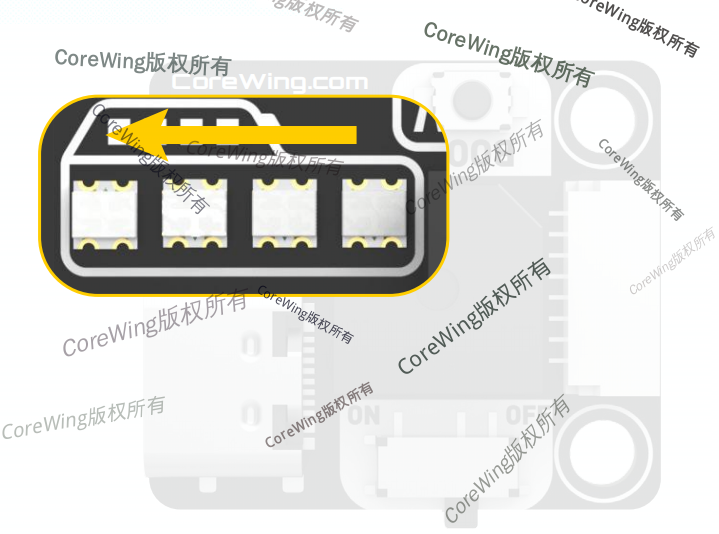
2. Equipment Preparation
1) Flight Controller: CoreWing F405 WING V2
2) Battery
3. Specific Operations
Important
INAV firmware supports high-voltage cell detection, while ArduPilot firmware does not.
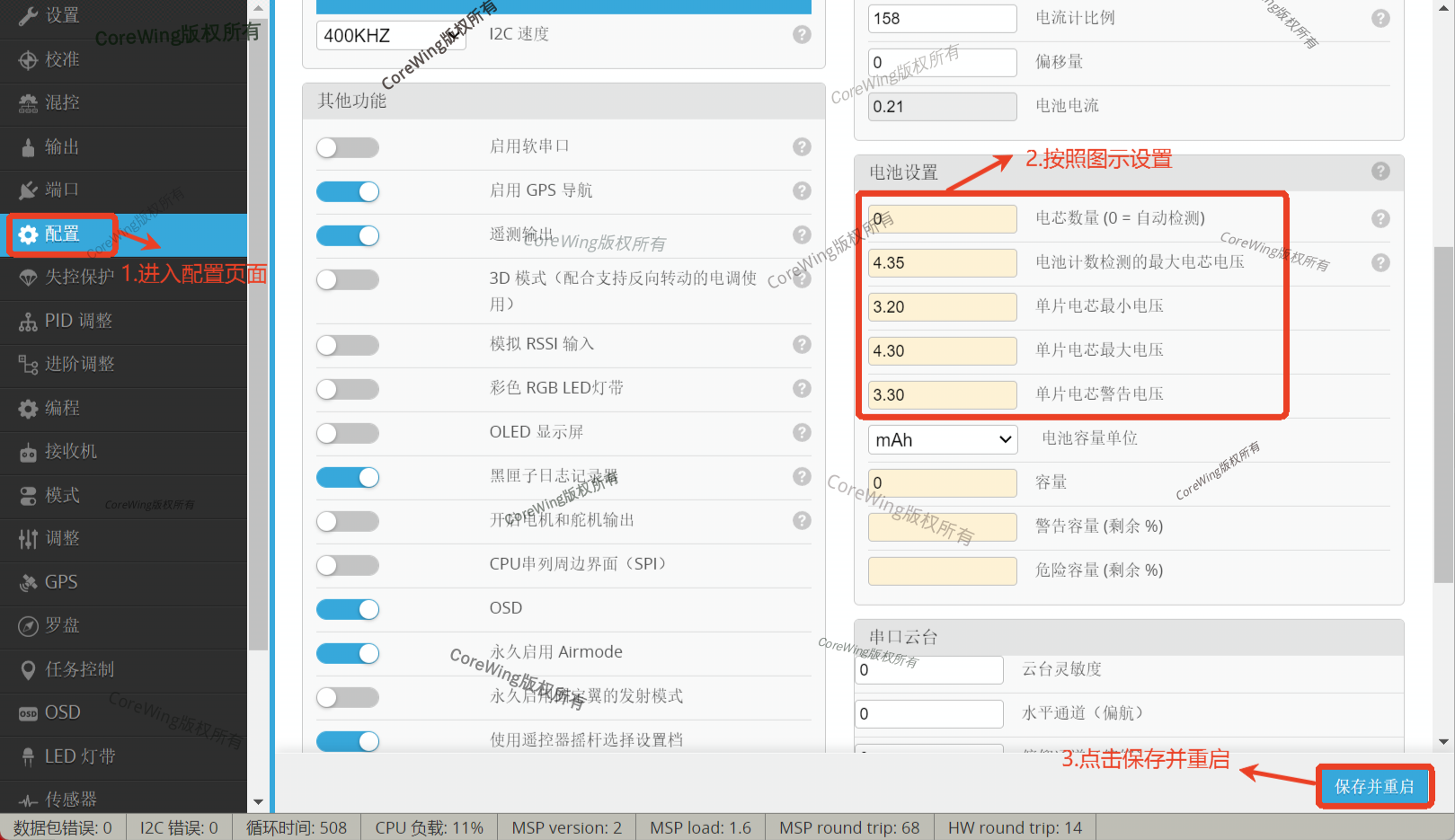
To power the flight controller with high-voltage cells, the following parameters must be set in the INAV ground station:
- Connect the flight controller to the INAV ground station
- Click to enter Configuration
- Set according to the red box in the image below
- Click Save and Restart
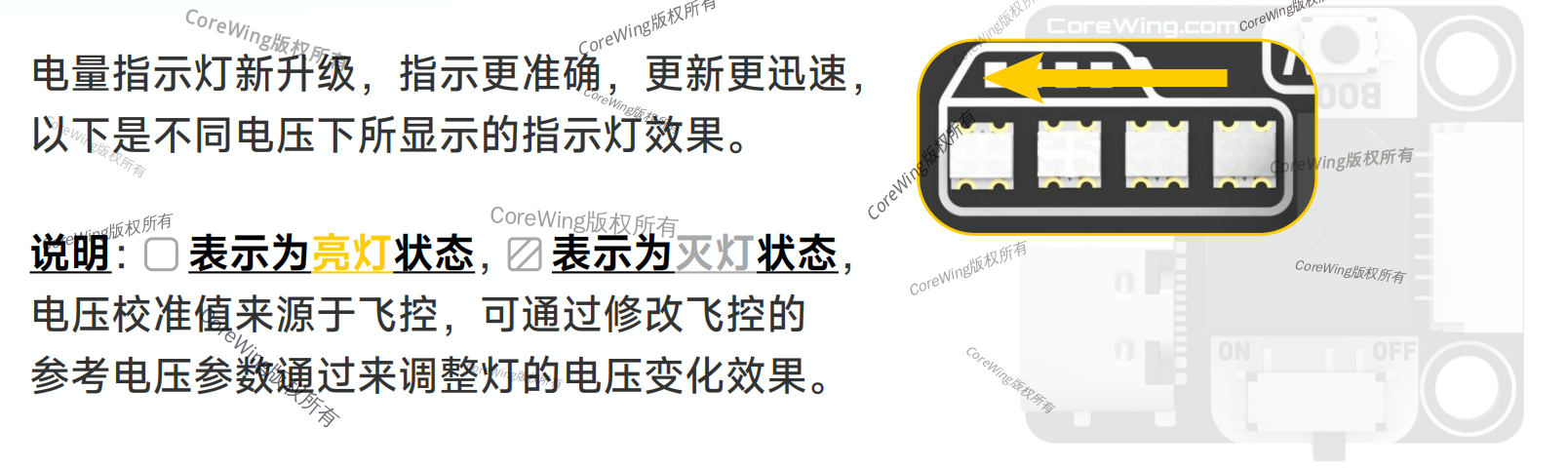
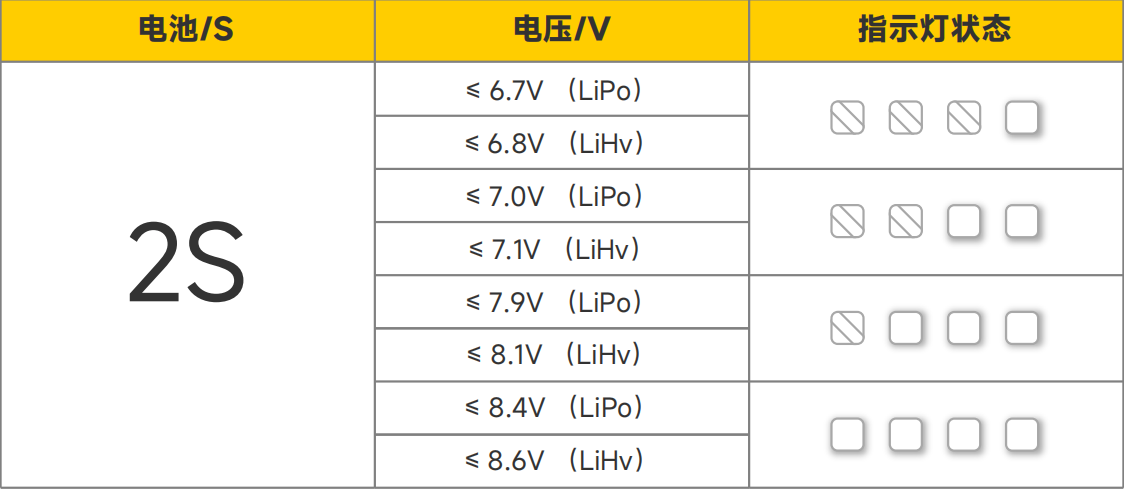
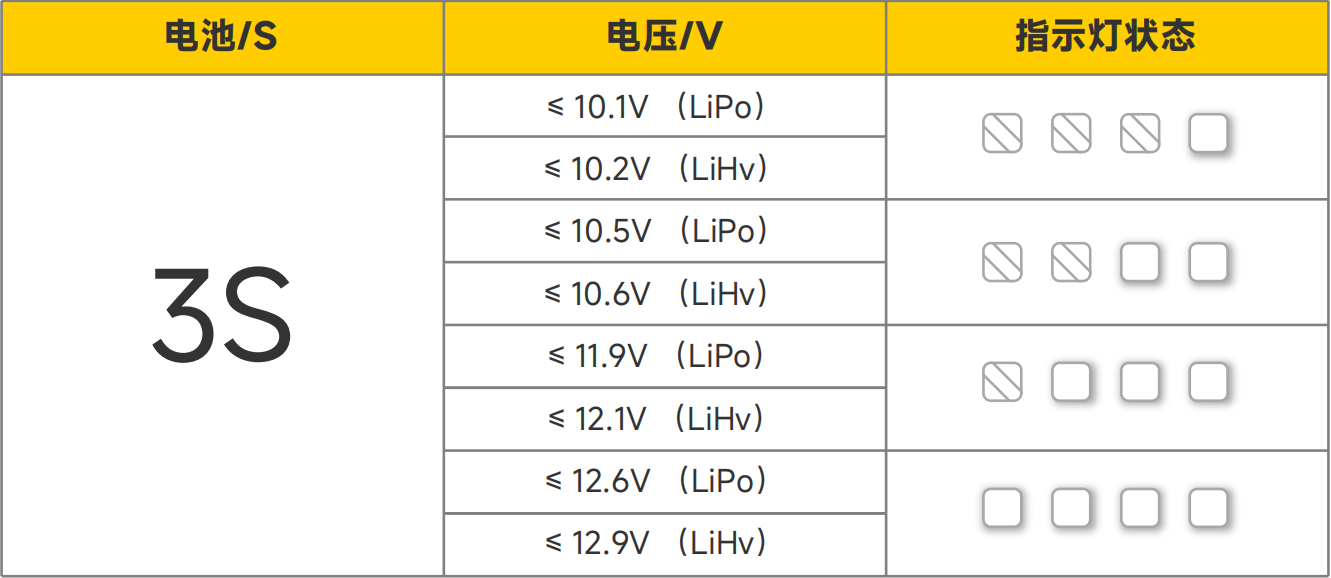
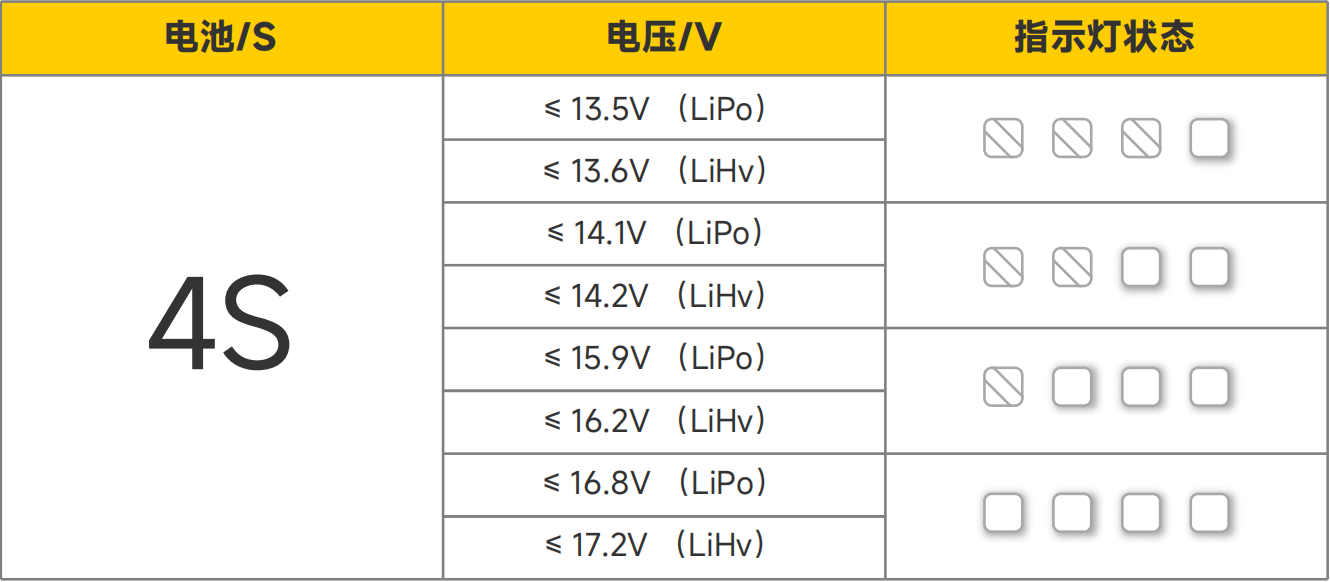
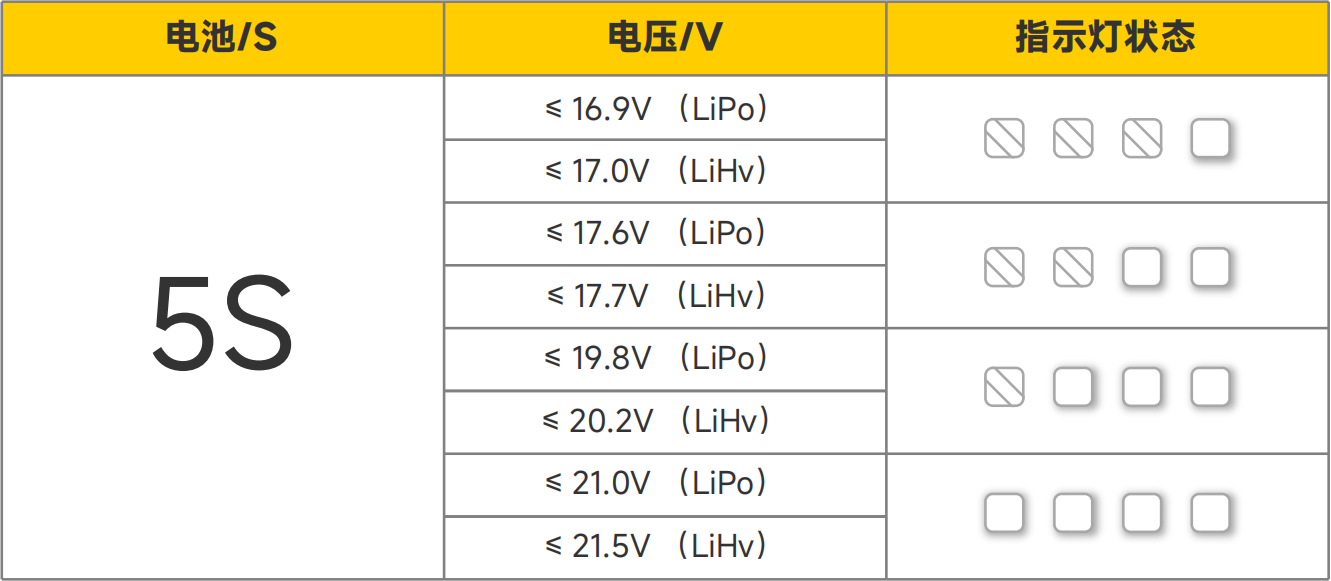
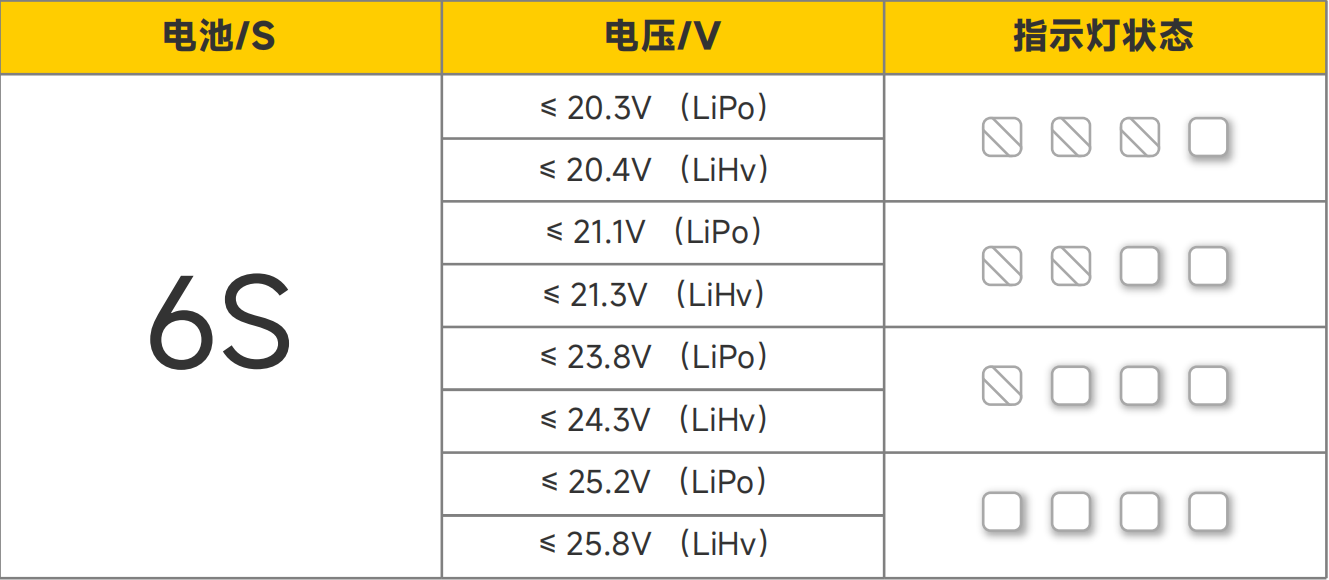
Other states of the battery indicator
Important
When the flight controller is not powered by a battery, or when the battery level is critically low, the battery indicator light will remain flashing.

Important
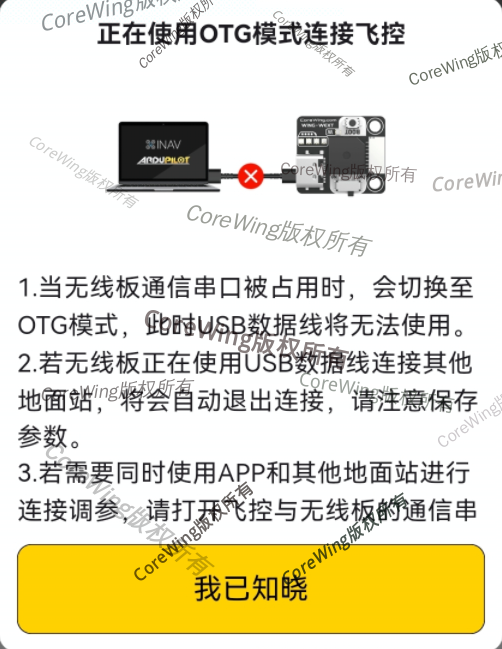
If the communication serial port between the flight controller and the wireless board is occupied by other peripherals, the wireless board's battery indicator light will continuously display in a flowing light pattern. You can try connecting the wireless board via the SpeedyBee APP and switching to OTG mode; the battery indicator light will then return to normal display of the current battery status.
4. Q&A
