
CoreWing Sirius 2.4G ELRS RF Module to CoreWing APP Connection
I. Principle
ELRS uses the MAVLink protocol to implement telemetry functions, establishing a bidirectional communication link between the RC transmitter ⟷ receiver ⟷ aircraft.
Through the Backpack function, the RC transmitter can wirelessly receive telemetry data from the aircraft (GPS, barometric pressure, voltage, current, etc.) and transmit this data back to the mobile app in real-time via Bluetooth, WiFi, or USB-OTG, enabling remote monitoring and data analysis.
II. Equipment Preparation
Flight Controller (FC)
- CoreWing F405 WING V2
Wireless Communication Module
High-frequency module: Sirius 2.4G
Receiver: SkyGuy Nano 2G4 RX
RC Transmitter
Recommended: RadioMaster TX16S
Compatible: Other RC transmitters that support the CRSF protocol
III. Specific Operations
3.1 Mavlink Communication Confirmation
For information on how to set up ELRS Mavlink mode, refer to this article:
3.2 CoreWing APP BLE Connection Setup
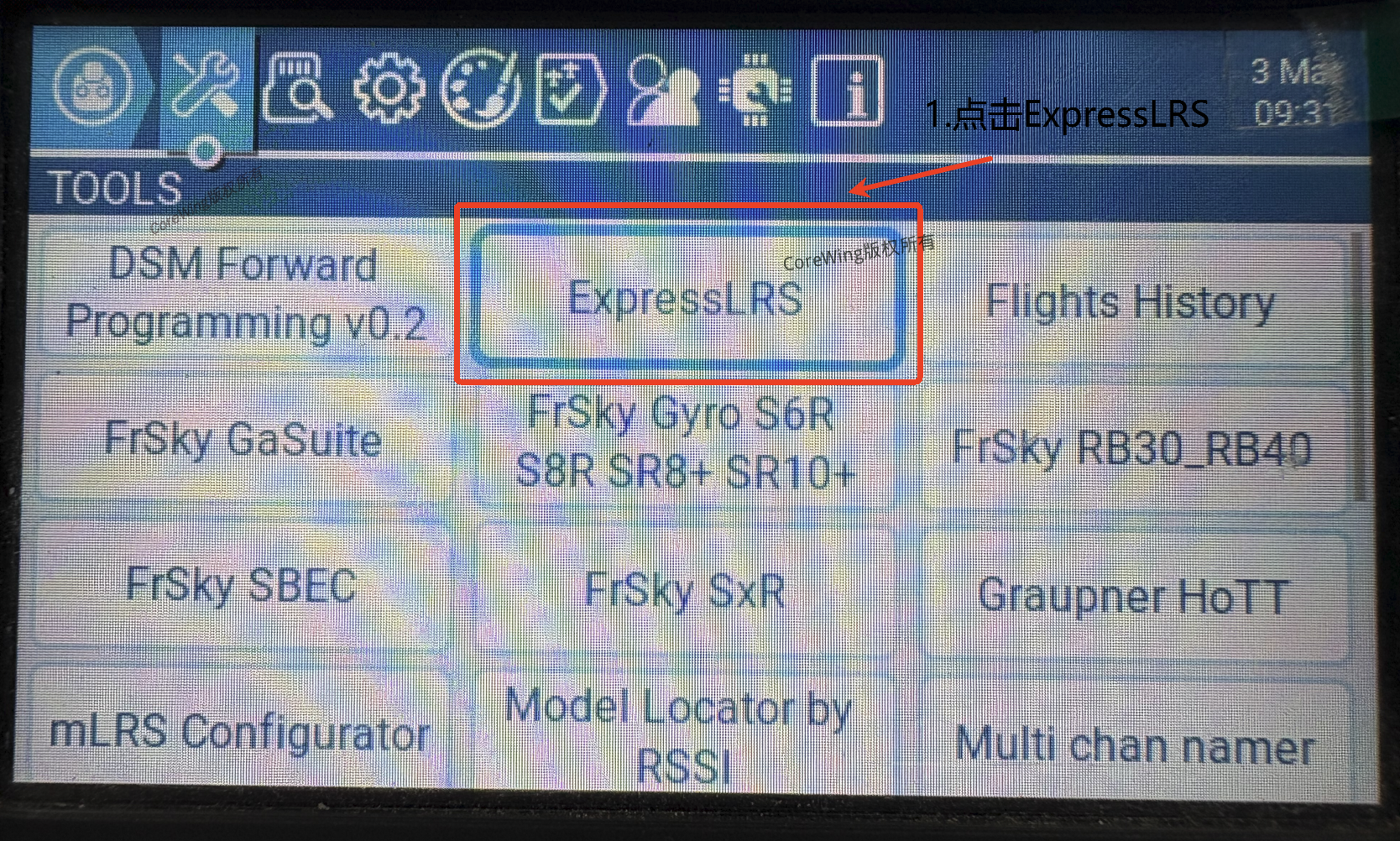
- Enter the system menu and click on the "ExpressLRS" script.
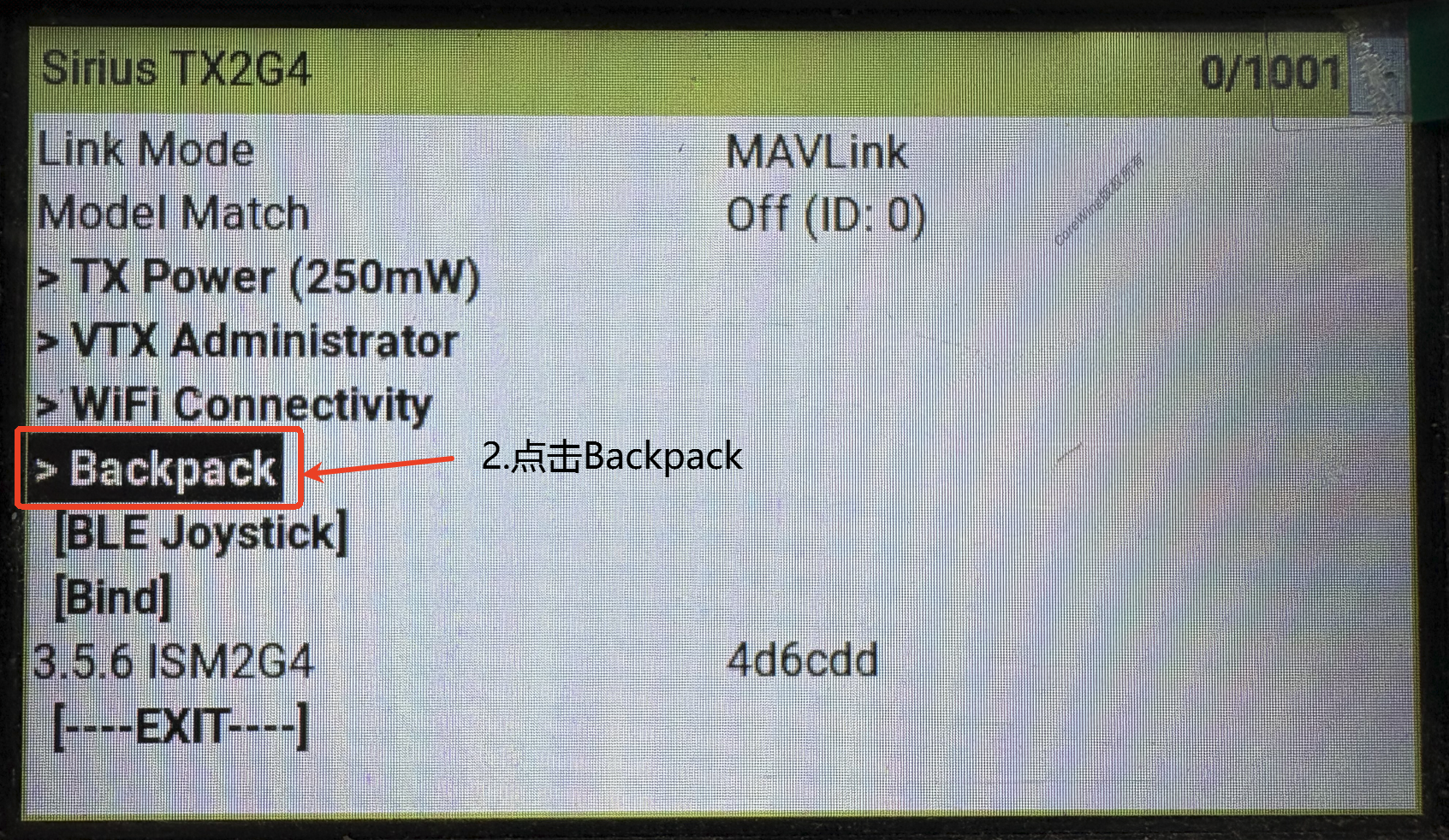
- Click on "Backpack" settings.
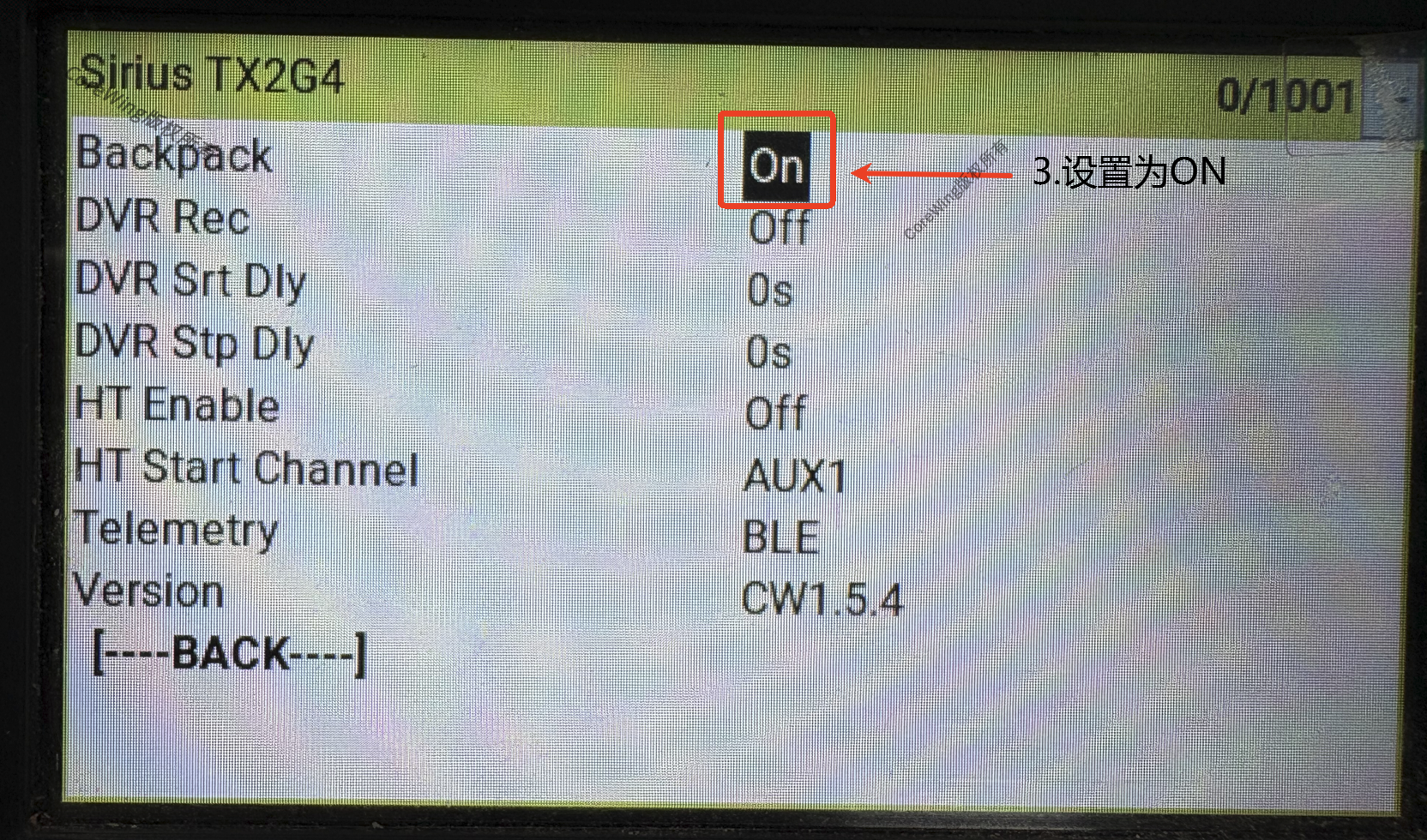
- Click on the Backpack option, turn the scroll wheel, and set it to On.
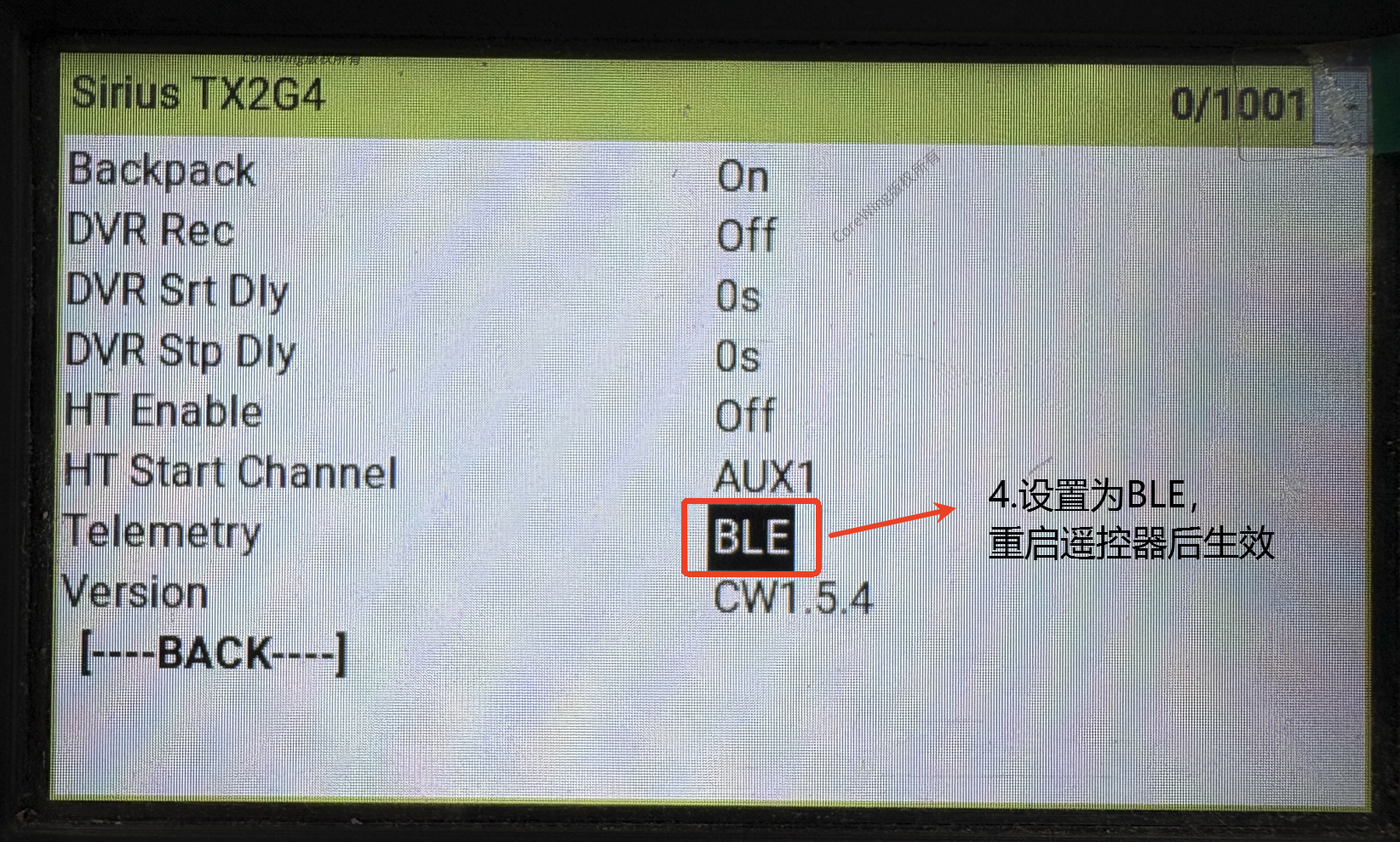
- Click on the Telemetry option, turn the scroll wheel, and set it to
BLE. After completing the settings, restart the RC transmitter for the changes to take effect.
- Open the CoreWing APP, click the "+" symbol, and select Bluetooth connection.
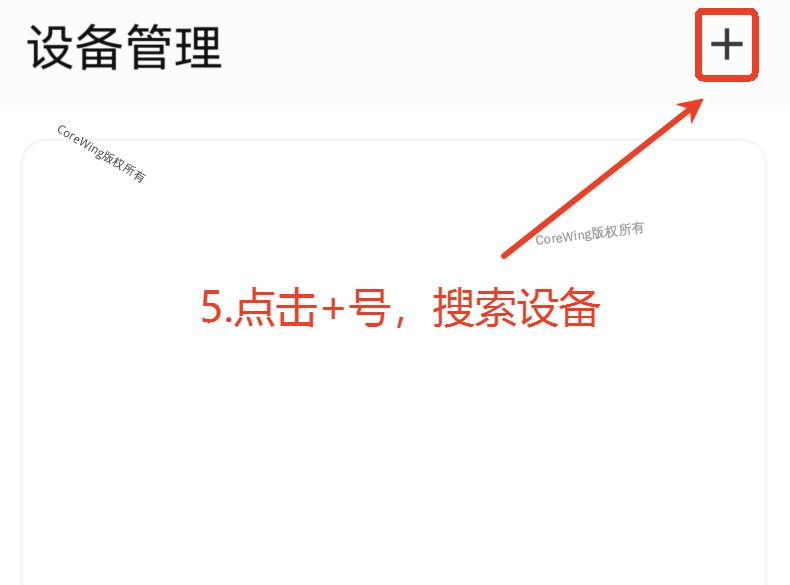
Find "CoreWing-xxxx" and click to connect.
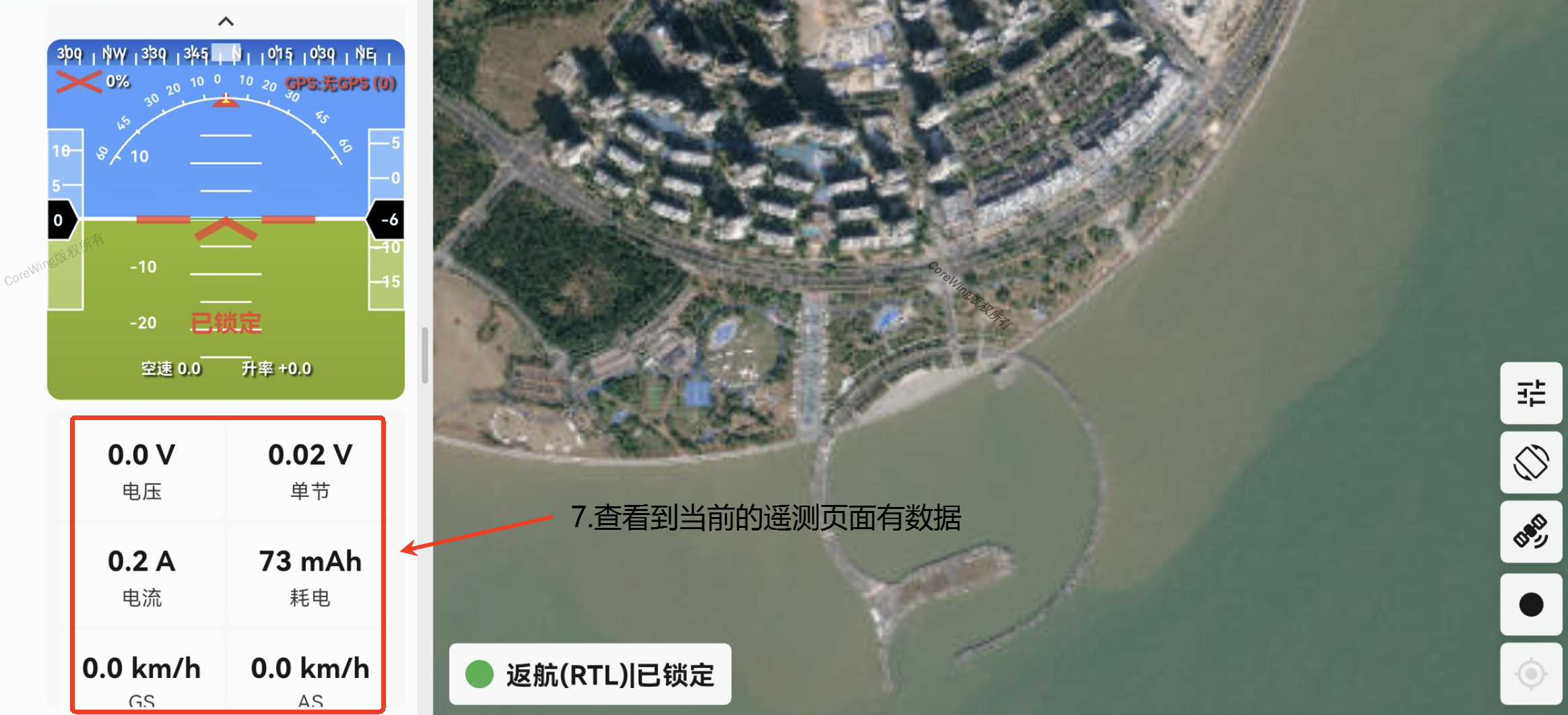
After successful connection, enter the telemetry view to see the aircraft information transmitted back by the high-frequency module in the information bar (as shown in the figure below).
3.3 CoreWing APP WiFi Connection Setup
- Enter the system menu and click on the "ExpressLRS" script.
- Click on "Backpack" settings.
- Click on the Backpack option, turn the scroll wheel, and set it to On.
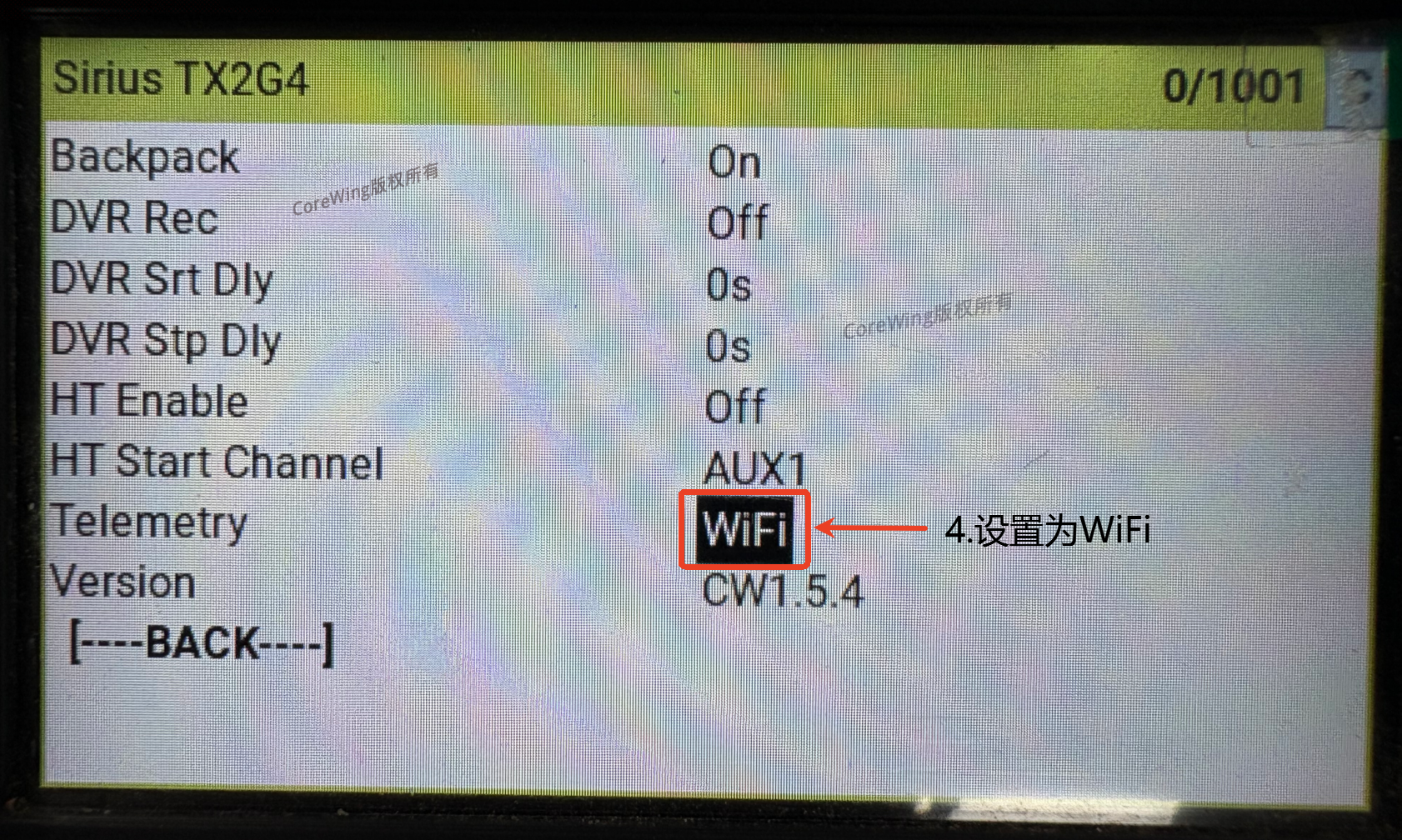
- Click on the Telemetry option, turn the scroll wheel, and set it to WiFi. After completing the settings, restart the RC transmitter for the changes to take effect.
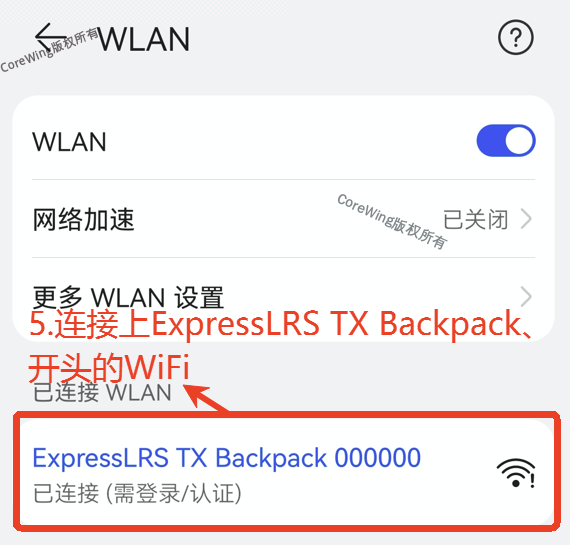
- Go to the phone's WiFi connection page, find the ExpressLRS TX Backpack 000000 WiFi, click to connect. The password is lowercase: expresslrs.
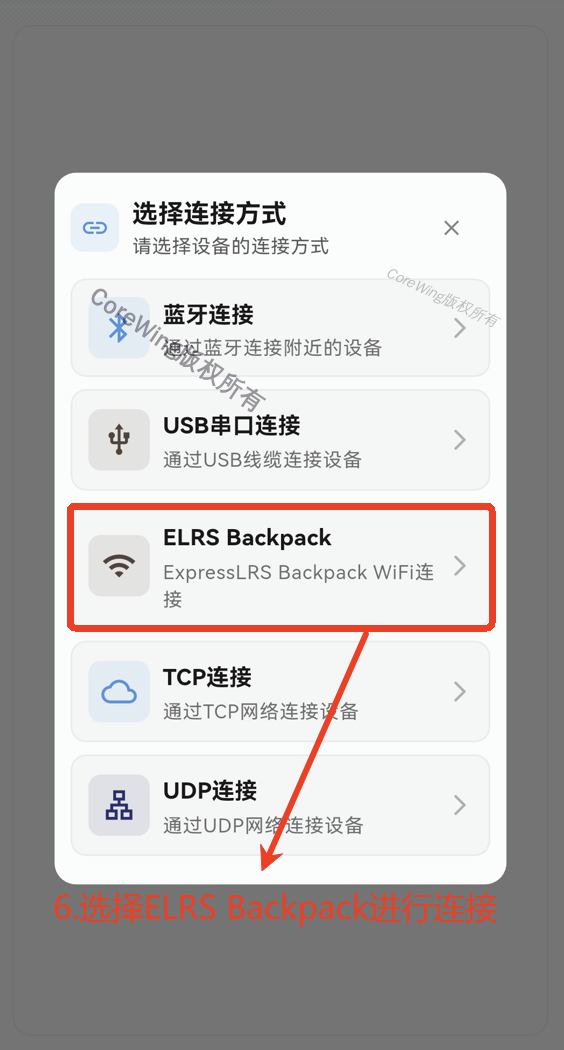
- Open the CoreWing APP, click the "+" symbol, and select ELRS Backpack connection.
Important
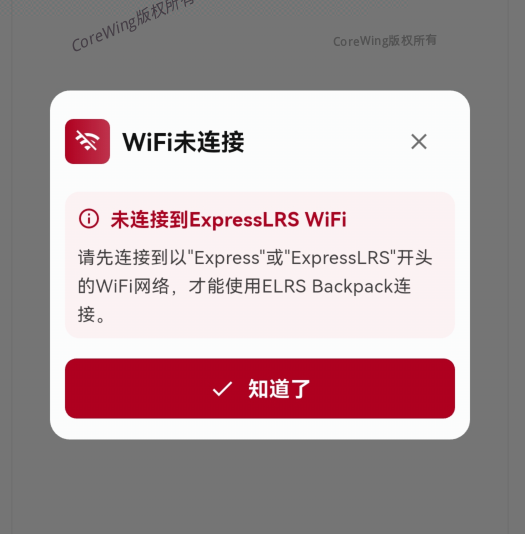
If the current WiFi is not connected to a WiFi network starting with ExpressLRS, this prompt will appear.
- After successful connection, enter the telemetry view to see the aircraft information transmitted back by the high-frequency module in the information bar (as shown in the figure below).
IV. Q&A
Technical Support QR Code
