
Resolving Insufficient Control Surface Travel
I. Symptoms
Insufficient servo travel on an aircraft will cause issues such as insufficient turning amplitude, excessively large turning radius with minimal attitude changes, and slow response. It will also prevent the aircraft from performing maneuvers requiring large control surface deflections, such as steep turns, rolls, and loops.
II. Cause Analysis
1. The servo travel range set in the ground control station (GCS) is too small, resulting in insufficient control surface deflection in manual mode.
2. ArduPilot firmware limits attitude target angles by default
ROLL_LIMT_DEG (maximum roll angle) and PTCH_LIM_MAX_DEG (maximum pitch angle) limit the control surface deflection in modes like FBWA and AUTO. Even when the transmitter stick is fully deflected, the flight controller will not output the full range of control surface movement.
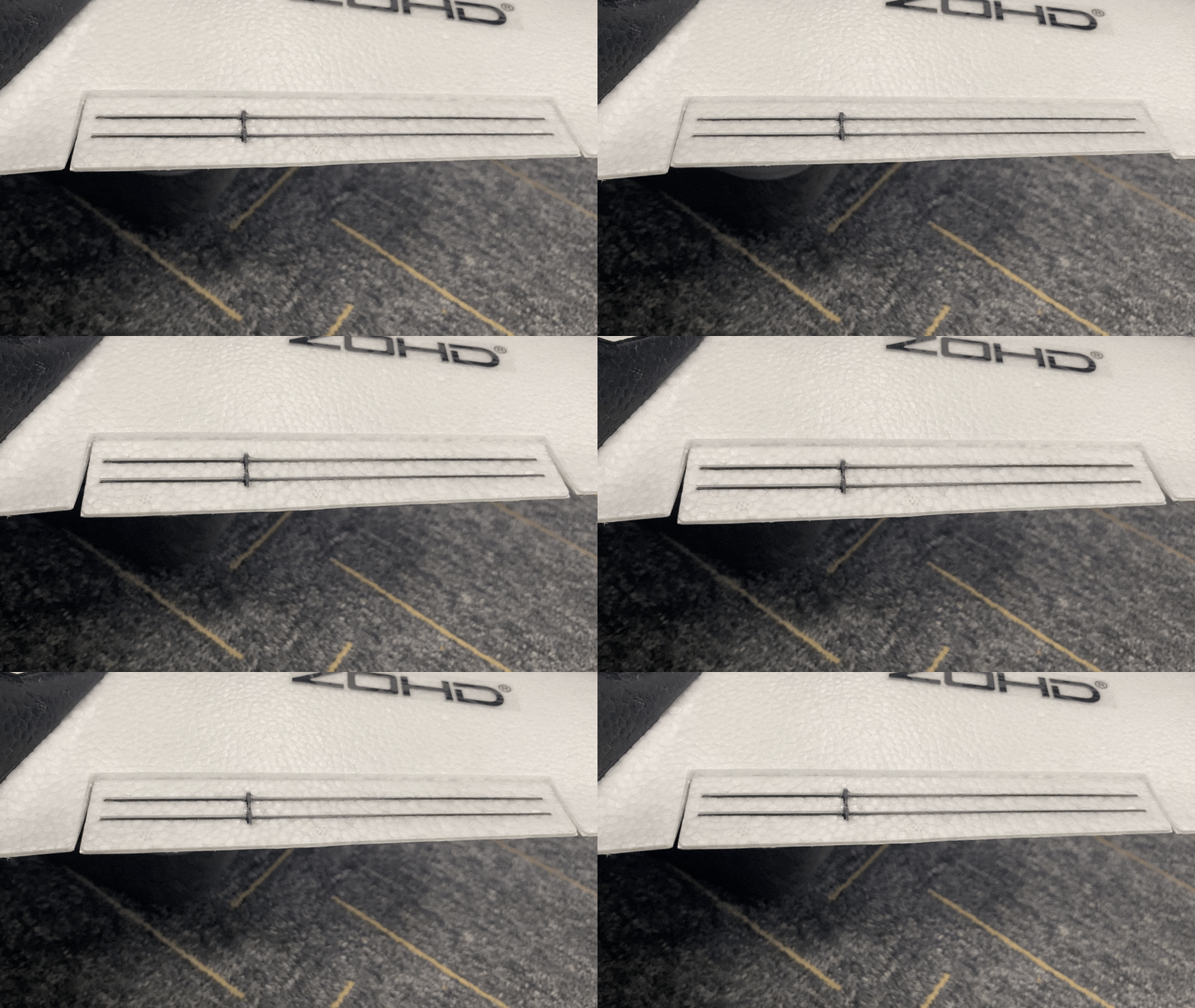
- Control surface deflection in self-stabilizing modes and flight modes involving the flight controller
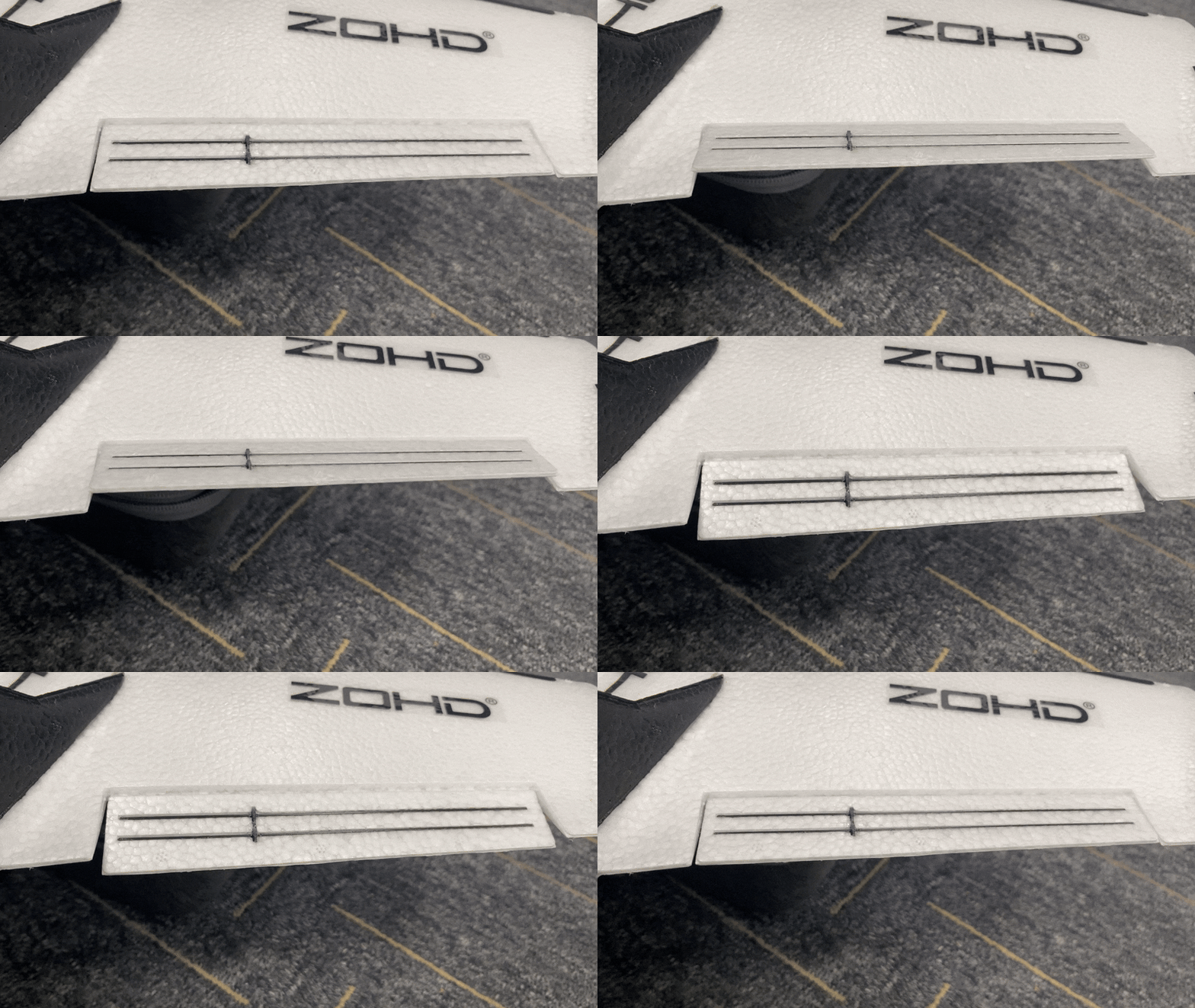
- Control surface deflection in manual mode
III. Solutions
3.1 Using CoreWingAPP Settings
3.1.1 Modifying Servo Travel in Manual Modes (e.g., ACRO, Manual)
Important
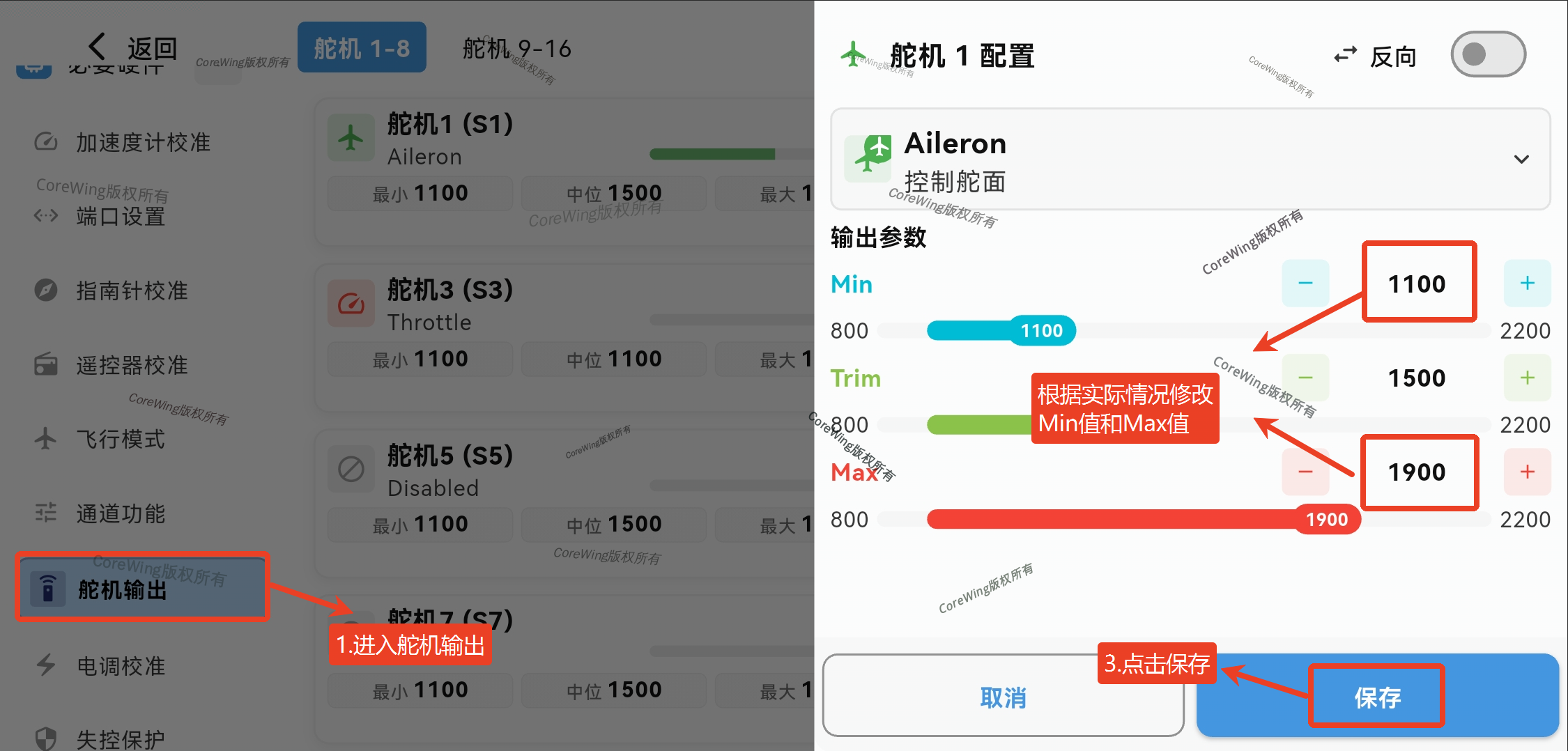
The adjustment to Min and Max values must be consistent. For example, if Min is decreased by 100, Max must be increased by 100. Similarly, if Min is increased by 100, Max must be decreased by 100.
Important
To increase control surface deflection, decrease Min and increase Max. The minimum Min value is 800, and the maximum Max value is 2200.
- Connect the flight controller to CoreWingAPP and go to the Servo Output page
- Modify the servo travel (Min and Max values) for the corresponding servo channel, then click Save
3.1.2 Modifying Servo Travel in Self-Stabilizing Modes and Flight Modes Involving the Flight Controller (e.g., FBWA, AUTO)
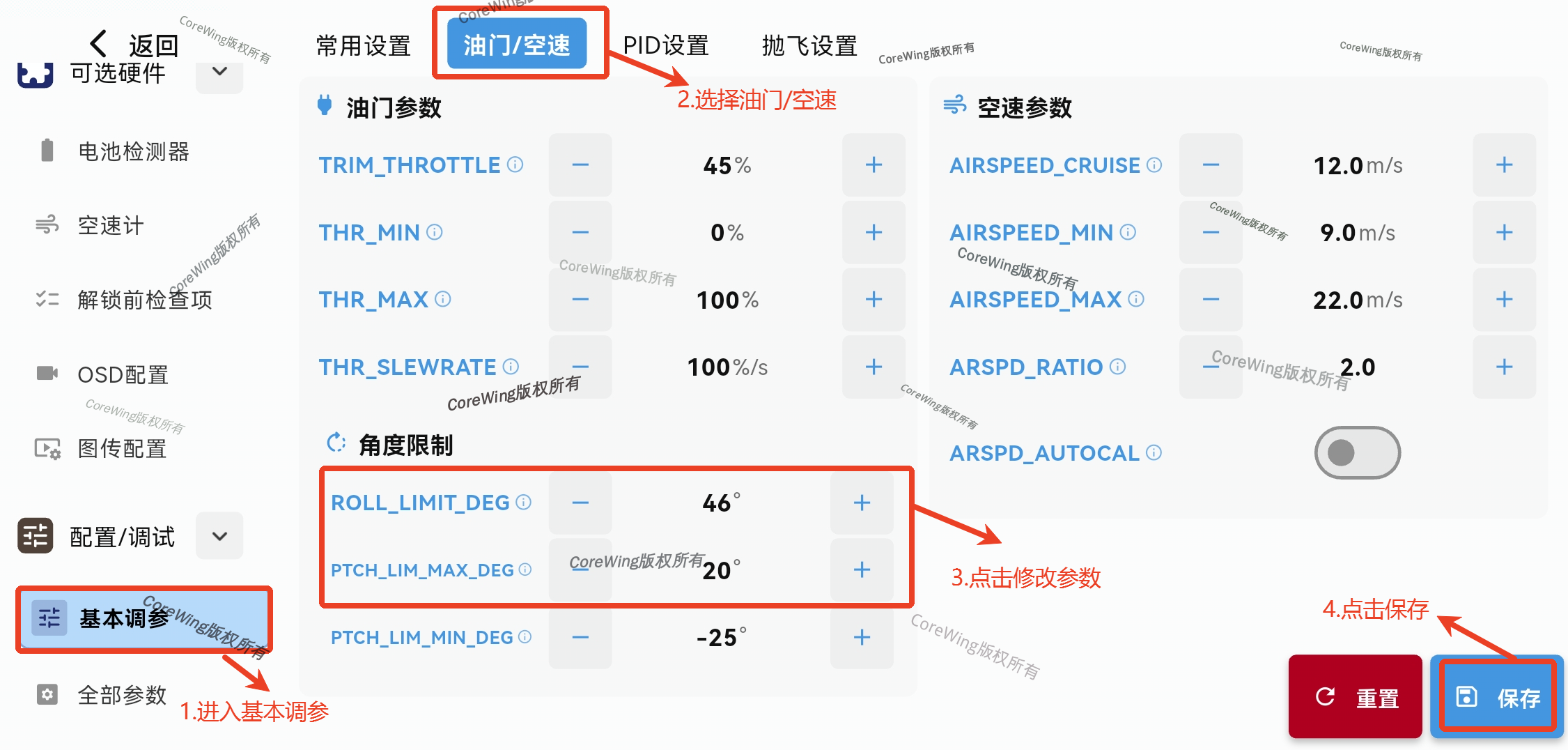
- Connect the flight controller to CoreWingAPP and go to the Basic Parameters page
- Select Throttle/Airspeed, modify PTCH_LIM_MAX_DEG and ROLL_LIMT_DEG
- Click Save
Important
If adjusting PTCH_LIM_MAX_DEG and ROLL_LIMT_DEG has no effect, go to the CoreWingAPP Servo Output page to modify the Min and Max values.
Insufficient servo travel will limit the effectiveness of PTCH_LIM_MAX_DEG and ROLL_LIMT_DEG adjustments.
Important
After making changes, switch to the corresponding mode and move the transmitter sticks to confirm if the control surface deflection has changed.
3.2 Using MP Ground Control Station Settings
3.2.1 Modifying Servo Travel in Manual Modes (e.g., ACRO, Manual)
Important
The adjustment to Min and Max values must be consistent. For example, if Min is decreased by 100, Max must be increased by 100. Similarly, if Min is increased by 100, Max must be decreased by 100.
Important
To increase control surface deflection, decrease Min and increase Max. The minimum Min value is 800, and the maximum Max value is 2200.
- Connect the flight controller to the ground control station
- Click to enter Servo Output
- Modify the servo travel (Min and Max values) for the corresponding servo channel
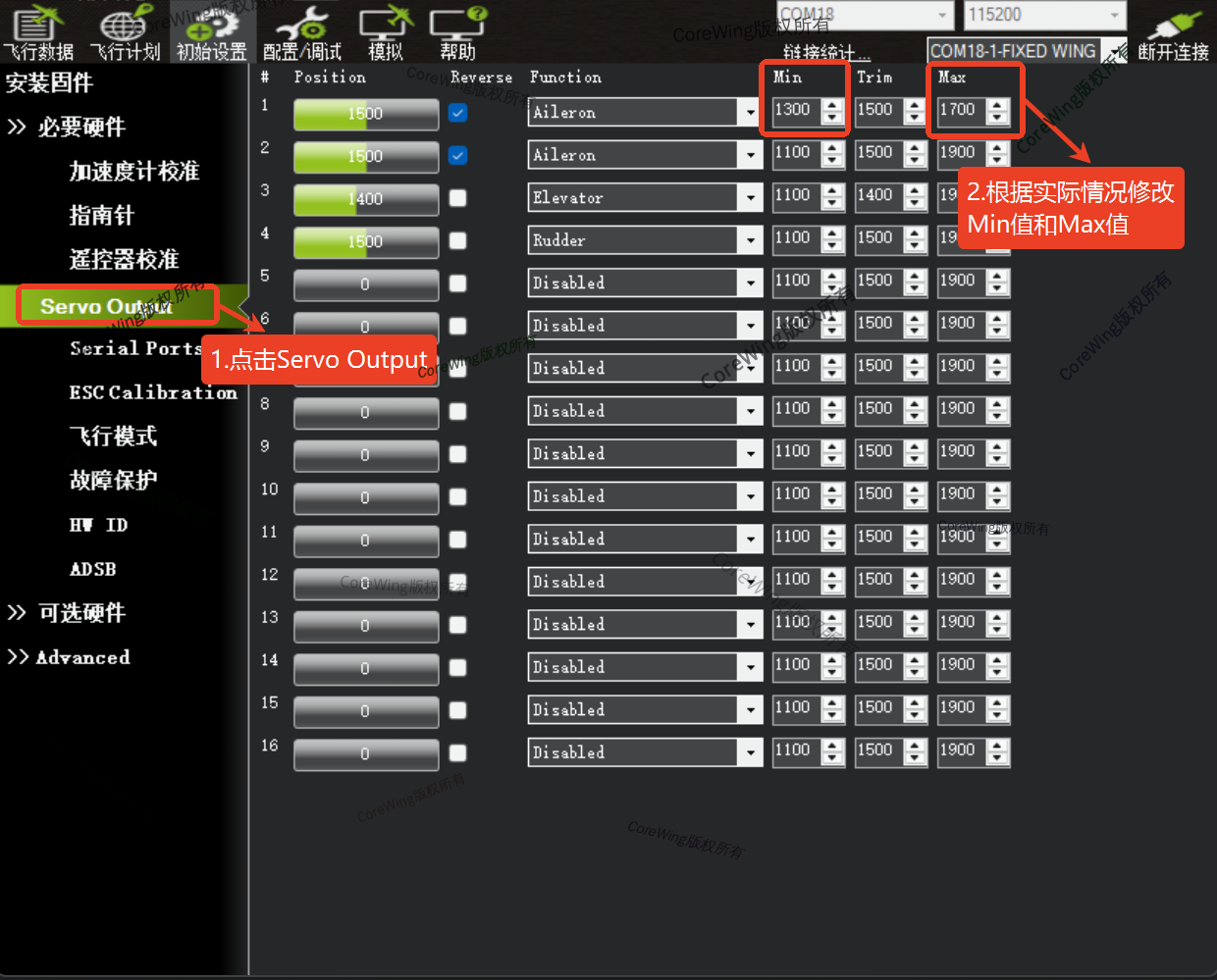
3.2.2 Modifying Servo Travel in Self-Stabilizing Modes and Flight Modes Involving the Flight Controller (e.g., FBWA, AUTO)
- Click to enter the full parameter table
- Search for parameters PTCH_LIM_MAX_DEG and ROLL_LIMT_DEG and modify their values
- PTCH_LIM_MAX_DEG: Maximum pitch angle value, which can modify the control surface deflection of the elevator.
- ROLL_LIMT_DEG: Roll angle value, which can modify the control surface deflection of the ailerons.
- Click to write parameters
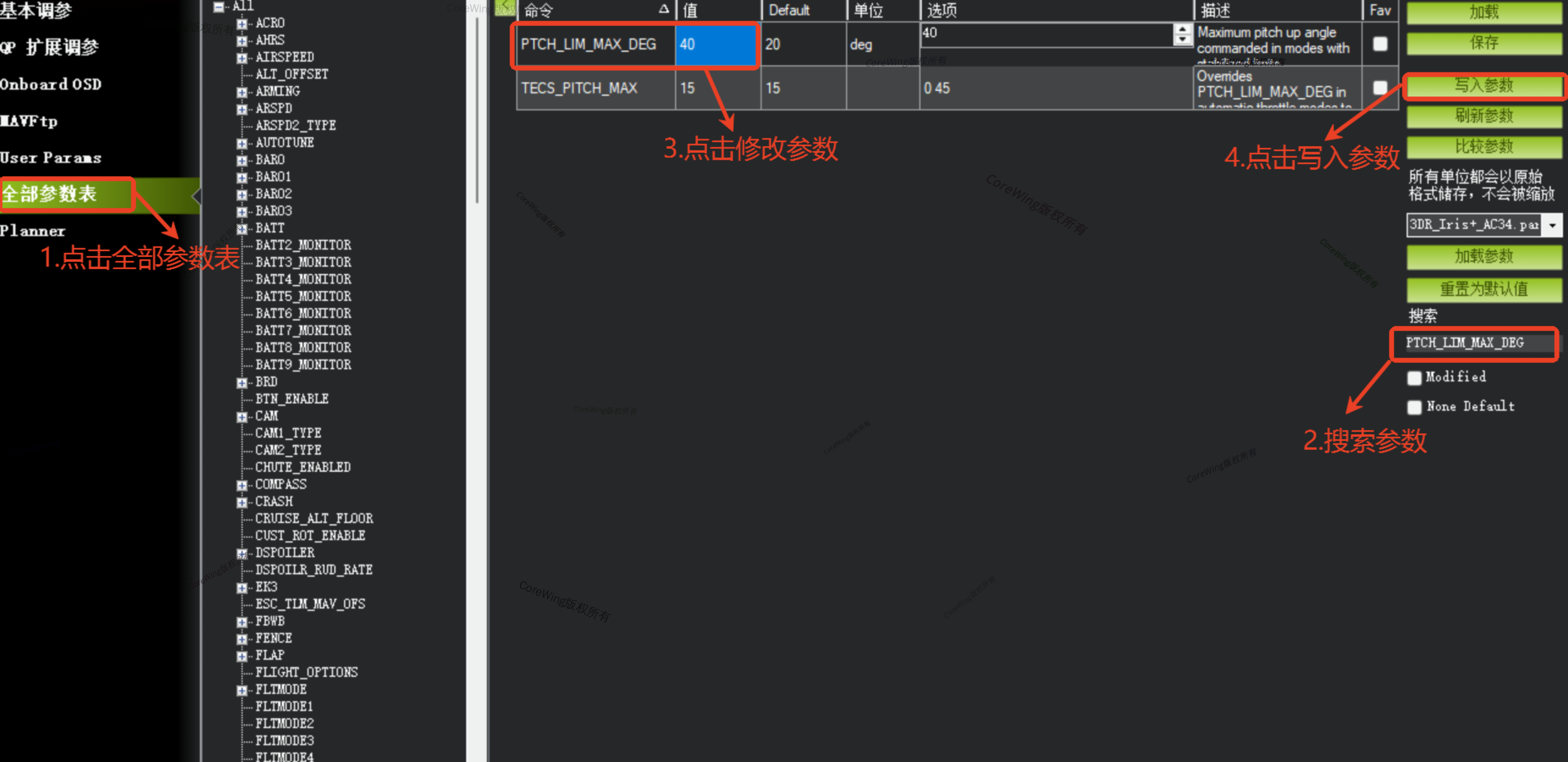
Important
If adjusting PTCH_LIM_MAX_DEG and ROLL_LIMT_DEG has no effect, go to the ground control station Servo Output page to modify the Min and Max values.
Insufficient servo travel will limit the effectiveness of PTCH_LIM_MAX_DEG and ROLL_LIMT_DEG adjustments.
IV. Verification
- Switch flight modes and observe the aircraft's attitude to confirm if the control surface deflection meets requirements
- Before modification: transmitter stick is fully deflected but control surface deflection is small
- After modification: transmitter stick is fully deflected and control surface deflection is increased
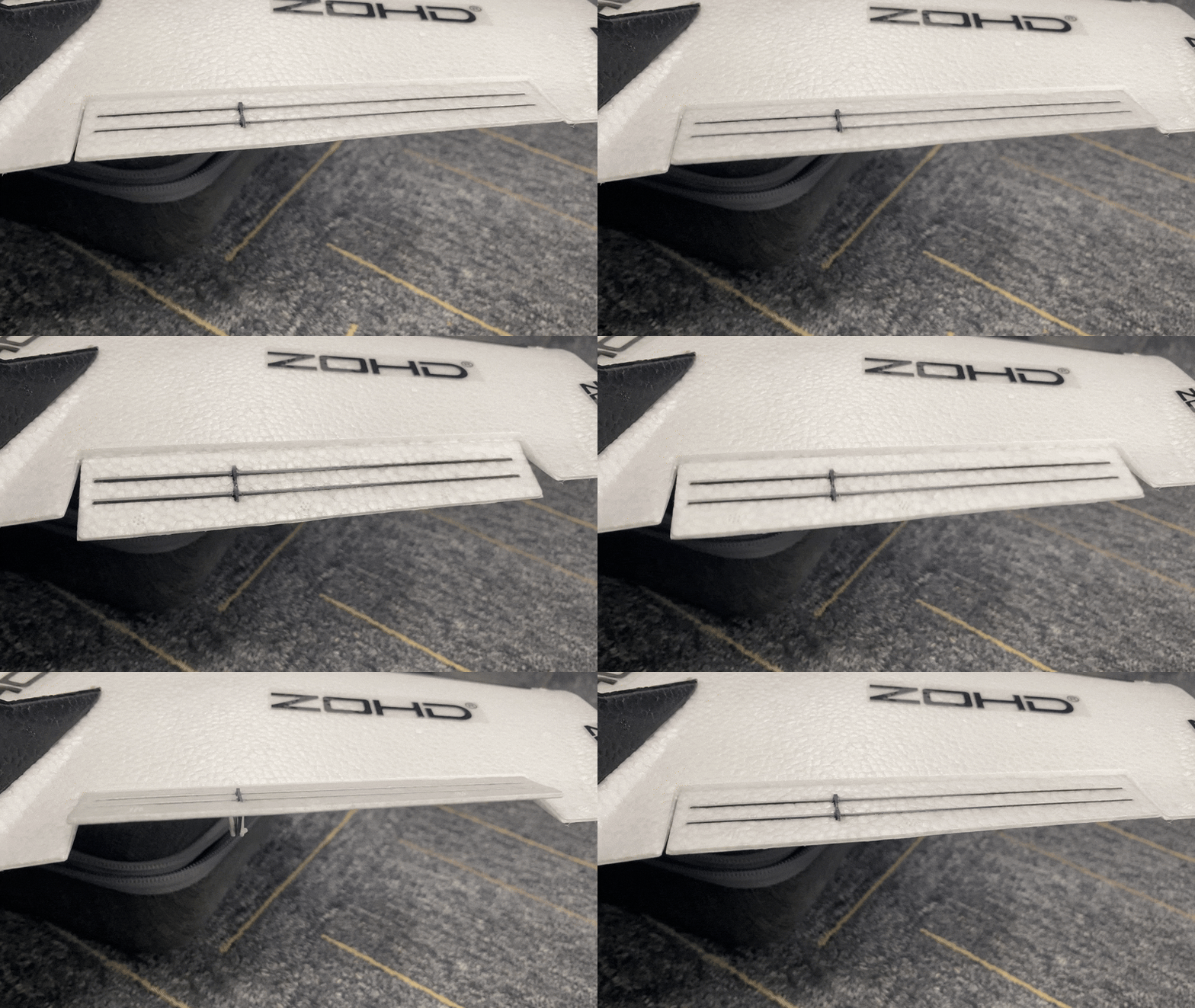
2. If the issue is not resolved after adjustments, continue modifying servo travel and PTCH_LIM_MAX_DEG, ROLL_LIMT_DEG values in the ground control station.
Technical Support QR Code
