
Fixing Reverse Home Direction Display in AP Firmware OSD
5/29/26About 1 minArduPilotArduPilotOSD回家箭头方向错误TranslateArrow图传
I. Symptom
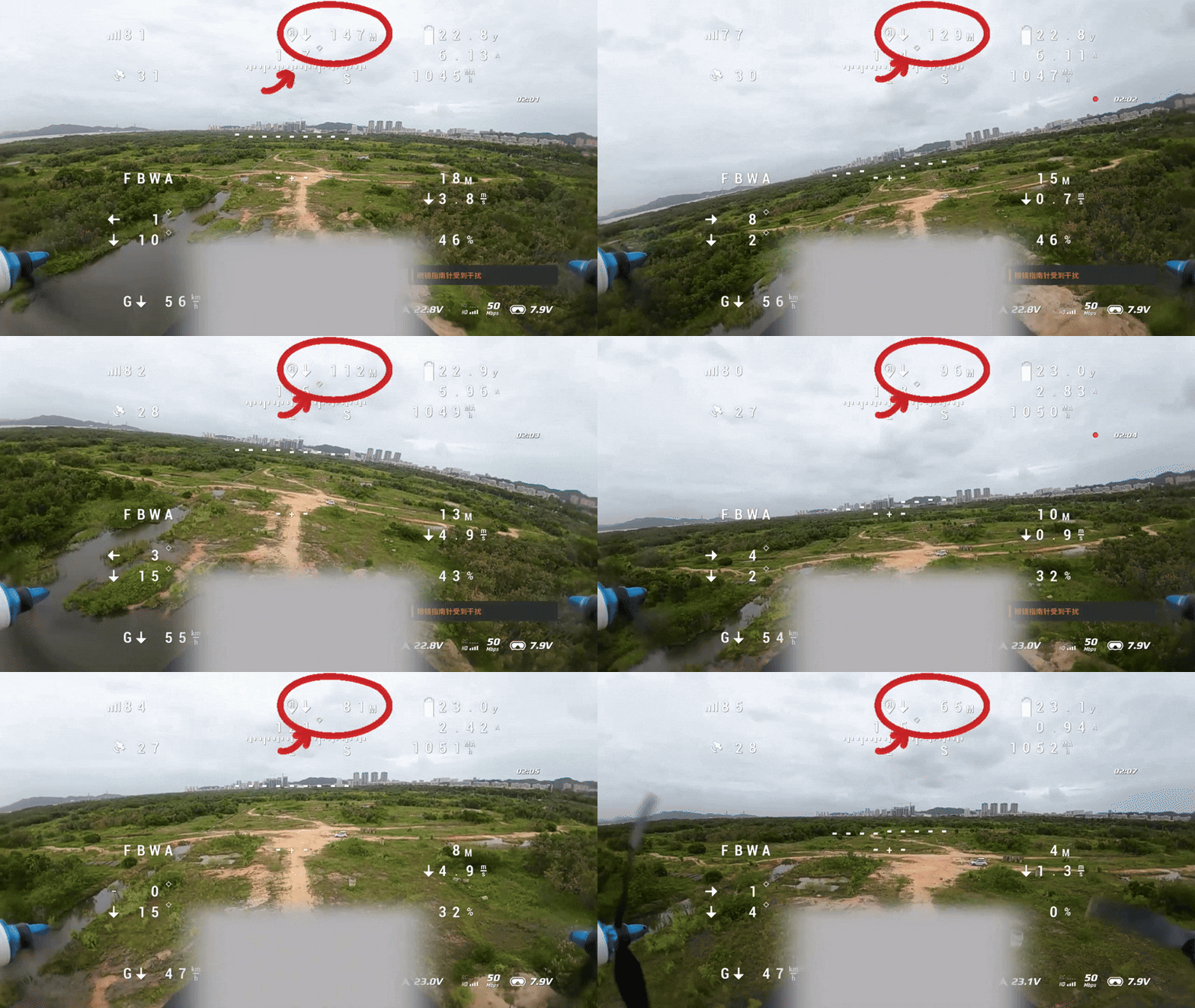
The flight controller is using ArduPilot firmware, and users can observe in the OSD interface that the return home arrow direction displayed on the OSD is opposite to the actual return home arrow direction.
Important
As can be seen from the image below, the aircraft is facing the home direction and getting closer to home. The correct arrow indication should be forward, but the arrow in the image indicates backward.
II. Cause Analysis
The reasons why the OSD interface displays the return home arrow direction opposite to the actual return home arrow direction:
- A firmware issue with the AP firmware itself, unable to correctly display the home direction
- The OSD_OPTIONS parameter was not correctly set in the MP ground control station
III. Solution Methods
CoreWing APP:
- Enter the OSD configuration page, find OSD_OPTIONS
- Click to check TranslateArrow
- Click confirm, then click save

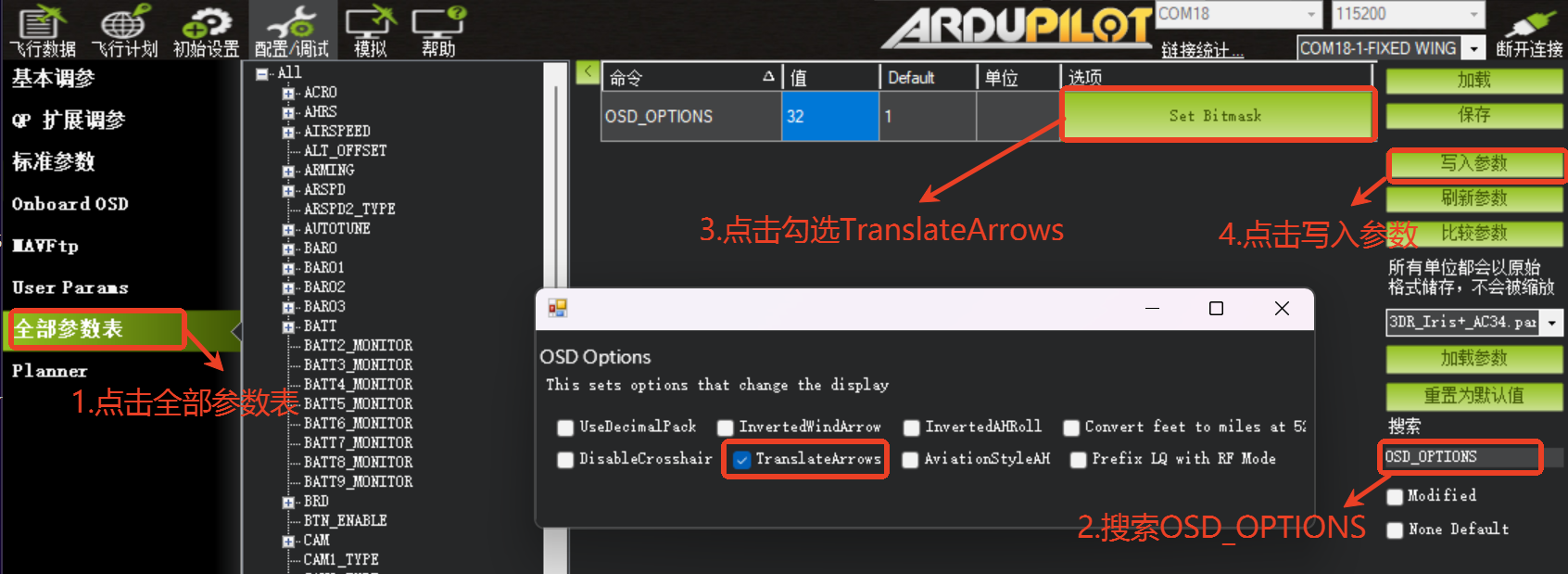
MP Ground Station Settings: - Connect the flight controller to the ground station
- Click on the full parameter table, search for OSD_OPTIONS
- Click to check TranslateArrow or enter 32
- Click to write parameters
IV. Result Verification
Pre-flight Confirmation:
- Power on the aircraft, after GPS is fixed, slowly rotate the aircraft
- Check if the arrow on the OSD interface always points to the actual "Home" direction
Flight Test Confirmation: - After the aircraft takes off normally, during flight observe if the arrow correctly changes with the heading adjustment
Important
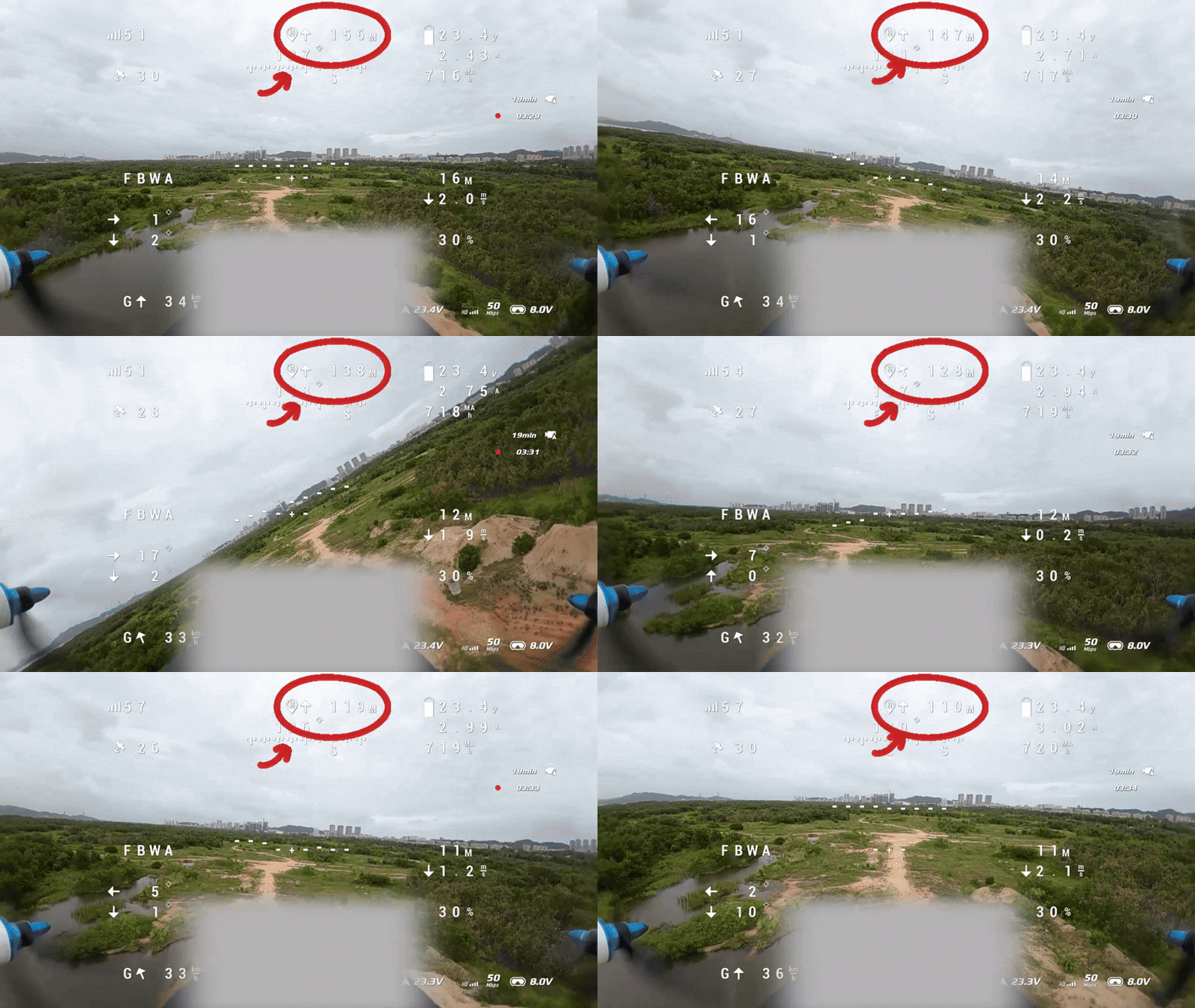
As shown in the image below, the aircraft is facing the home direction and getting closer to home, and the arrow correctly indicates forward.
Technical Support QR Code
