
Configuring Digital Protocol ESCs with CoreWing APP - INAV Firmware
1. Principle
The CoreWing APP ESC configurator is a tool for configuring and adjusting the parameters of electronic speed controllers (ESCs), particularly suitable for fixed-wing and multirotor aircraft. Through this application, you can more finely adjust the operating modes and performance of the ESCs to adapt to different flight requirements. The ESC configurator is typically used to set parameters such as reverse, startup, braking, and acceleration of the ESCs, thereby optimizing flight control.
2. Equipment Preparation
- Flight controller: CoreWing F405 WING V2
- ESC: Supports configuring ESCs with AM32/BLHeli_s/Bluejay protocols. Taking FlyingRC AM32 75A ESC V2.5 as an example
- Battery: 3S-6S battery
- Download the latest version of CoreWing APP
Important
CoreWing APP download link: https://www.corewing.com/website/download
III. Specific Operations
- Confirm that motors and ESCs are soldered, and ESC power wires are connected to the flight controller
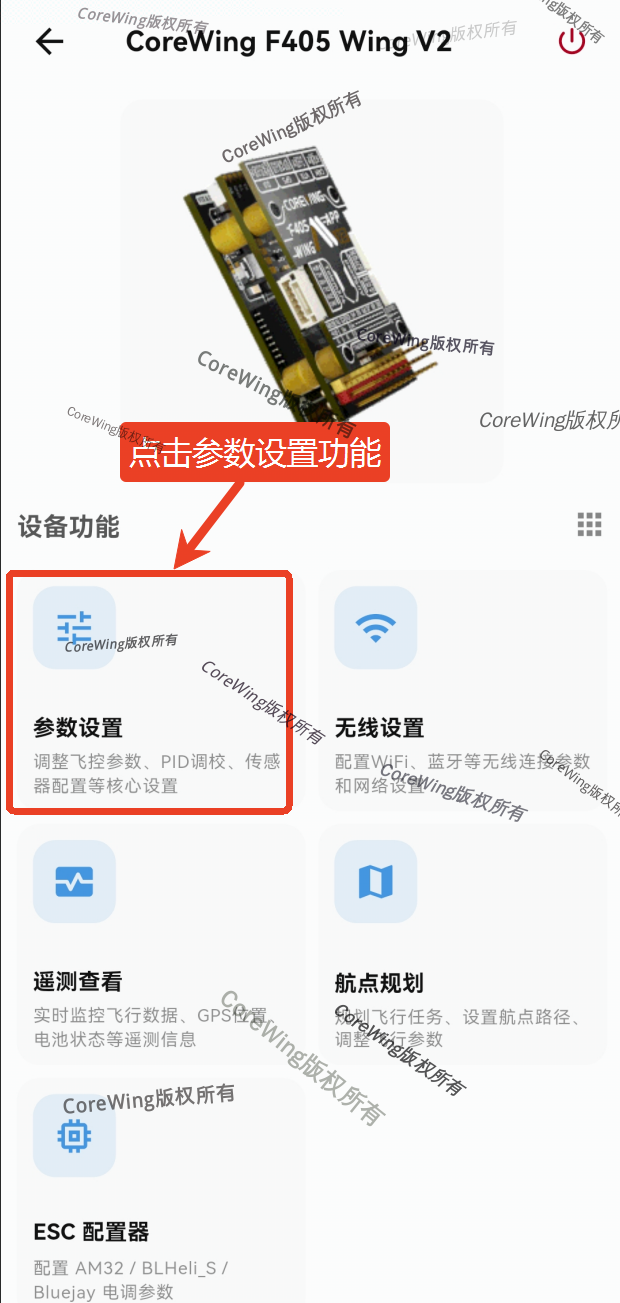
- Connect the flight controller to CoreWing APP and click the parameter settings function
Important
For information on how to connect CoreWing APP to the flight controller, please refer to: https://docs.corewing.com/plane/software/corewing-app/corewing-app-connect-fc.html
3) Enter the tuning interface and configure relevant settings
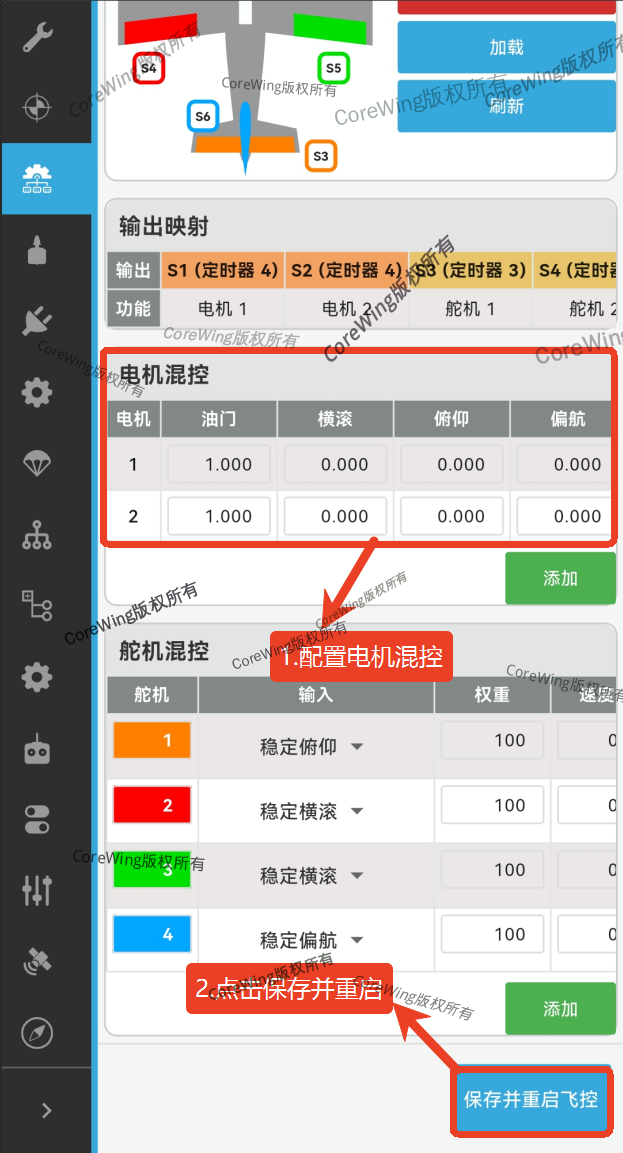
- Enter the mixer page and configure motor output channels
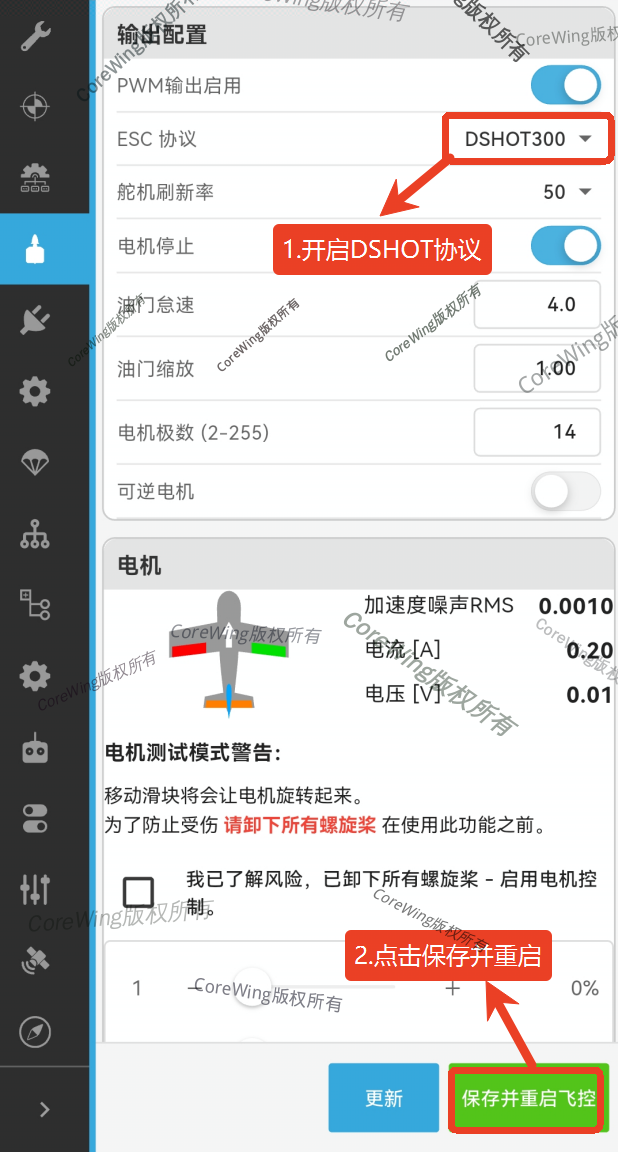
- Enter the output page and enable DSHOT protocol
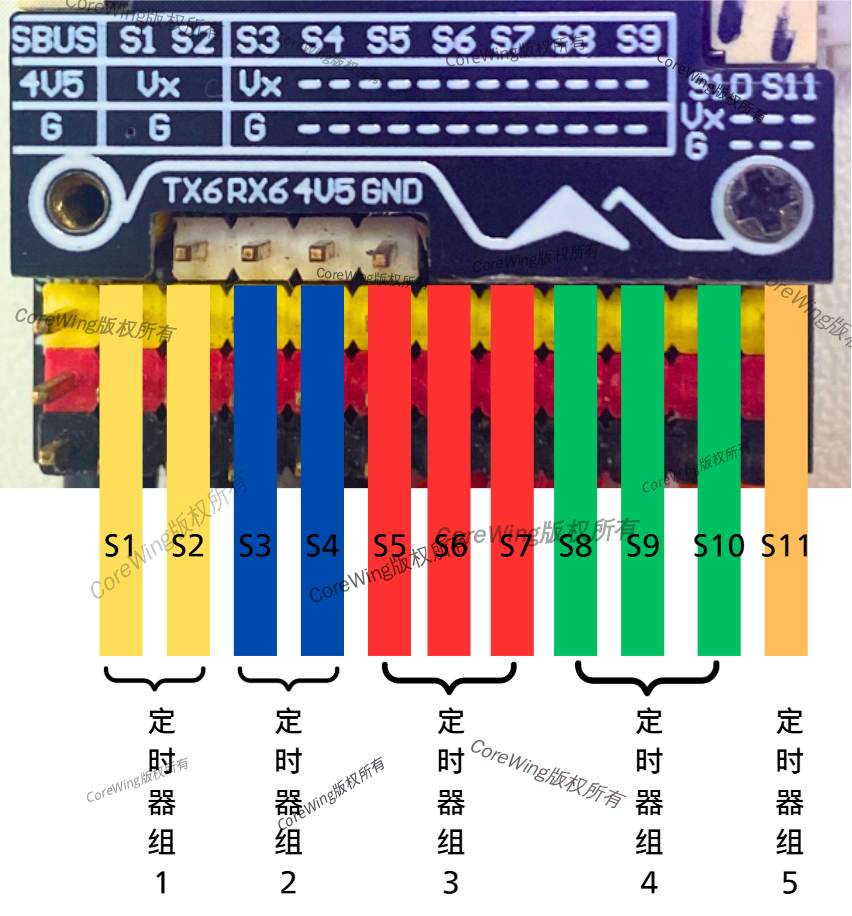
- Connect ESC signal wires to the flight controller's PWM output pins
Important
Note: Motors and servos cannot use the same timer group. Motor outputs need to be connected to the same timer group, otherwise it may cause issues like stuttering in servos and motors.
Important
According to the motor mixer configuration diagram above, motor outputs are mapped to S1 and S2, so ESC signal wires should be connected to S1 and S2.
- Power the flight controller using a battery
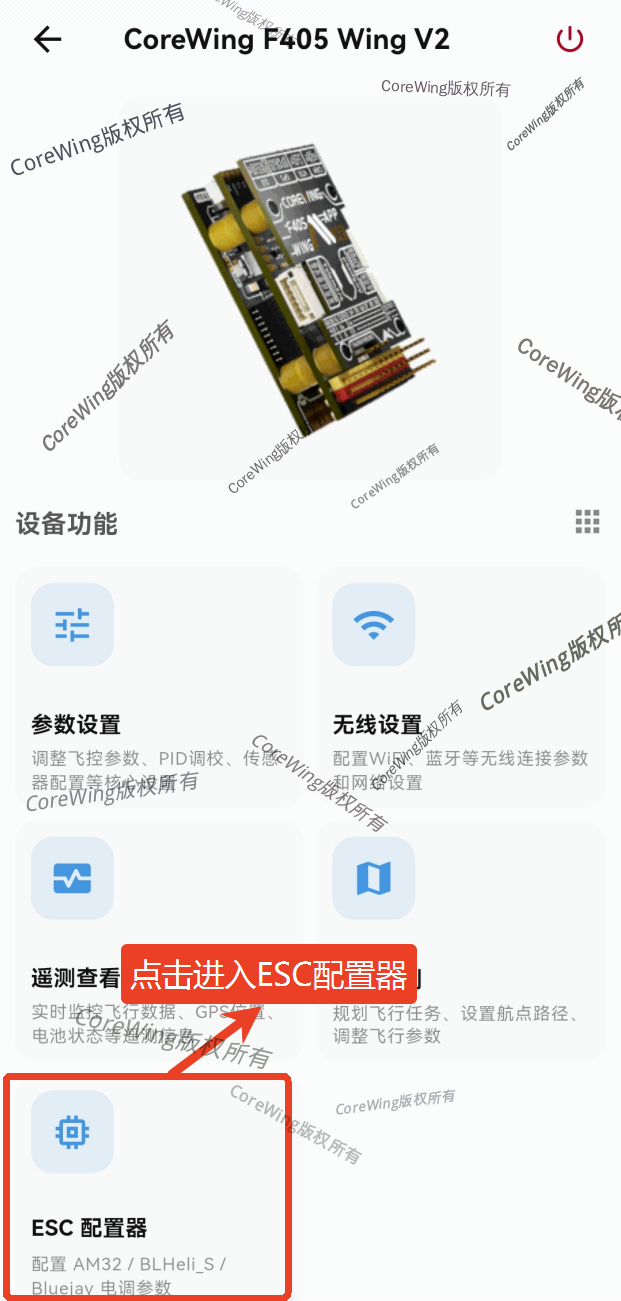
- Exit parameter settings, click to enter ESC configurator, which will automatically detect ESC settings
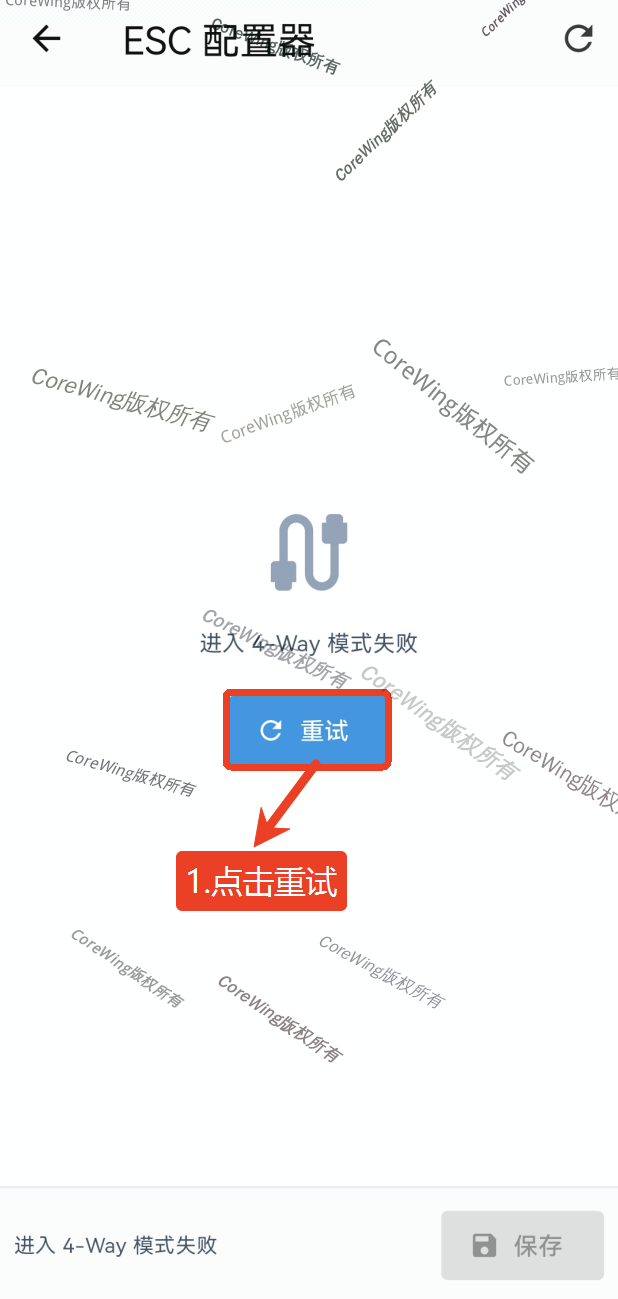
- If ESC settings are not detected, please click retry.
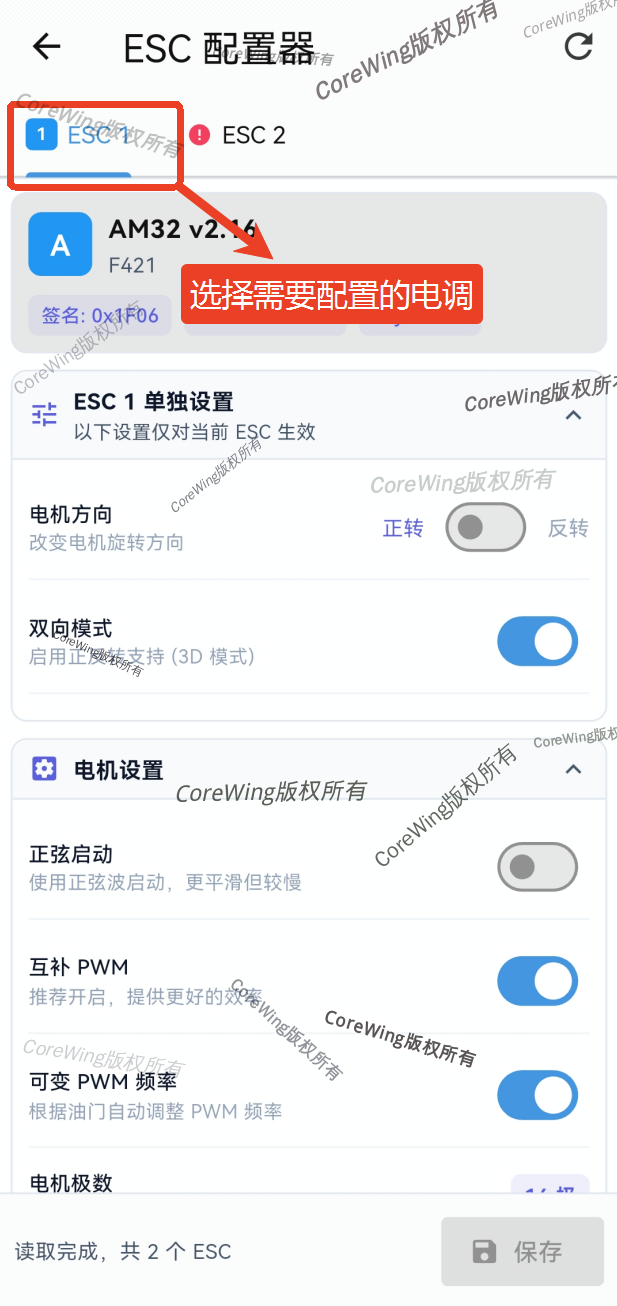
- Select the ESCs to configure and set related parameters
Important
If the ESC is not detected, as shown by ESC2 in the image above, check:
- Whether the ESC protocol is AM32/BLHeli_s/Bluejay
- Whether the motor output channels with DSHOT protocol enabled are correct
- Whether the ESC signal wires are properly connected to the flight controller
Important
Note: After completing parameter settings, please click save, then power off and restart the flight controller.
1.ESC Individual Settings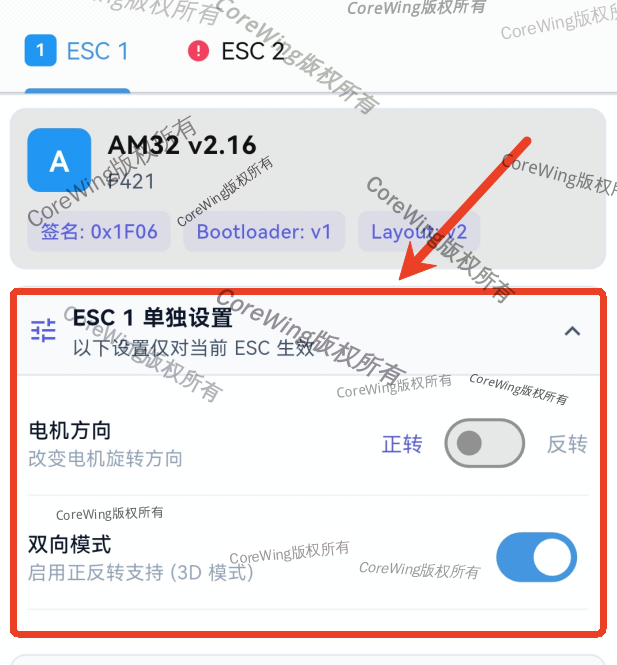
- Motor Direction: Can be selected to change motor rotation direction without changing motor wire sequence
- Application: Sometimes it's necessary to change motor rotation direction, typically used in aircraft requiring special maneuvers.
- Bidirectional Mode: Enables 3D mode, motors rotate forward when throttle is above midpoint, reverse when below
- Application: For example, aircraft that need to reverse or have reverse control
2.Motor Settings: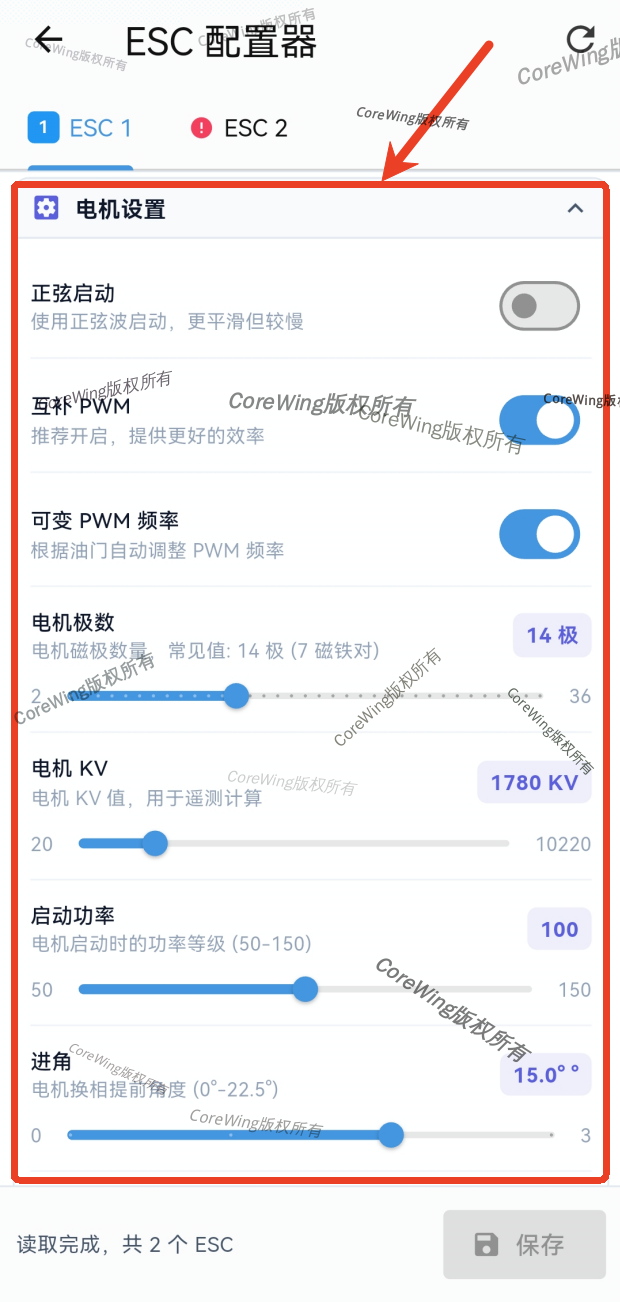
- Sinusoidal Start: Uses sinusoidal wave drive for smooth motor startup, reducing startup shock.
- Application: Suitable for applications requiring smooth startup and reduced wear, especially for high-performance ESC systems.
- Complementary PWM: Enables dual-speed control, typically no special settings needed, keep default enabled.
- Application: Reduces interference during motor operation, improves ESC and motor efficiency, maintains stable motor operation.
- Variable PWM Frequency: Automatically adjusts PWM frequency based on throttle, changing ESC efficiency
- Application: Can automatically adjust motor frequency based on load changes; lowering frequency increases motor efficiency and reduces loss; increasing frequency makes motor response more sensitive.
- Motor Poles: The number of magnetic poles determines motor speed characteristics, default 14 poles is usually sufficient.
- Application: Generally, more motor poles mean lower motor speed but higher output torque. The ESC can adjust motor performance based on pole count.
- Motor KV Value: Should be set to the KV value closest to the actual motor.
- Application: KV value represents the motor's speed constant, i.e., motor speed per volt. Higher KV values mean higher motor speed but greater power requirements.
Important
Note: AM32 ESCs require setting the KV value closest to the actual application, otherwise the ESC may become unusable and the motor may not spin!
- Startup Power: Controls power output during motor startup. Increasing startup power allows faster motor startup but increases battery load.
- Application: Typically, the ESC adjusts startup power based on battery voltage and type.
- Timing Advance: In most cases, it's recommended to keep the default 15° timing advance setting, only adjust when using special motors.
- Application: Higher timing advance means higher motor speed and greater thrust but increases power consumption and risk of motor burnout. Conversely, lower timing advance means lower power output but more energy efficient.
3.Protocol Settings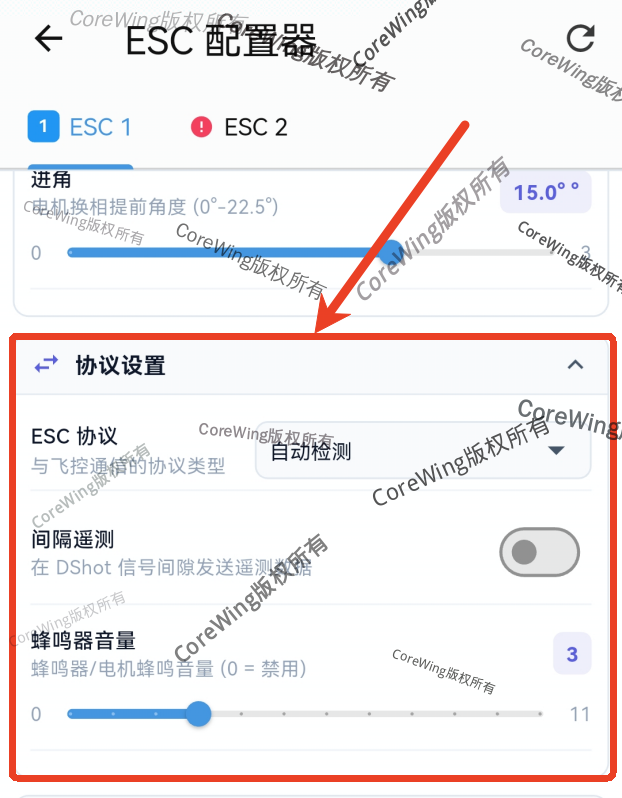
- ESC Protocol: Can select ESC protocol based on requirements, default is auto-detection
- Interval Telemetry: When DSHOT protocol is enabled, telemetry data can be sent with signal intervals
- Buzzer Volume: Can adjust the volume of the ESC buzzer
4.Protection Settings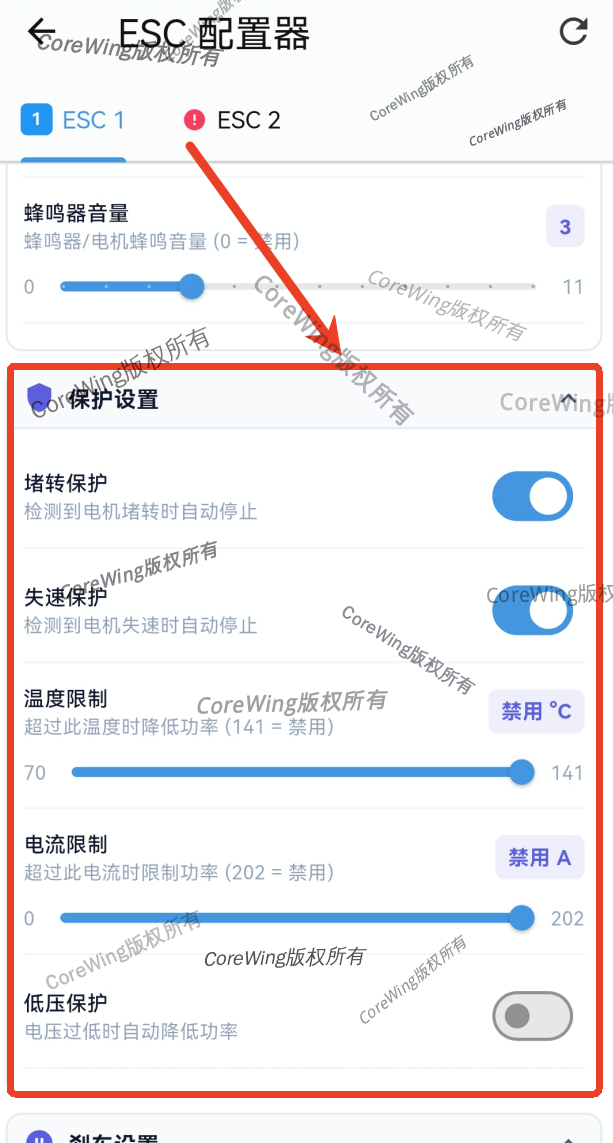
- Stall Protection: When motor stalls, the ESC stops output to prevent motor damage.
- Application: Protects motors from damage caused by jamming or malfunction.
- Stall Protection: Prevents motor stalling under high load by reducing speed in time.
- Application: Prevents motor stalling due to excessive load, increasing aircraft safety.
- Temperature Limit: Sets temperature protection for the ESC. When temperature exceeds the set value, power is automatically reduced to prevent overheating damage.
- Application: This setting helps protect the ESC, especially under high load or high temperature. Setting to 141°C disables this protection.
- Current Limit: Sets the maximum current limit. When current exceeds the set value, power is limited to prevent damage to the ESC or motor.
- Application: This setting helps protect the ESC and motor. Setting to 202A disables this function.
- Low Voltage Protection: Automatically reduces ESC power when voltage is too low.
- Application: Recommended to keep disabled unless special requirements, otherwise it can easily cause crashes.
4.Brake Settings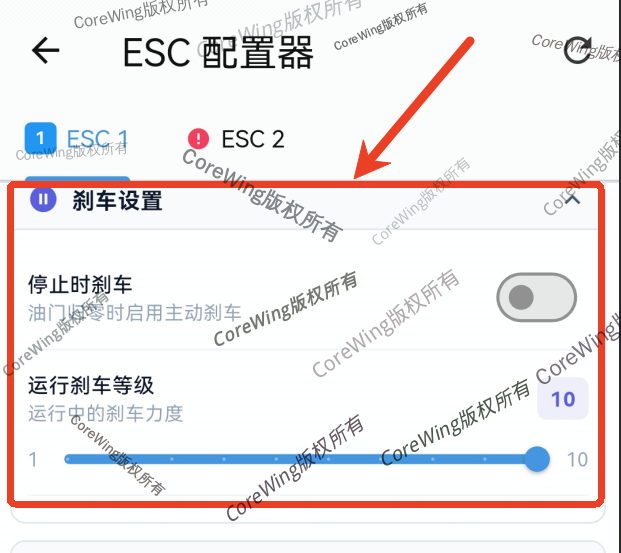
- Stop Brake: Enables active braking when throttle is at zero.
- Application: Makes motor response more sensitive when stopping, preventing the motor from continuing to rotate due to inertia.
- Running Brake Level: Controls the braking force when the motor stops. When stopping, the ESC performs braking to quickly stop the motor.
5.PWM Servo Settings: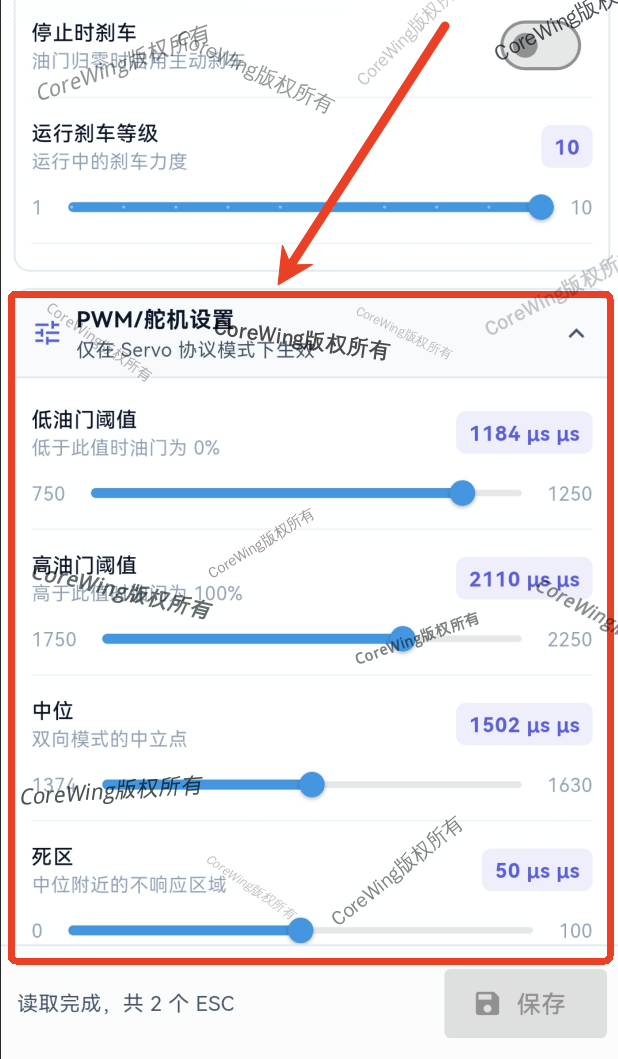
Important
This setting only takes effect in PWM protocol mode!
- Low Throttle Threshold: Sets the lower limit of throttle, i.e., when throttle signal is below this value, output is 0%
- Application: Limits response of the ESC system, typically used to prevent the ESC from not responding due to low signals.
- High Throttle Threshold: Sets the upper limit of throttle, i.e., when throttle signal exceeds this value, output is 100%
- Application: Prevents throttle signal from being too high, avoiding the ESC operating beyond safe range, protecting the ESC and motor.
- Center: Sets the center point of the throttle signal.
- Application: Typically used for setting the throttle center point in bidirectional mode (3D mode).
- Dead Band: Sets the range where the ESC will not respond within throttle signal fluctuation.
- Application: If dead band is set, the motor will not act within this range. This setting helps avoid unnecessary motor movements due to small input changes.
6.Advanced Settings: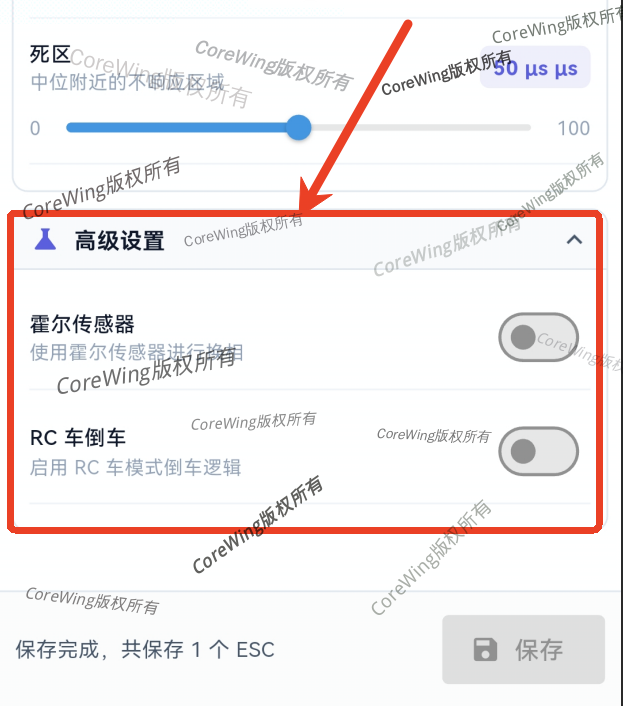
- Hall Sensor: Detects magnetic field changes inside the motor, providing information about the motor rotor position to the ESC. Enables smoother motor startup and prevents skipping or vibration.
- Application: Recommended for brushless motors with Hall sensors, keep disabled unless special requirements.
- RC Reverse Mode: Enables the drone to reverse smoothly while moving forward.
- Application: For remote control model cars or unmanned vehicles, reversing in complex or narrow spaces is a common requirement, keep disabled unless special requirements.
4. Q&A
Technical Support QR Code
