
Fixing BangFeng T3 Flight Mode and Voltage Display Errors in INAV Ground Station
I. Problem Description
Problem 1: When using the BangFeng T3 VTX, switching flight modes with the RC transmitter switch does not change the flight mode displayed on the VTX screen.
Important
Under normal circumstances, the flight mode should change according to the RC transmitter channel position
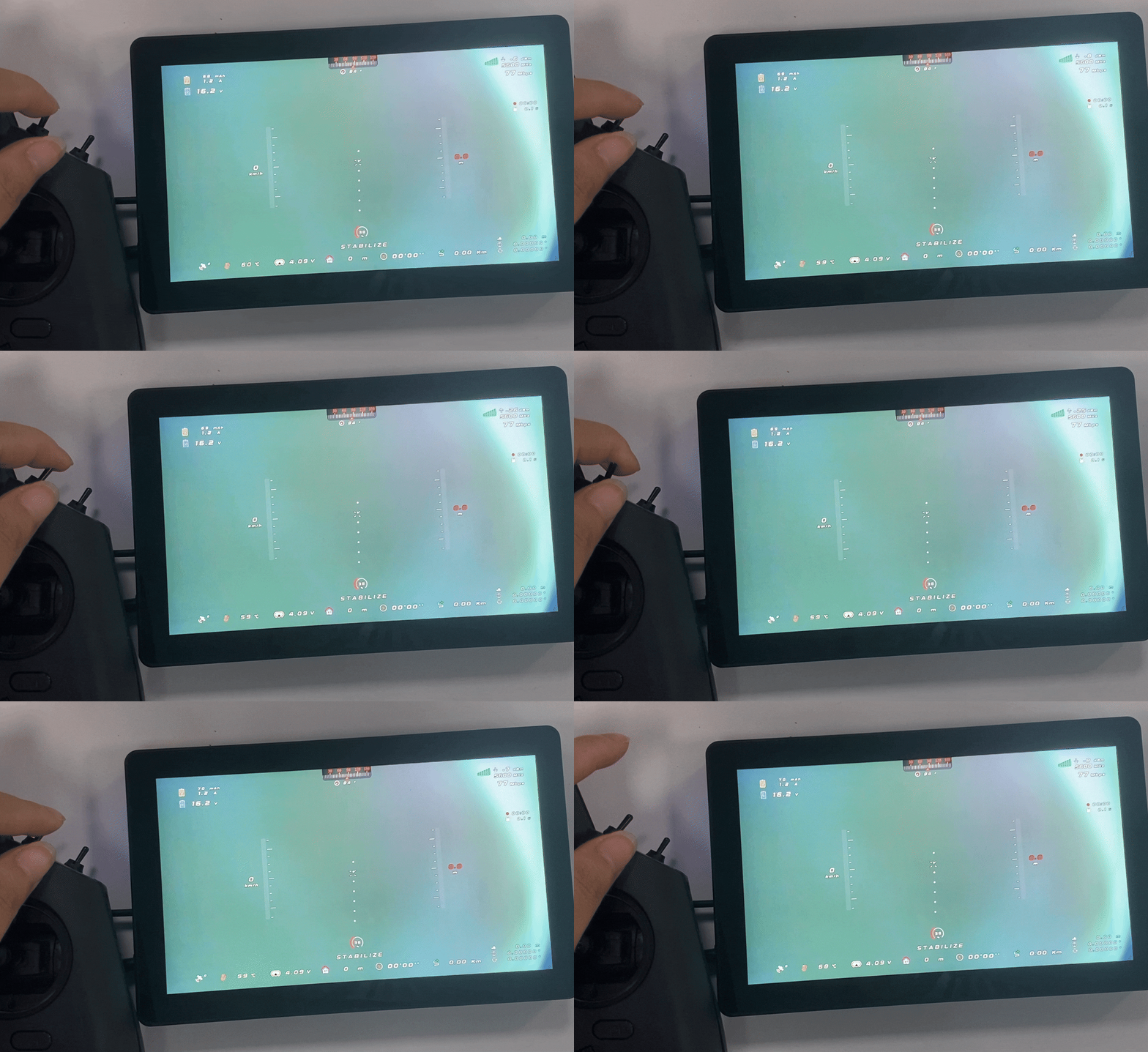
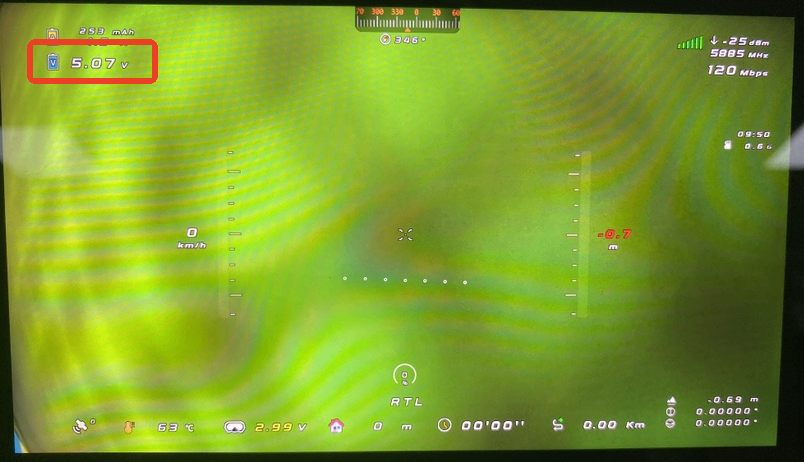
Problem 2: When using the BangFeng T3 VTX, the voltage displayed on the VTX screen does not match the actual voltage
Important
Under normal circumstances, the actual voltage should be displayed. As shown in the image above, the current flight controller input voltage should be 15.2v
II. Cause Analysis
Causes of incorrect flight mode display:
- Correct port protocol not set in the ground control station
- Or MSP is enabled on the port
Causes of incorrect voltage display: - The BangFeng T3 VTX firmware itself has issues and cannot display voltage correctly
III. Solutions
3.1 How to Fix Incorrect Flight Mode Display
Important
Accelerometer calibration must be completed first before switching flight modes
Important
Note: When performing accelerometer calibration, be sure to remove the flight controller from the airframe and place it on a flat surface for calibration to improve accuracy and ensure flight stability!
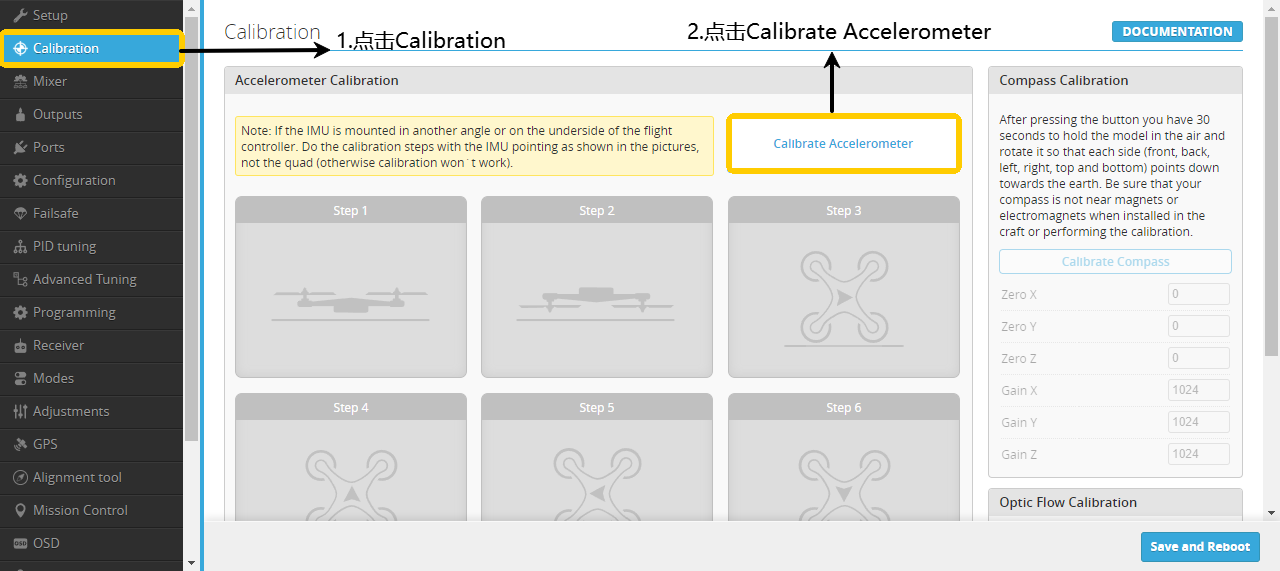
- Click Calibration.
- Click Calibrate Accelerometer.
- Perform calibration according to the diagram.
Important
After calibrating each side, you need to click Calibrate Accelerometer once.
Important
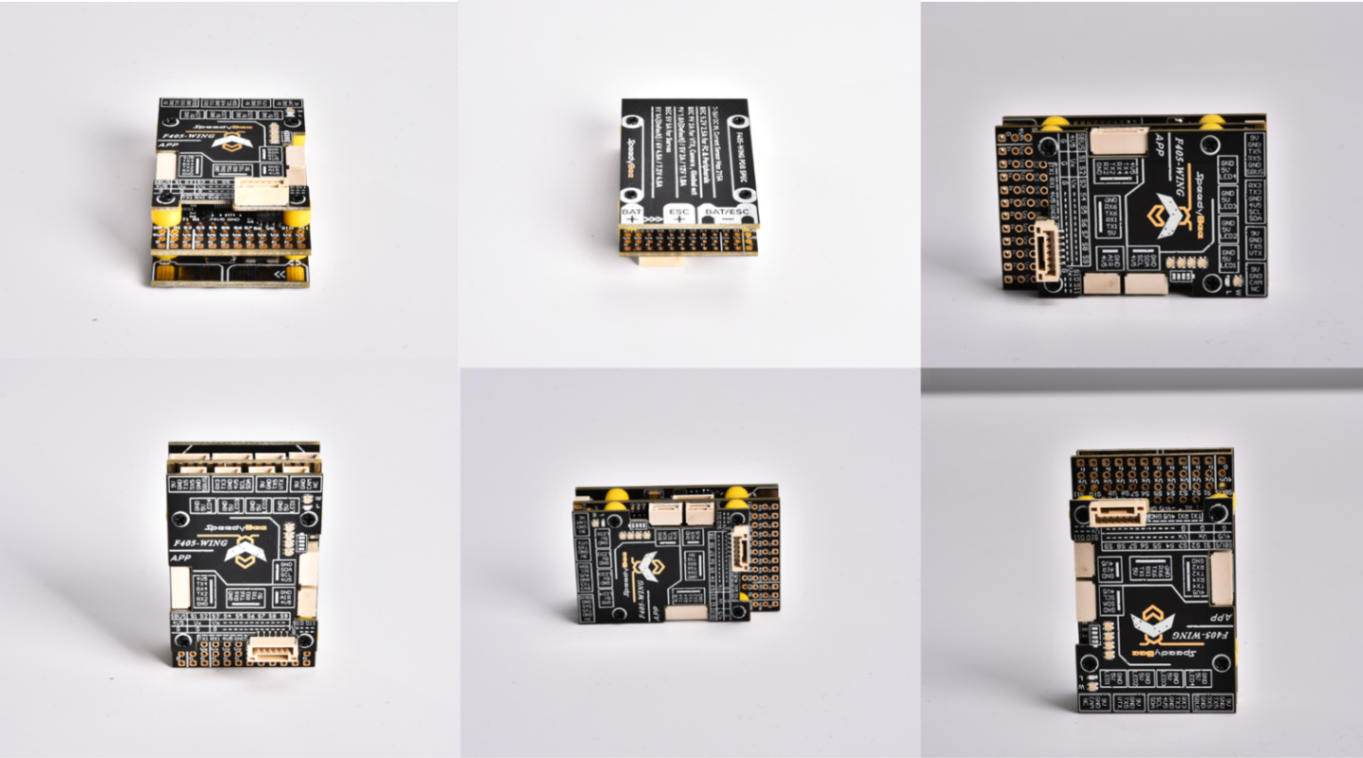
The diagram below corresponds to the above accelerometer calibration.
Important
After calibration is complete, click Save and Reboot.
CoreWing F405 WING V2:
- Click to enter the port page
- Set the telemetry output baud rate of
UART3to115200 - Set the protocol to
MAVLink, click save and restart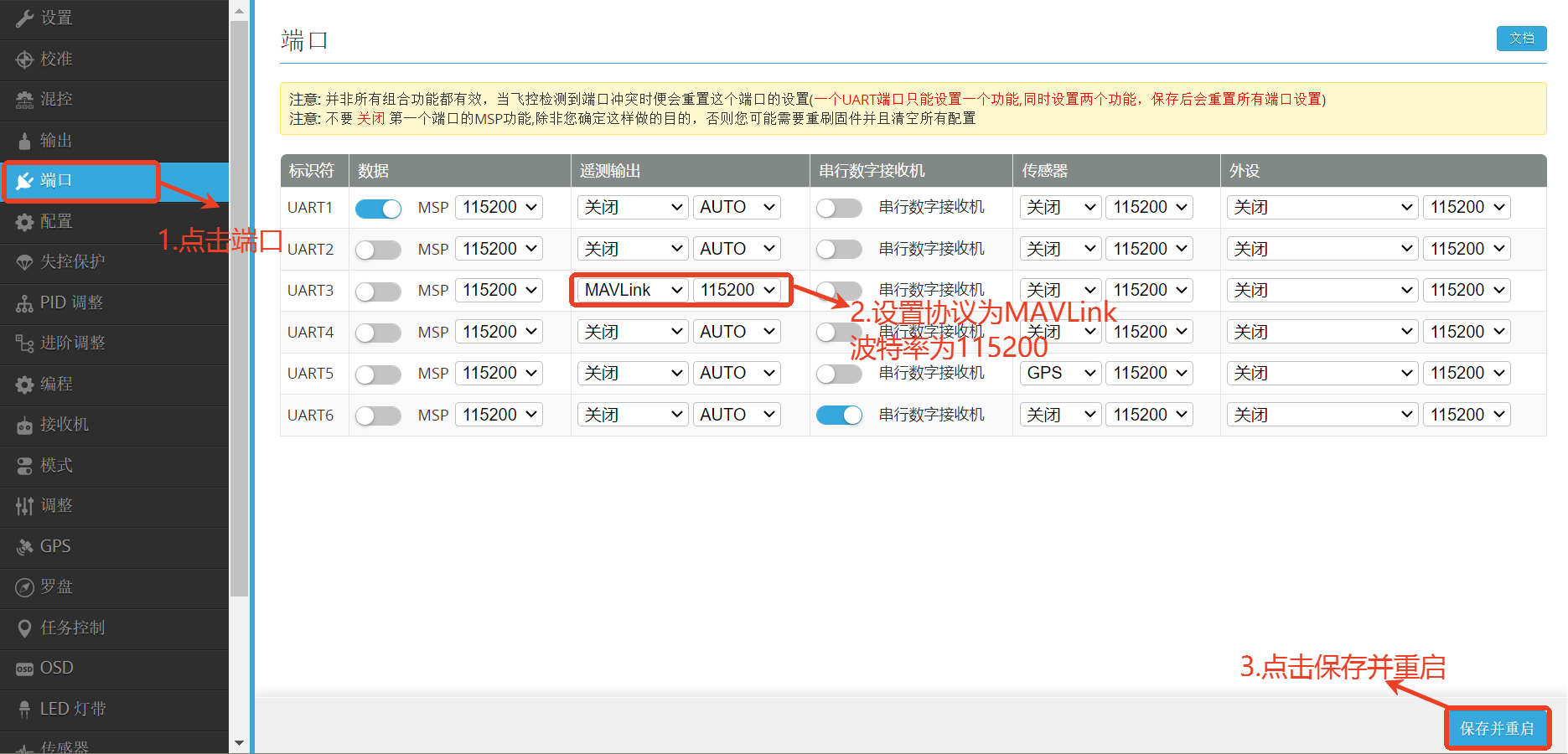
3.2 How to Fix Incorrect Voltage Display
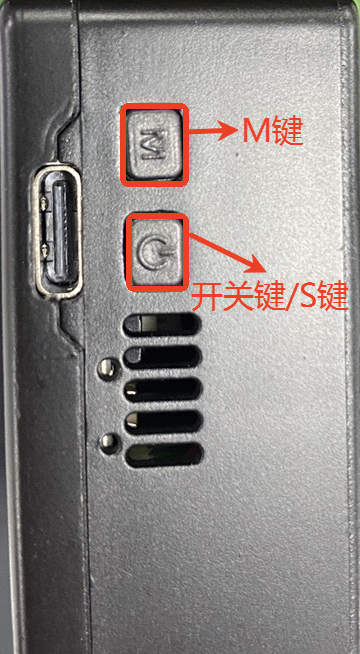
- After powering on the ground unit, short press the power button to bring up the main menu
- Short press the power button to select the next item
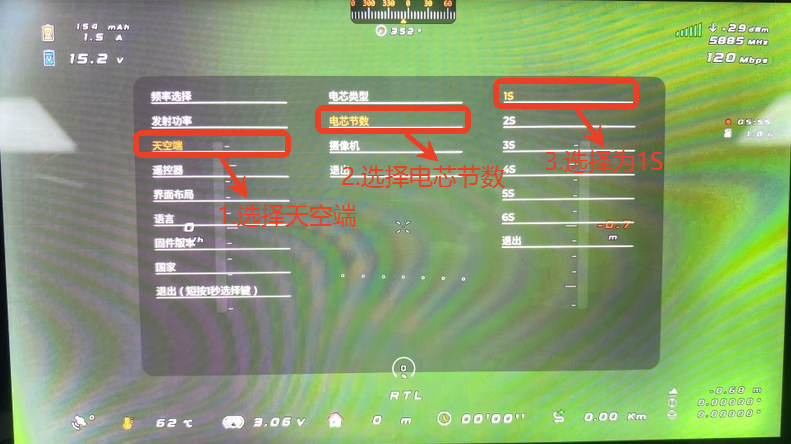
- Short press the M key to confirm the sky end, click on cell count, and set to 1S
Important
The BangFeng T3 VTX firmware itself has issues, regardless of the number of battery cells used, you must select 1S to display correctly
IV. Verification
Important
After modifying parameters in the ground control station and VTX menu, be sure to disconnect power from all devices, including the flight controller and VTX sky/ground units
Important
If the flight controller is using INAV firmware, accelerometer calibration is also required, otherwise switching flight modes will not change
- Power on all devices again and bind them
- After the RC transmitter and receiver are successfully bound, toggle the flight mode switch to confirm if it changes
Important
Due to BangFeng T3 VTX firmware issues, the flight mode names set in the ground control station may differ from those displayed on the screen
- You can verify if the voltage in the upper left corner of the screen is displayed correctly by comparing it with the voltage displayed in the ground control station
BangFeng T3 VTX Screen: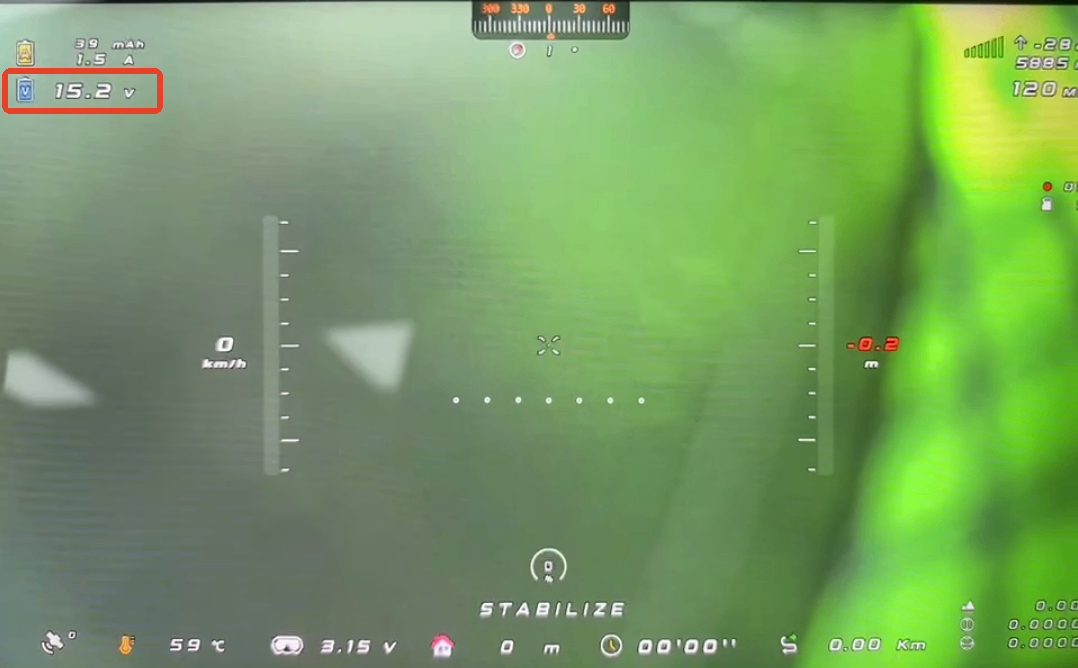
INAV Ground Control Station: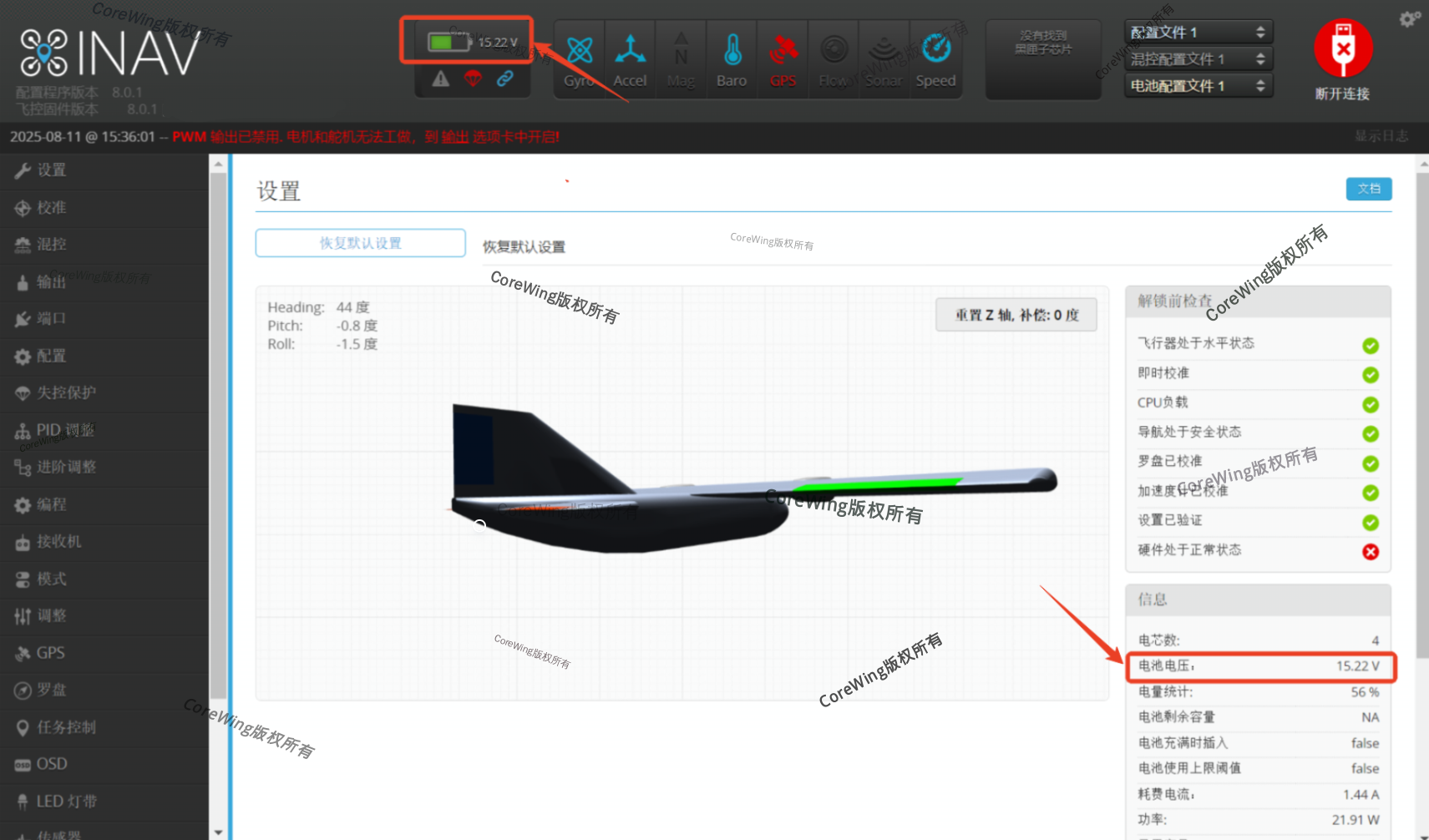
Technical Support QR Code
