
Resolving Insufficient Control Surface Travel in INAV Ground Station
I. Symptoms
Insufficient control surface travel will result in issues such as insufficient turning amplitude, excessive turning radius, minimal attitude changes, and slow response. It will also prevent the aircraft from performing maneuvers requiring large control surface deflections, such as steep turns, rolls, and loops.
II. Cause Analysis
1. The servo travel range set in INAV Ground Control Station is too small, resulting in insufficient control surface deflection in manual mode.
2. INAV defaults to limiting maximum roll angle
- INAV firmware has conservative default parameters, with maximum roll/pitch/yaw angles typically set to 30°~40° to ensure flight stability and prevent loss of control due to excessive banking.
- This angle limit directly affects turning capability, as angles that are too small will cause the aircraft to have an increased turning radius.
3. Low feedforward values - Low feedforward values cause the aircraft to make insufficiently rapid attitude adjustments after receiving control commands, preventing it from quickly reaching the desired roll angle and affecting turning performance.
III. Solutions
Control surface travel in manual mode (such as ARCO, Manual flight modes):
- Click to enter the Outputs page
- Select the corresponding servo and modify its MIN and MAX values
- Click Save and Reboot
Important
The adjustment range for Min and Max values must be consistent. For example: if the Min value is decreased by 100, the Max value must be increased by 100; similarly, if the Min value is increased by 100, the Max value must be decreased by 100.
Important
To increase control surface deflection, you can decrease the Min value and increase the Max value. The minimum Min value is 800, and the maximum Max value is 2200.

Control surface travel in auto-stabilize modes and flight modes involving flight controller participation (such as ANGLE, STABILIZED, etc.):
Method 1: Increase roll/pitch/yaw angles
✅ Applicable to situations requiring reduced turning radius and improved maneuverability.
- Enter INAV Configurator and open the "PID Tuning" → "Rates & Expo" page.
- To modify roll and pitch angles, adjust the following parameters:
- Max. ROLL angle: 60°
- Max. PITCH angle: 45°
INAV Ground Control Station versions below 8.0:
INAV Ground Control Station versions 8.0 and above: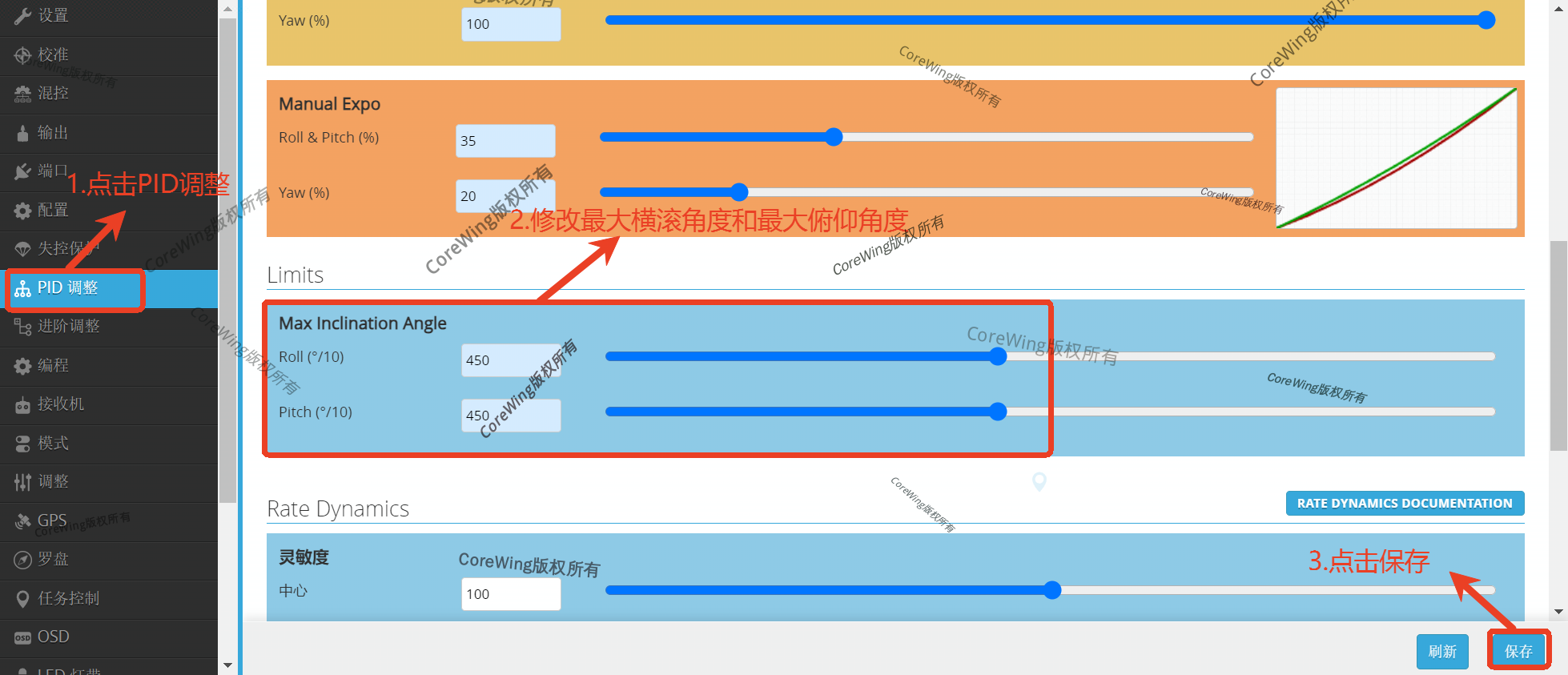
- To modify yaw angle, adjust the following parameter:
- Stabilized Rates Yaw: 50°
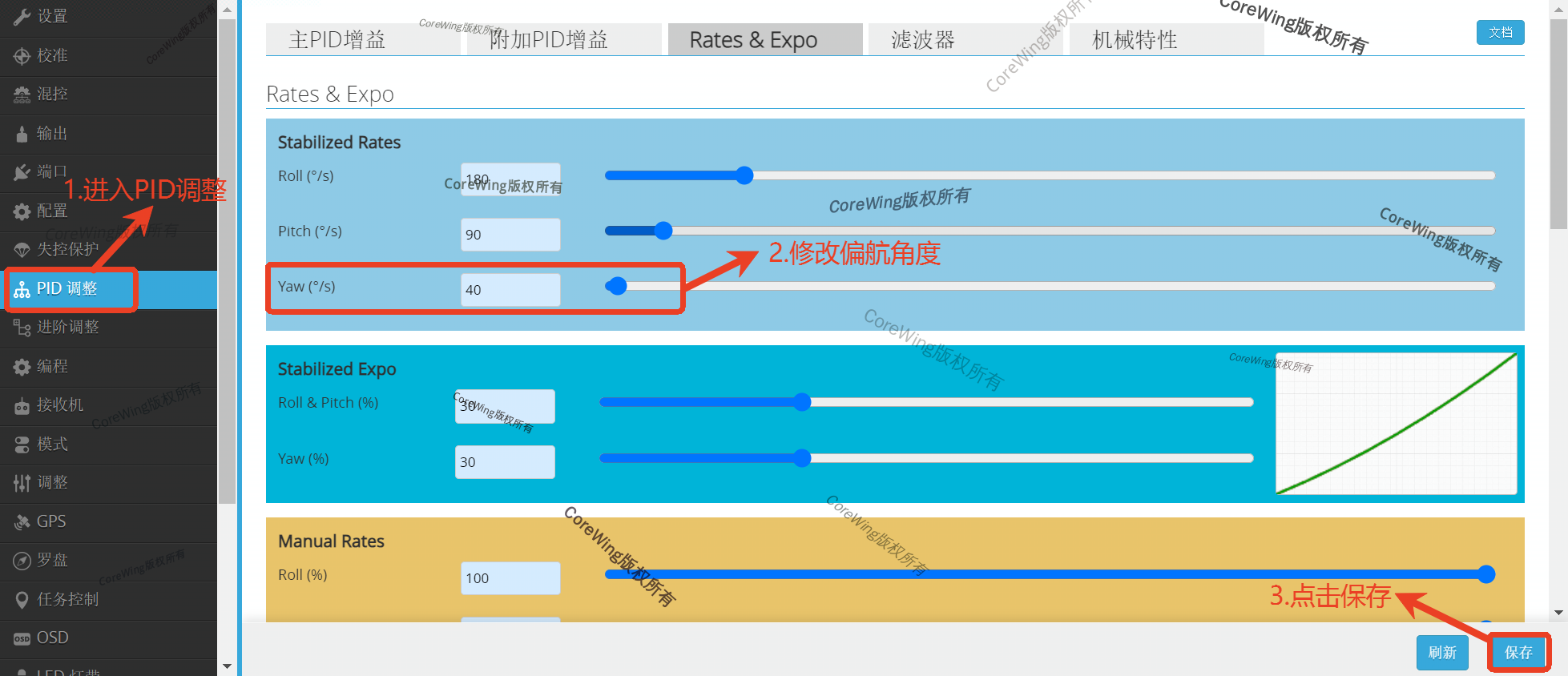
- Click "Save" and perform test flights.
Method 2: Increase feedforward values to improve control surface response
✅ Applicable to situations requiring improved control feel and making the aircraft more responsive to stick inputs.
1. Enter INAV Configurator → "PID Tuning" → "FeedForward".
2. Appropriately increase the roll feedforward value:
- It is recommended to increase by approximately 10 each time
3. Click "Save" and adjust to the optimal value after test flights.
Important
Note: Excessively high feedforward values may cause servo jittering. Please adjust incrementally and verify with test flights.

IV. Verification
1. After takeoff, switch flight modes and observe the aircraft's attitude to confirm if the control surface deflection meets requirements
2. If the issue is not resolved after adjustments, continue modifying parameters in the ground control station
Technical Support QR Code
