
mLRS Lua Script Import
I. What is mLRS Lua Script
mLRS Lua scripts are configuration tools that run on EdgeTX/OpenTX transmitters. Through these scripts, you can:
- Configure transmitter parameters: Transmit power, serial port baud rate, data link mode, etc.
- Configure receiver parameters: Output mode, baud rate, passthrough protocol, etc.
- View connection status: Signal strength (RSSI), link quality (LQ), remote/telemetry data rates
- Bind firmware: Pair transmitter and receiver
II. Device Preparation
2.1 Transmitter
- Recommended: RadioMaster TX16S / TX12 MKII / Zorro / Boxer
- Compatible: Other transmitters running EdgeTX/OpenTX systems
- Requirement: Support for CRSF protocol external module
2.2 Wireless Module
- Transmitter: Sirius 2.4G (with mLRS firmware flashed)
- Receiver: SkyGuy Nano 2G4 RX (with mLRS firmware flashed)
Tips
If you haven't switched your transmitter/receiver to mLRS firmware yet,
please refer to: Sirius Transmitter ELRS/mLRS Firmware Switching Tutorial
III. Download mLRS Lua Script
Download the corresponding version based on your transmitter screen type:
Download mLRS.lua
Download mLRS-bw.lua
IV. Import Lua Script to Transmitter
4.1 Connect Transmitter to Computer
Connect the transmitter to the computer using a USB data cable
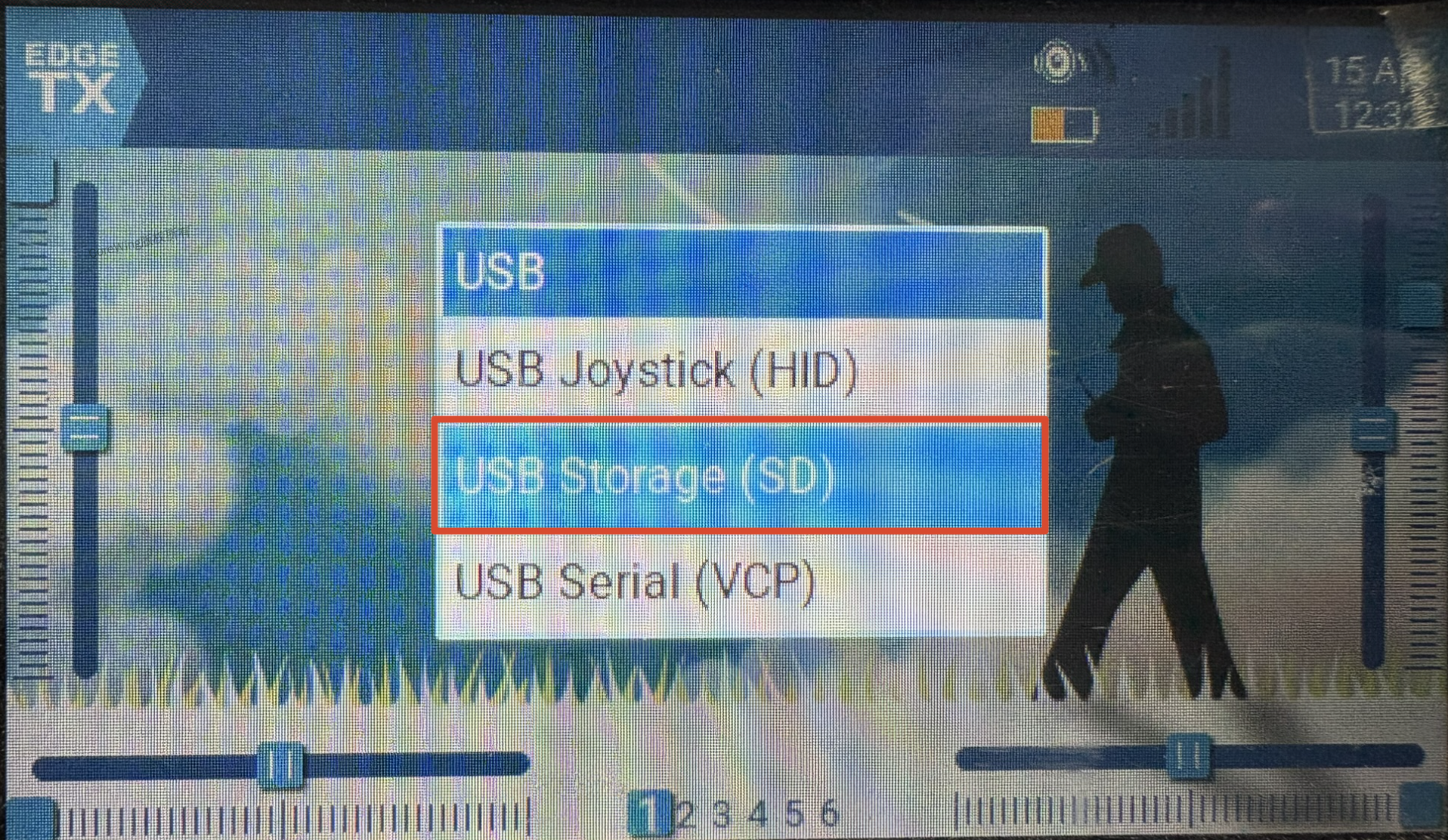
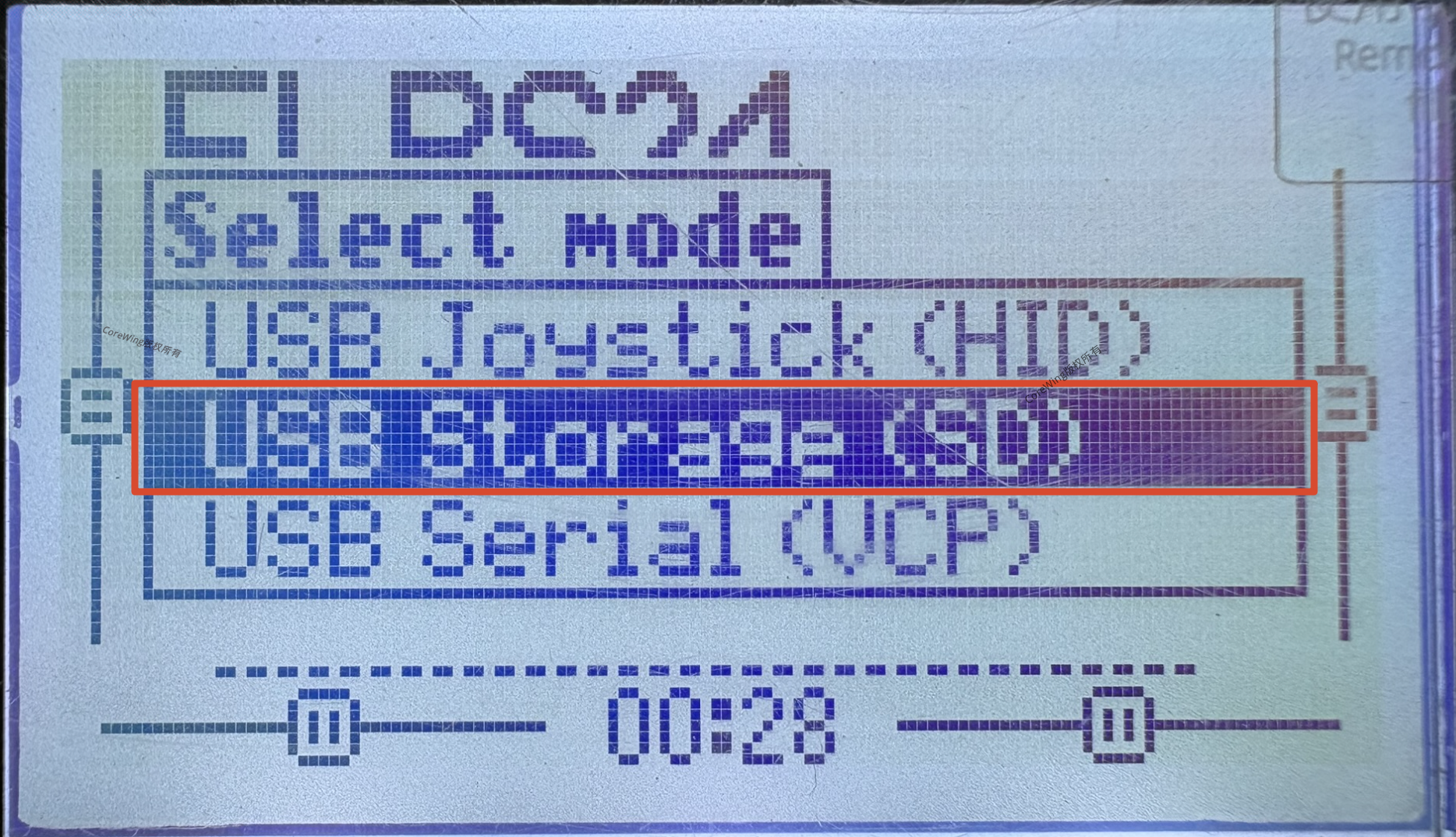
Turn on the transmitter and select "Storage" mode
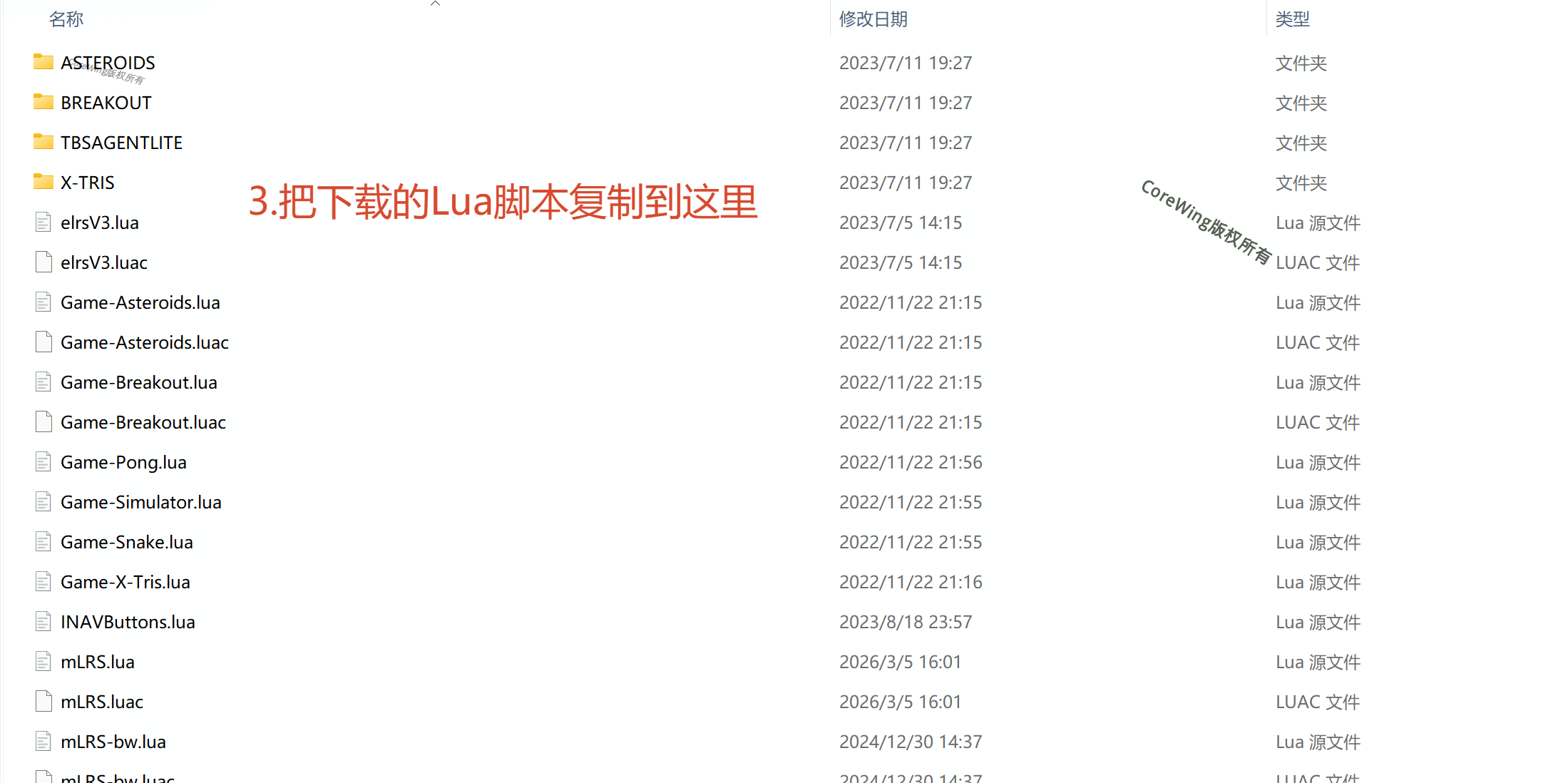
4.2 Copy Script File
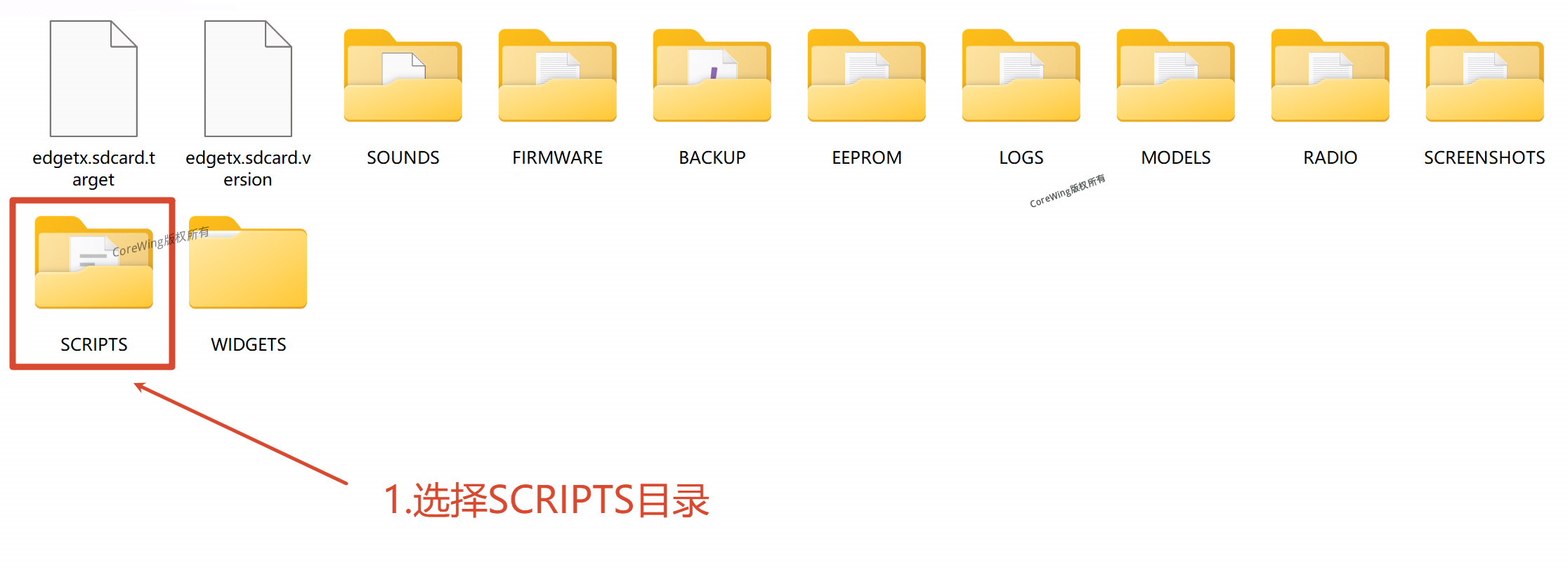
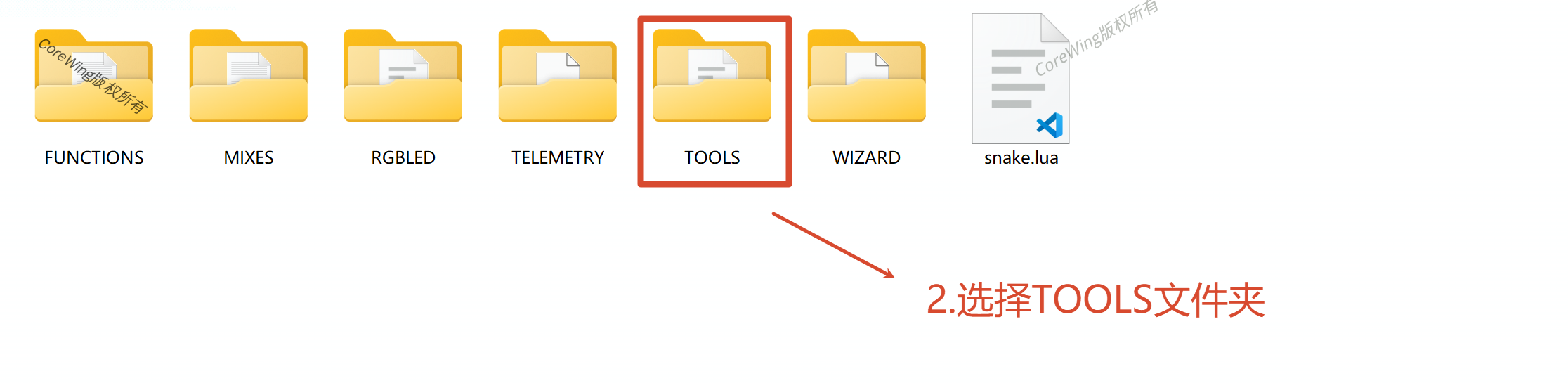
- Go to the SD card and find the
\SCRIPTS\TOOLSfolder
- Copy the downloaded
mLRS.luaormLRS-bw.luato this directory
V. Run mLRS Lua Script
Connect the transmitter to your RC transmitter
Confirm that the external RF is enabled and Baudrate is set to
400k
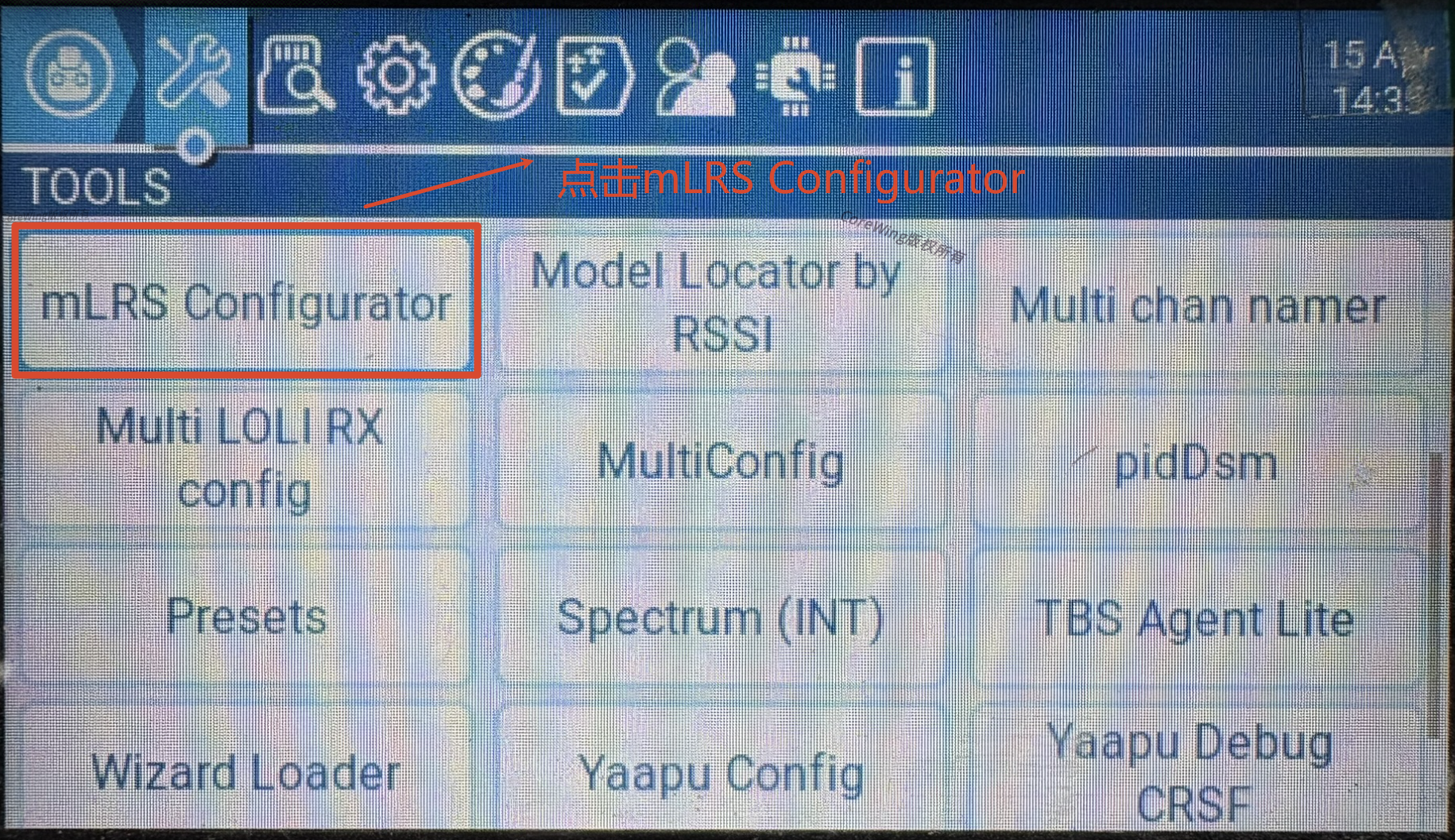
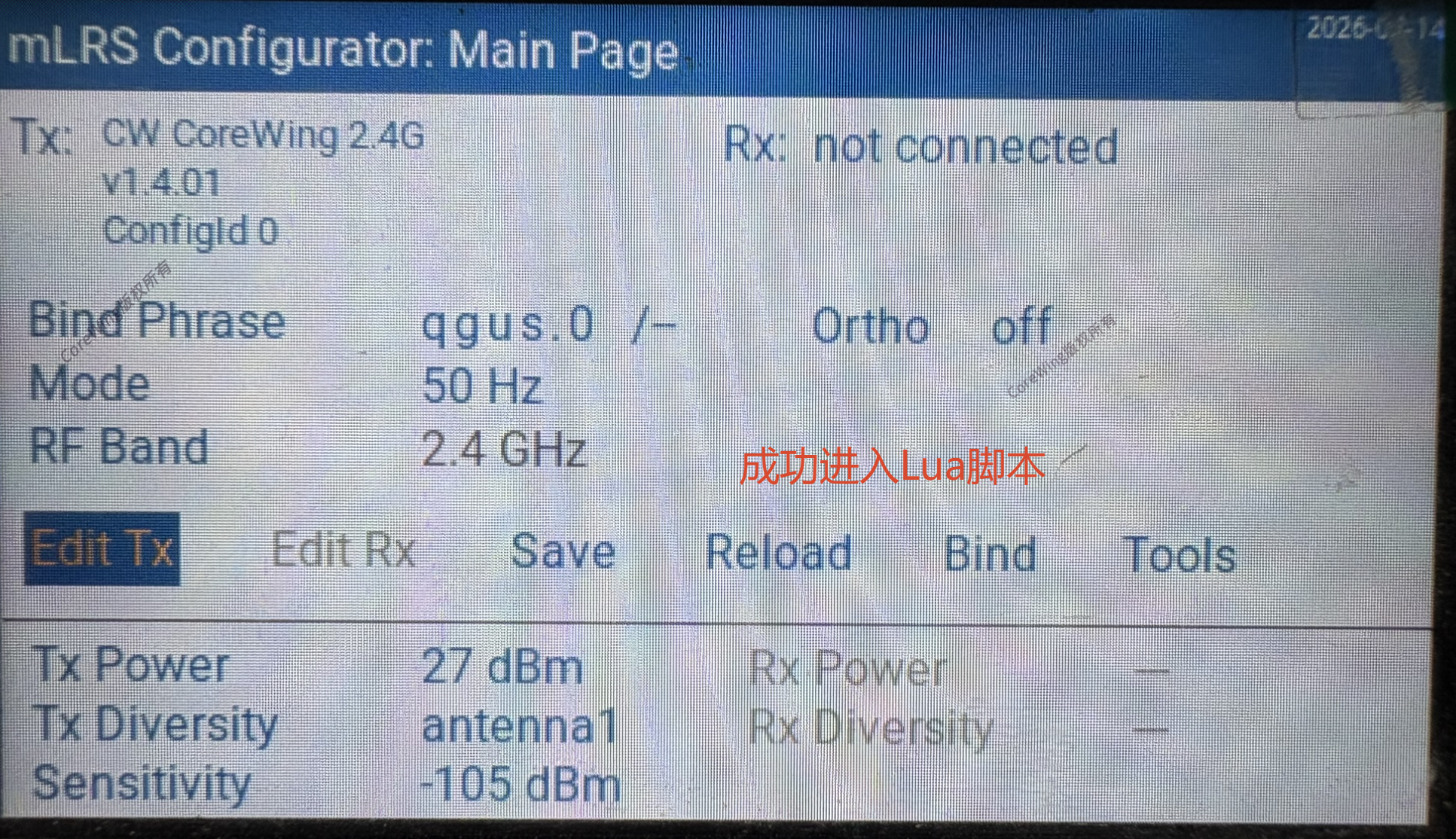
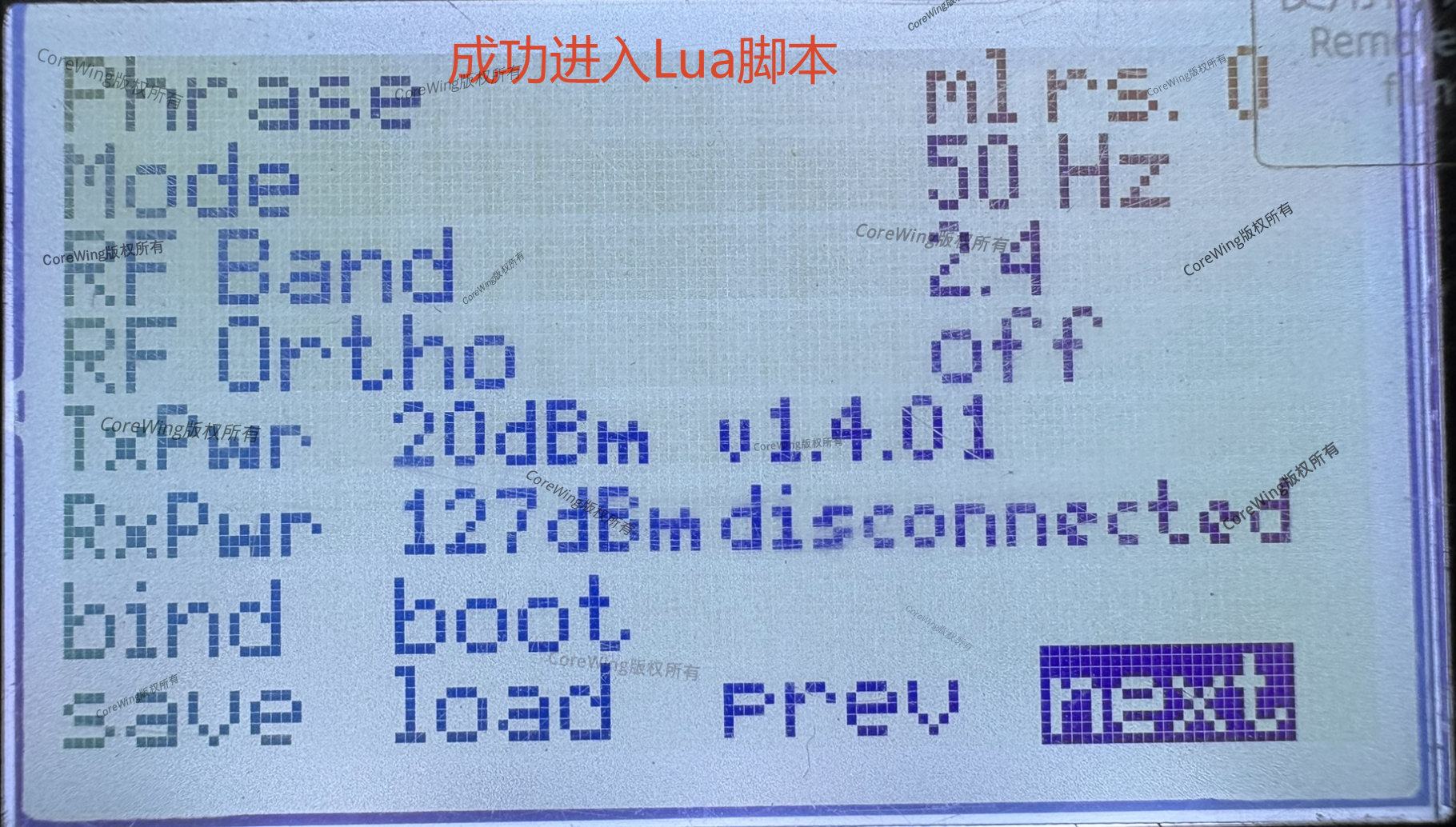
Enter the SYS menu, find mLRS Configurator, and confirm you can enter the script normally
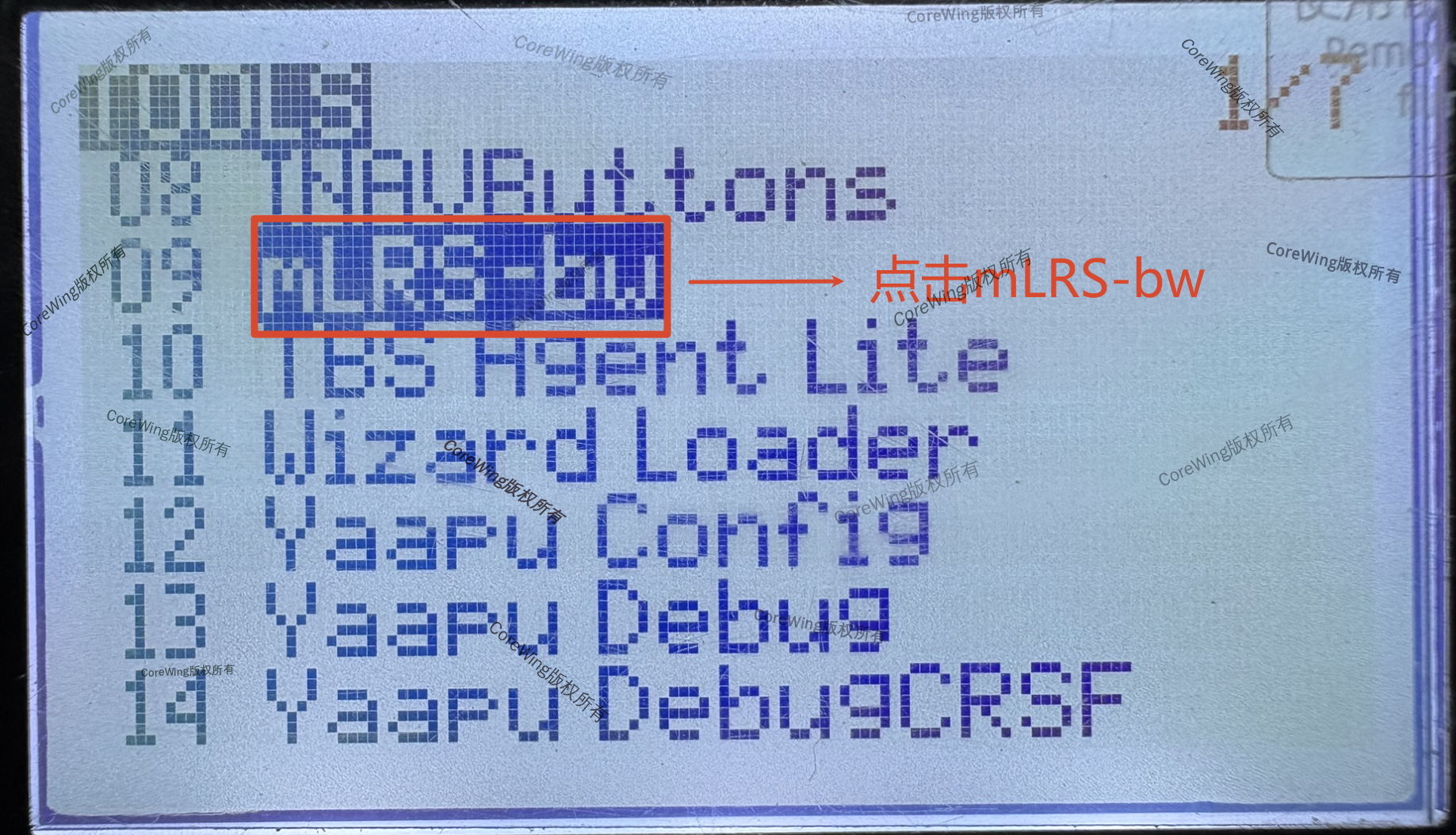
Enter the SYS menu, find mLRS-bw, and confirm you can enter the script normally
VI. Common Issues
Q1: Why does the script show "Script not found"?
A1: Please check:
- If the script file is placed in the correct directory
- If the script filename is correct (case-sensitive)
- If the external RF is enabled and Baudrate is set to 400k
Q2: What to do if the script shows "No telemetry"?
A2: Please check:
- If the transmitter is properly connected to the RC transmitter
- If the transmitter has been flashed with mLRS firmware
Q3: Can color and black and white screen transmitter scripts be used interchangeably?
A3: No. Color screen transmitters use mLRS.lua, black and white screen transmitters use mLRS-bw.lua. Using the wrong version will cause display issues.
Q4: Why don't parameter changes take effect?
A4: After modifying parameters, you must click the "Save" or "STORE" button to save the settings, otherwise the changes will not take effect.
Technical Support QR Code
For any questions, scan the code to contact technical support:
