
mLRS MAVLink Telemetry for ArduPilot
I. Working Principle
After flashing mLRS firmware to the CoreWing Sirius high-frequency module, it integrates remote control and telemetry functions into one device, achieving telemetry and remote control integration with the following advantages:
- Device Simplification: Only one module needs to be configured to complete both remote control signal uplink and bidirectional telemetry communication, reducing equipment quantity and connection complexity
- Strong Anti-Interference Capability: Remote control signals and telemetry data share the same radio link, reducing mutual interference
II. Equipment Preparation
2.1 Flight Controller
- CoreWing F405 WING V2
2.2 Wireless Communication Modules
- Transmitter: Sirius 2.4G ELRS (requires mLRS firmware)
- Receiver: SkyGuy Nano 2G4 RX (requires mLRS firmware)
Tips
Sirius transmitter and SkyGuy receiver support switching between ELRS and mLRS firmware.
To switch to mLRS firmware, refer to: Sirius Transmitter ELRS/mLRS Firmware Switching Tutorial
2.3 RC Transmitter
- Recommended: RadioMaster TX16S
- Compatible: Other RC transmitters supporting external modules
III. RC Transmitter Setup and Lua Script Import
3.1 RC Transmitter External RF Parameter Setup
Important
mLRS officially only supports 400k baud rate! If using 1.87M/3.75M/5.25M baud rate, it will not work properly.
- Enter the RC transmitter
MODEL SETUP - Disable
Internal RF - Enable
External RF - Set
ModetoCRSF - Set
Baudrateto400k


3.2 Import mLRS Lua Script
mLRS Lua Script Import Tutorial
mLRS Lua Script Download:
IV. Receiver Connection to Flight Controller
4.1 Receiver Wiring
Important
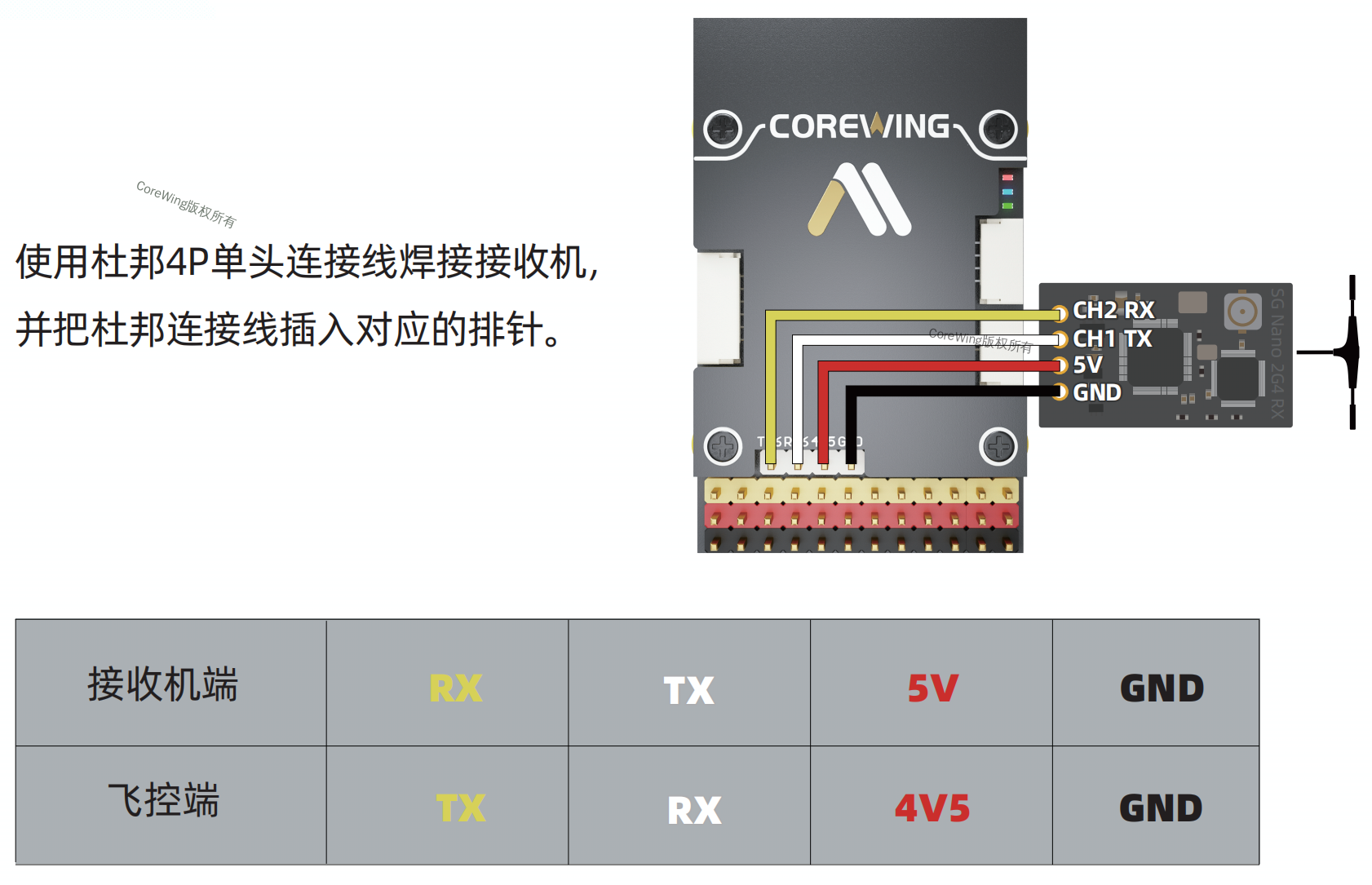
CoreWing F405 WING V2 Flight Controller to Receiver Connection Method:
- Interface Requirement: Must connect to SERIAL 6
- Reason Explanation:
- SERIAL 6 has built-in DMA support
- Supports 460800bps high baud rate communication
⚠️ Note: Other serial ports (such as SERIAL 4) are hardware compatible but lack DMA support, preventing normal MAVLink mode communication.
V. Transmitter and Receiver Binding
mLRS Transmitter and Receiver Binding
VI. mLRS Parameter Configuration
6.1 Transmitter Parameter Configuration
Enter the mLRS Lua script and modify the following parameters:
Warning
Remember to click Save to save the parameters!!!
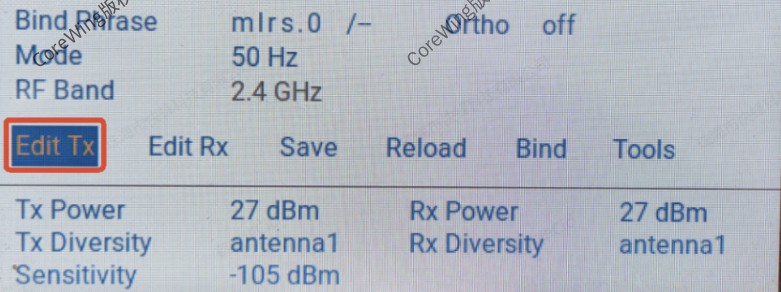
Click Edit Tx to enter transmitter parameter editing
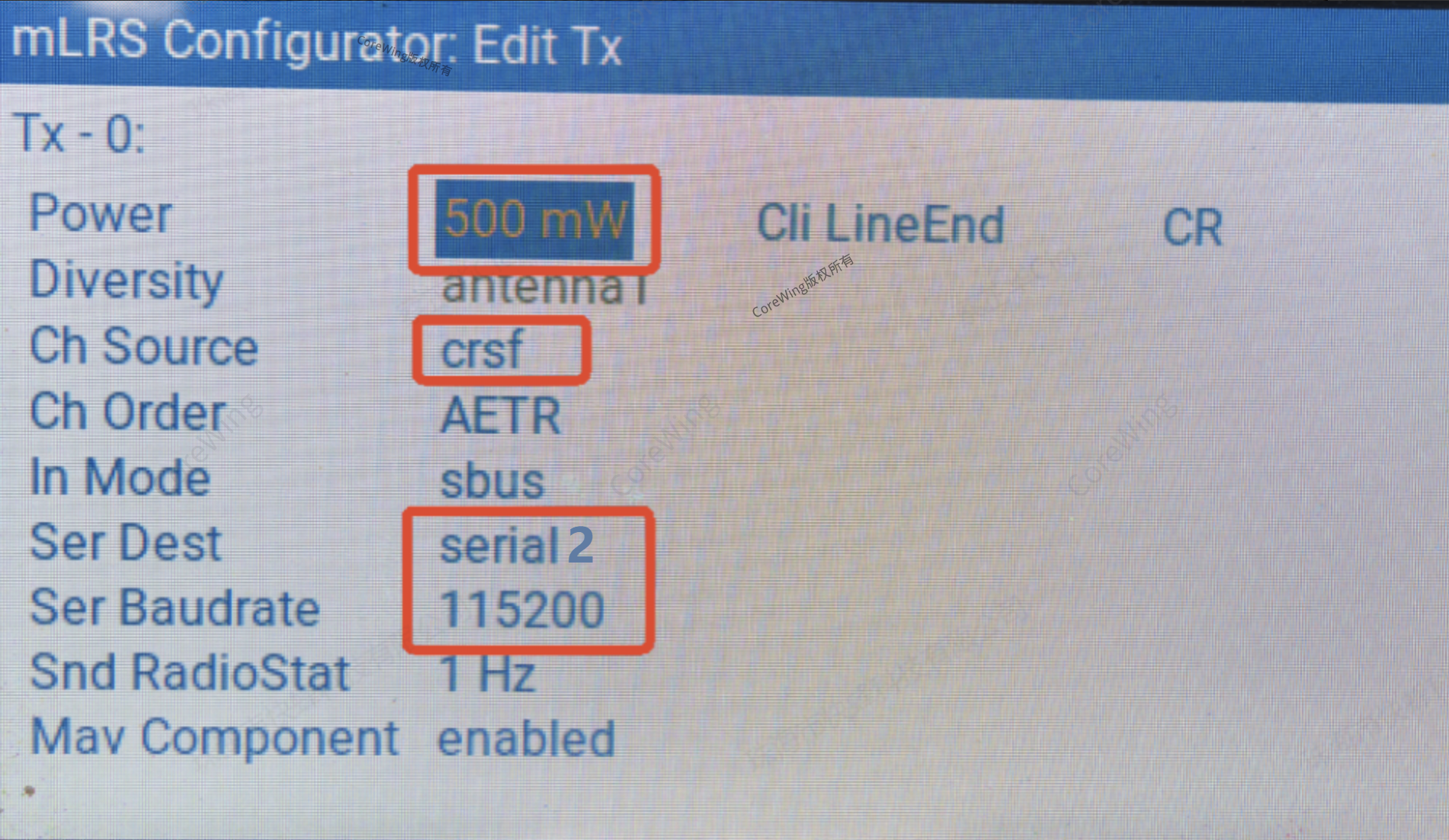
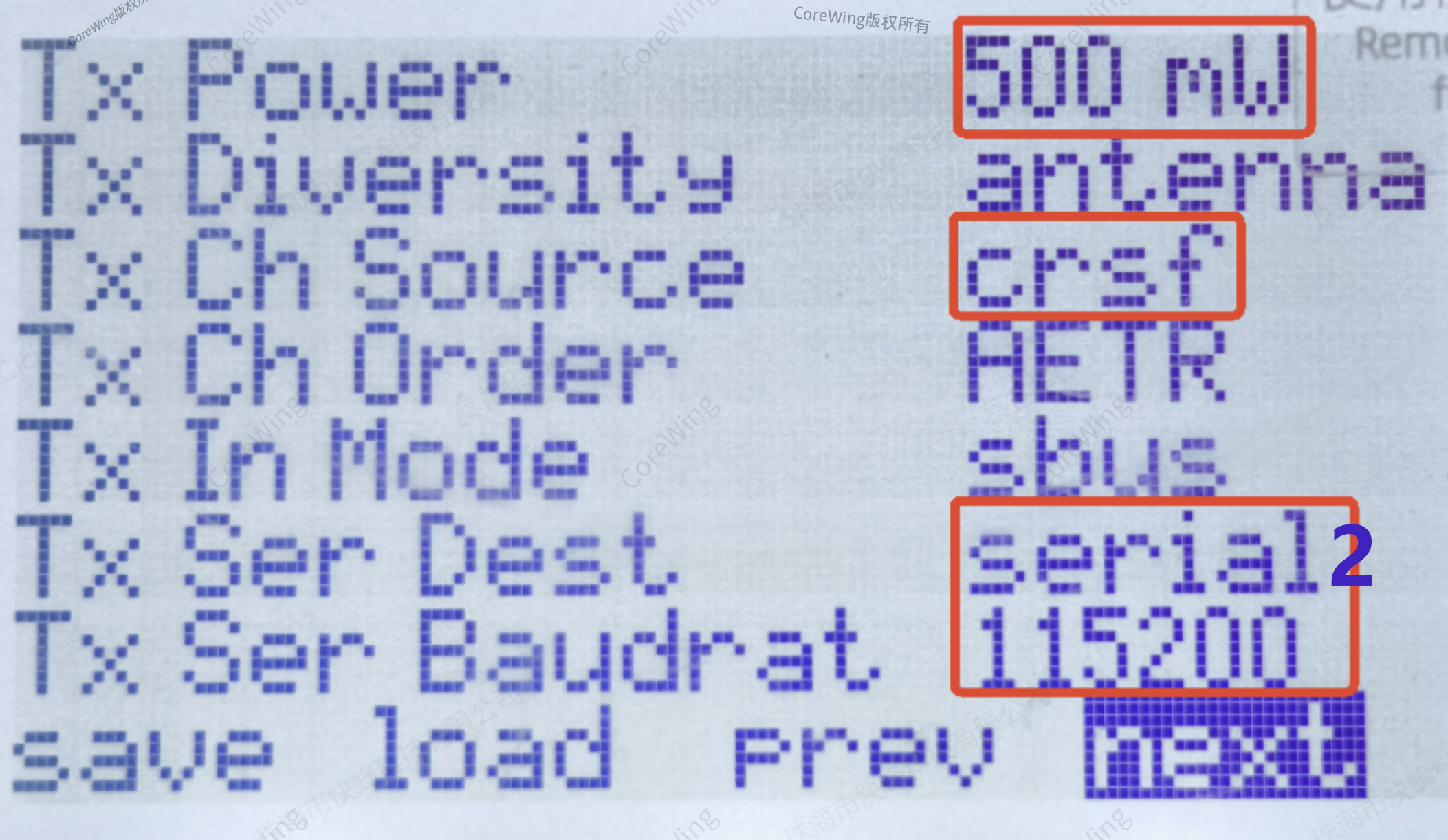
Click next to find Tx related parameters
| Parameter | Set to |
|---|---|
| Tx Power | 500mW |
| Tx Ch Source | crsf |
| Tx Ser Dest | serial2 |
| Tx Ser Baudrate | 115200 |
6.2 Receiver Parameter Configuration
Enter the mLRS Lua script and modify the following parameters:
Warning
Remember to click Save to save the parameters!!!
Warning
For non-Skyguy receivers, remember to increase the receiver power, otherwise the performance will be poor!!!
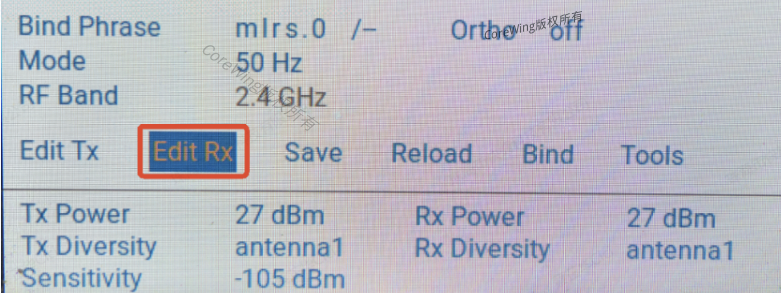
Click Edit Rx to enter receiver parameter editing
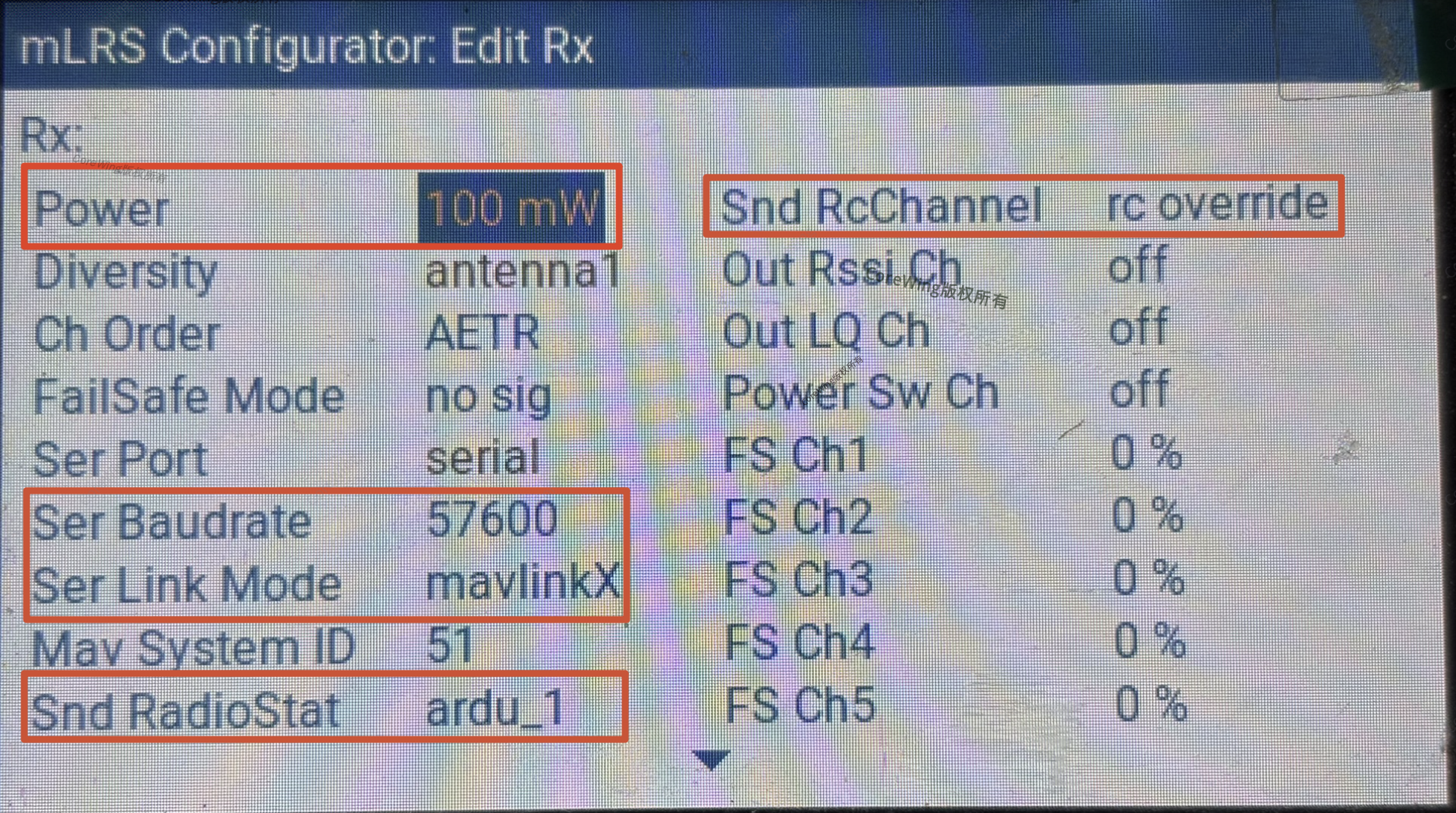
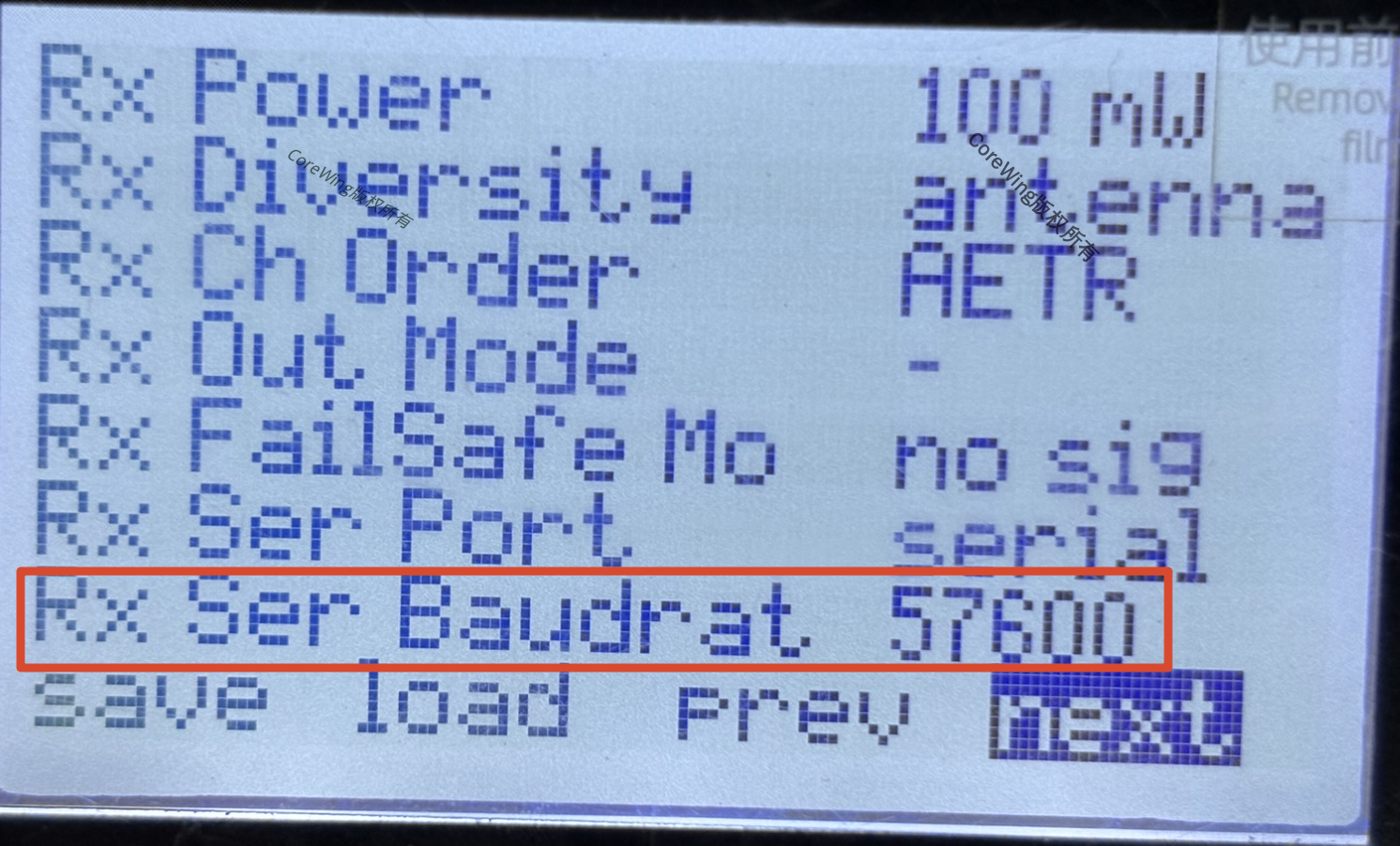
Click next to find Rx related parameters
| Parameter | Set to |
|---|---|
| Power | 100mW (set as high as possible) |
| Rx Ser Baudrate | 57600 |
| Rx Ser Link Mode | mavlinkX |
| Rx Snd RadioStat | ardu_1 |
| Rx Snd RcChannel | rc_override |
VII. Flight Controller Parameter Configuration
Important
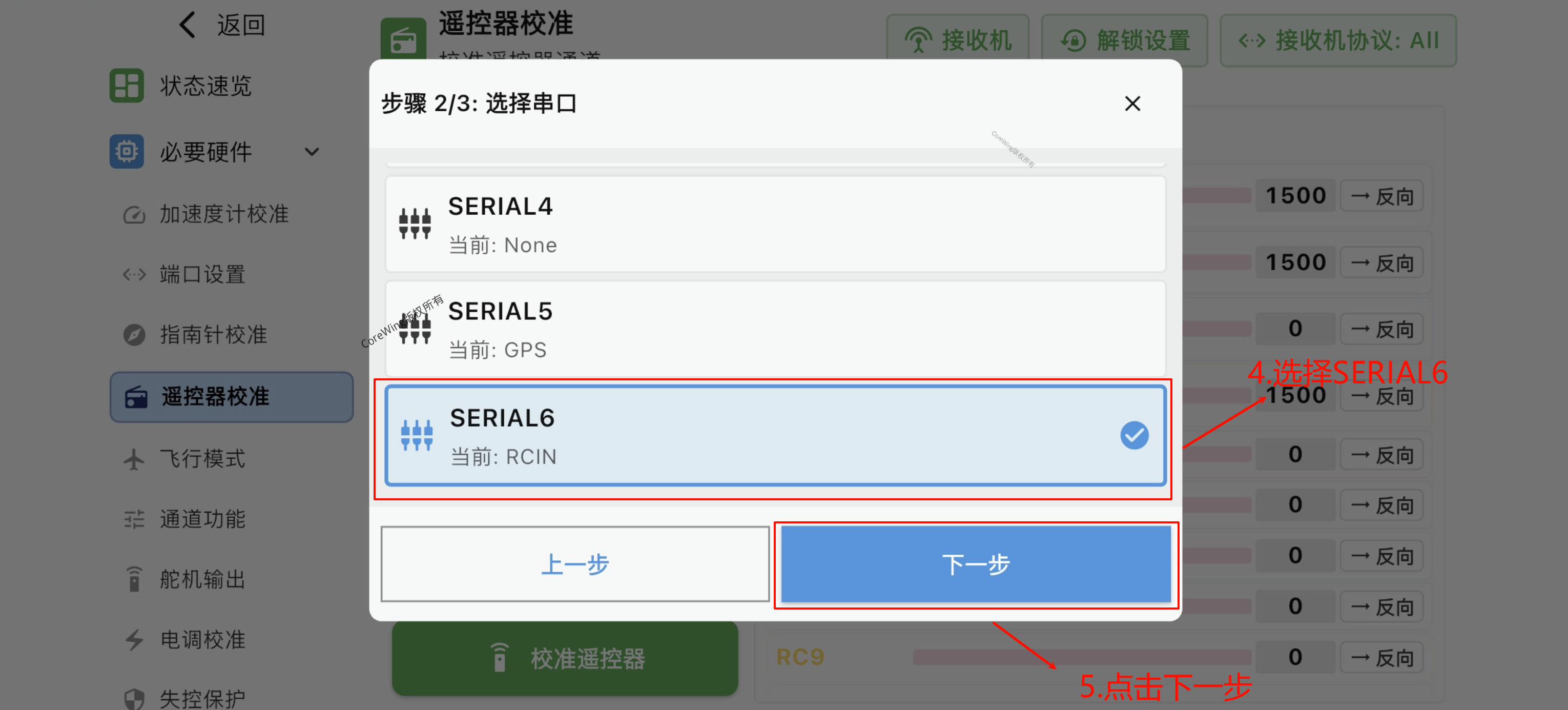
CoreWing F405 WING V2 uses SERIAL 6
- Connect the wireless board to the flight controller, enter the RC transmitter calibration page
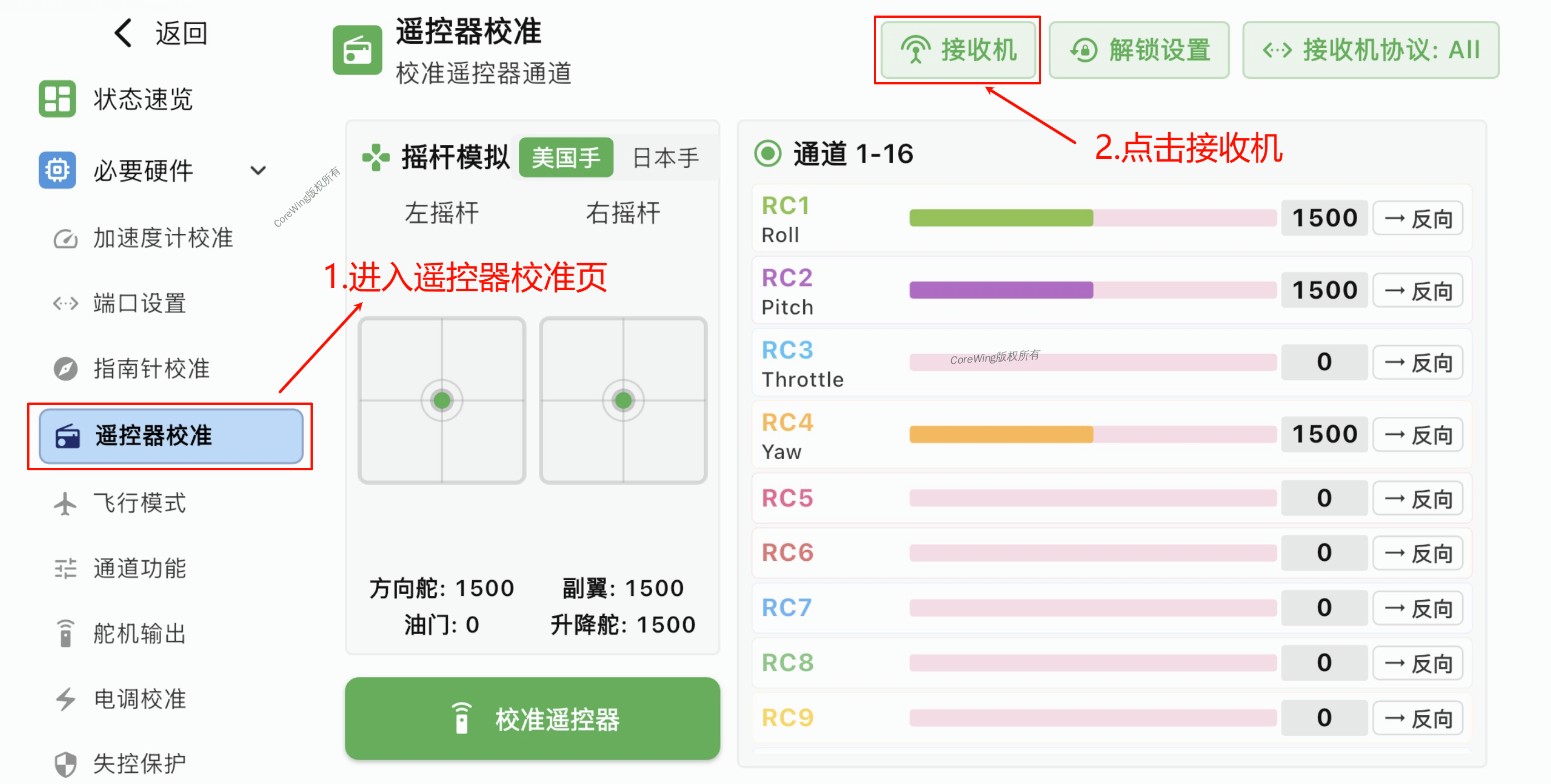
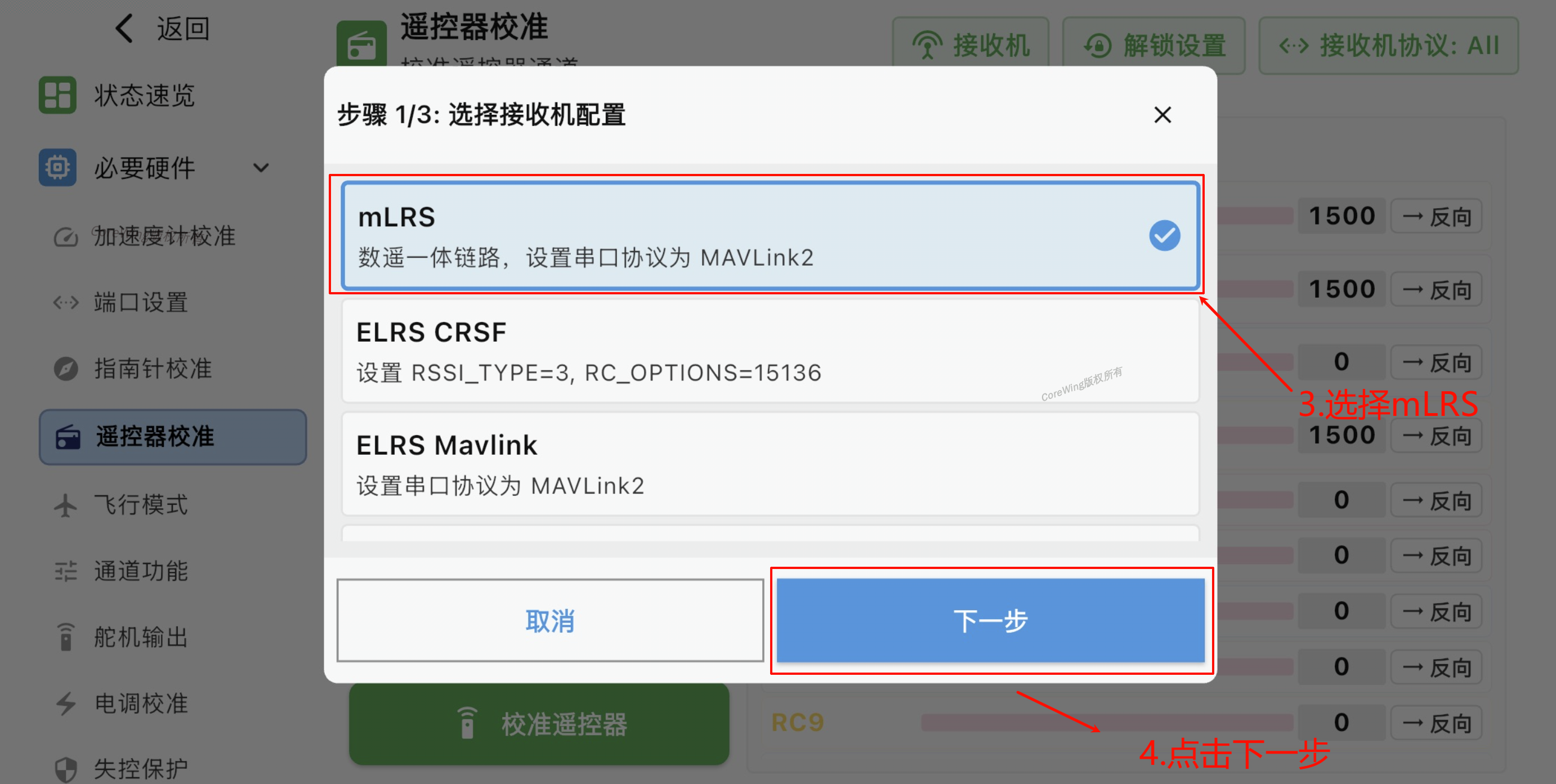
- Select mLRS, click Next
- Select SERIAL6, click Next
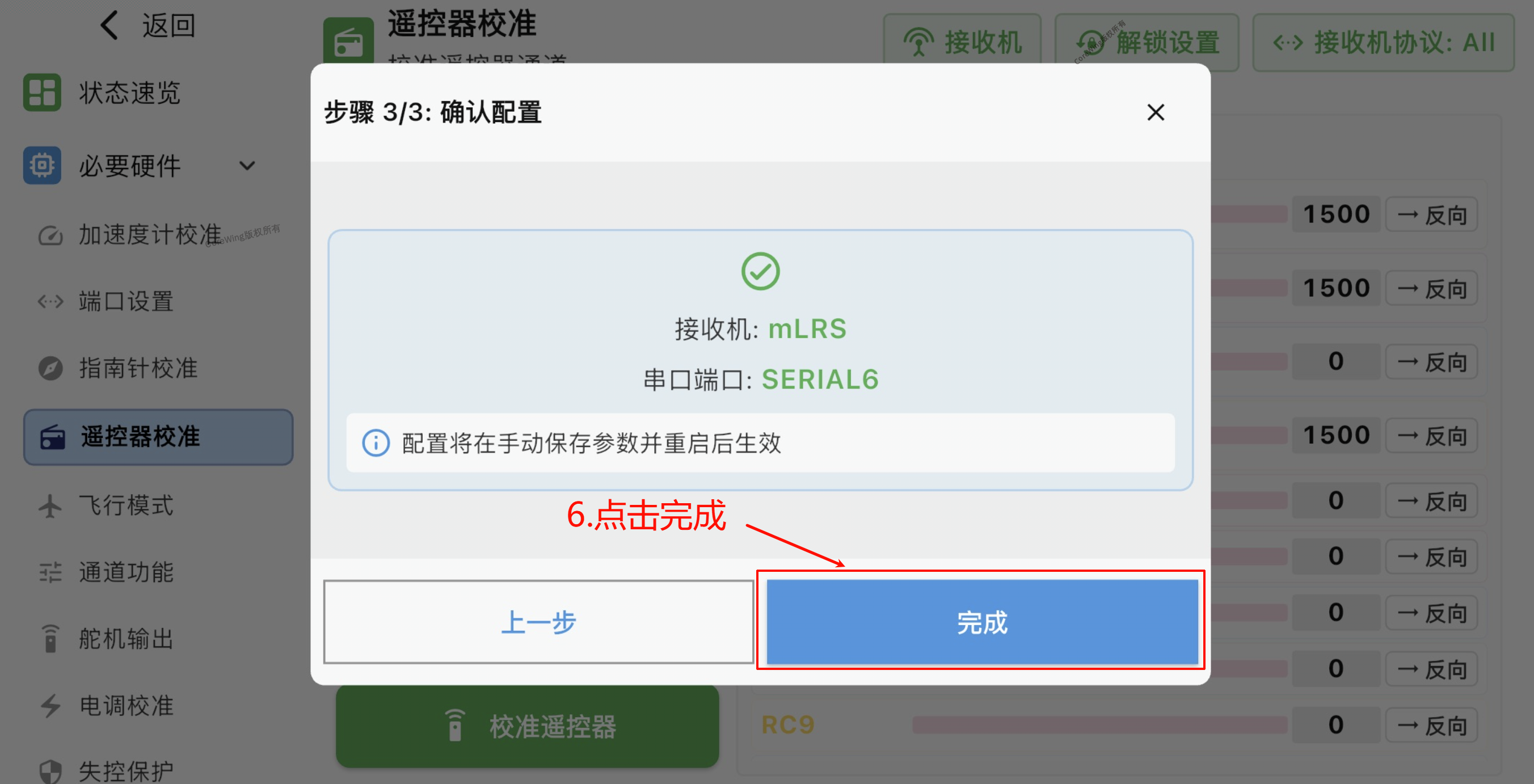
- Click Finish
- Click Save
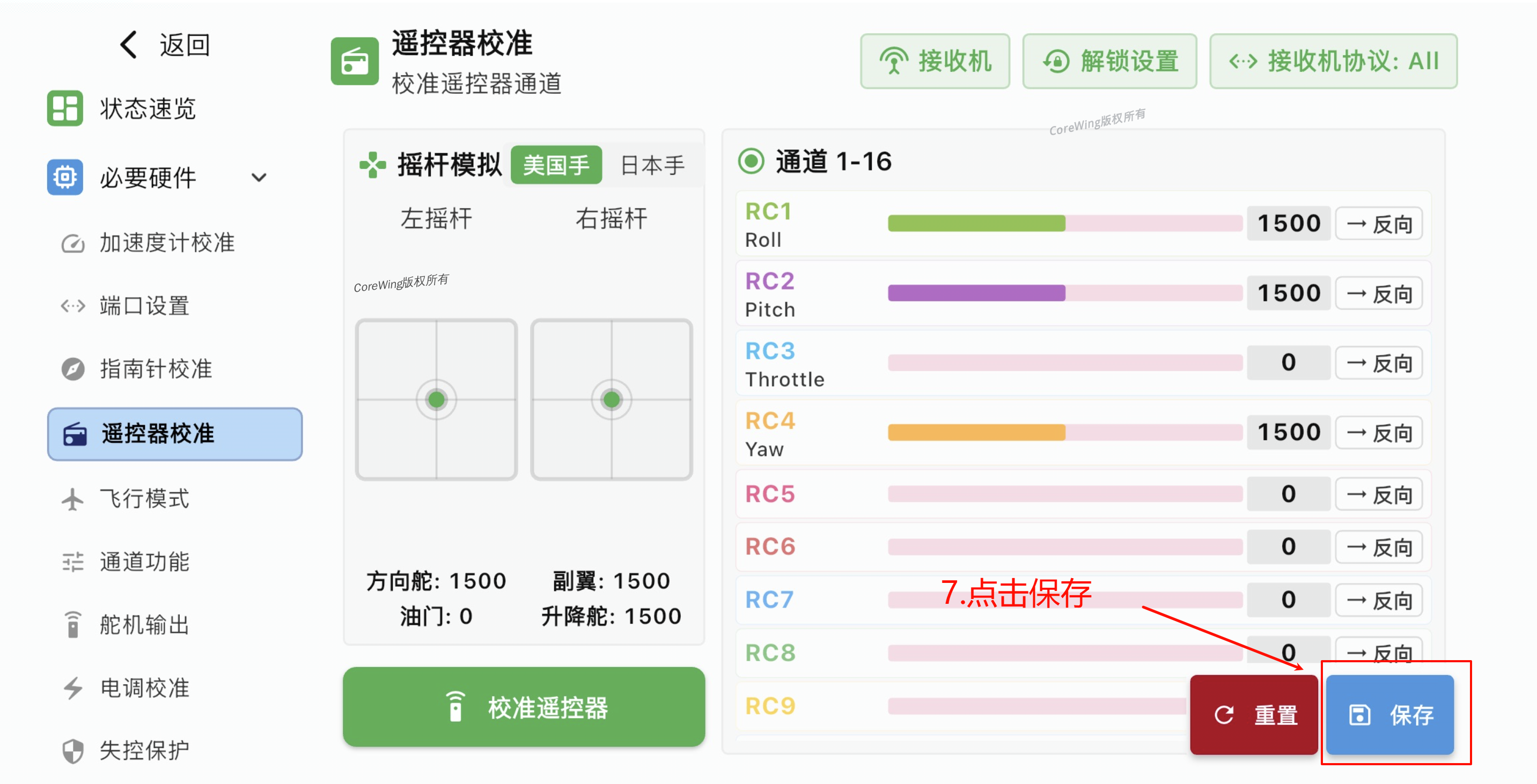
- Click Confirm Save, wait for the flight controller to restart
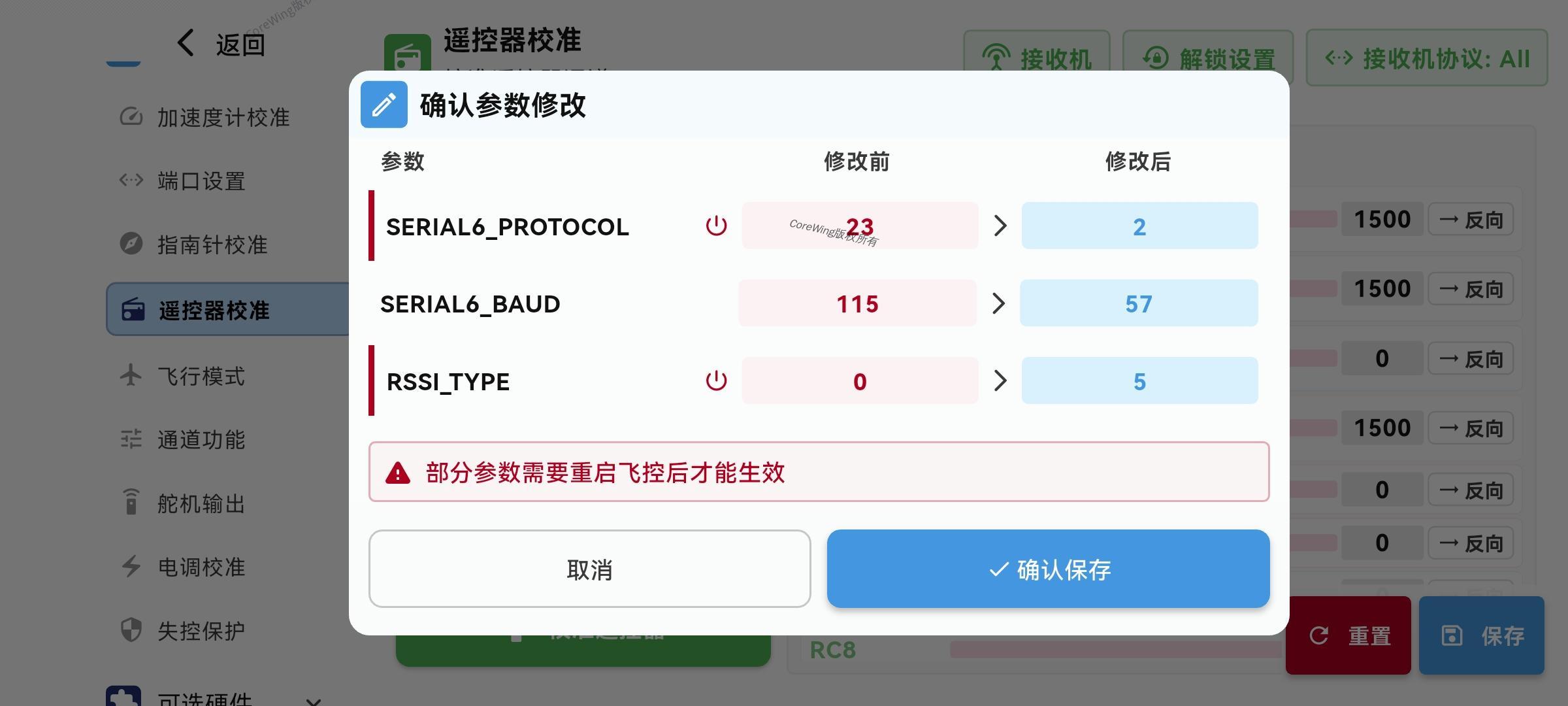
- Check if channels have input, move the control sticks, and verify that the values change accordingly

VIII. Ground Control Station Connection Settings
8.1 Enable Transmitter Bluetooth
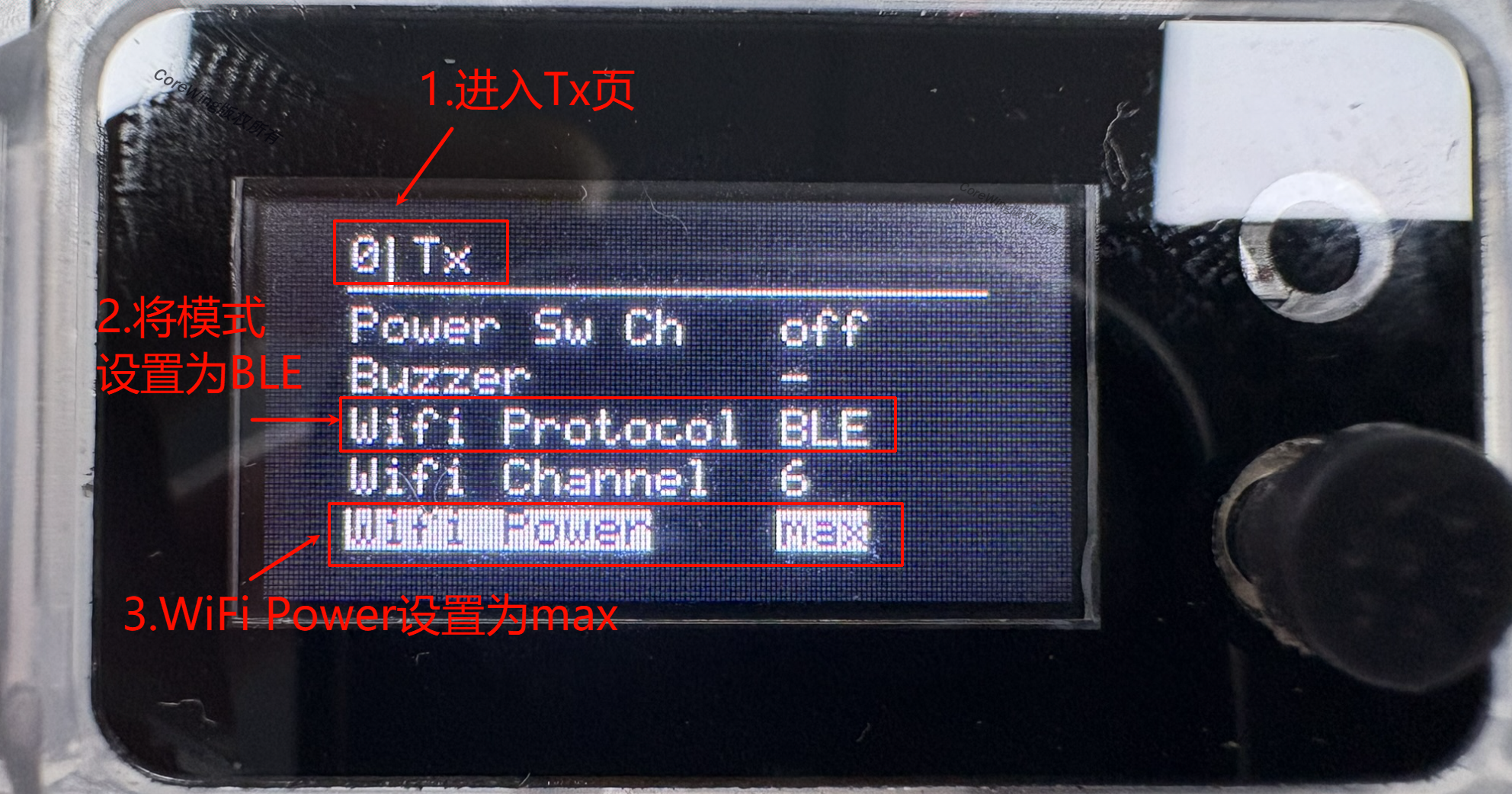
- Go to the Tx page, set WiFi Protocol to BLE, and set WiFi Power to max
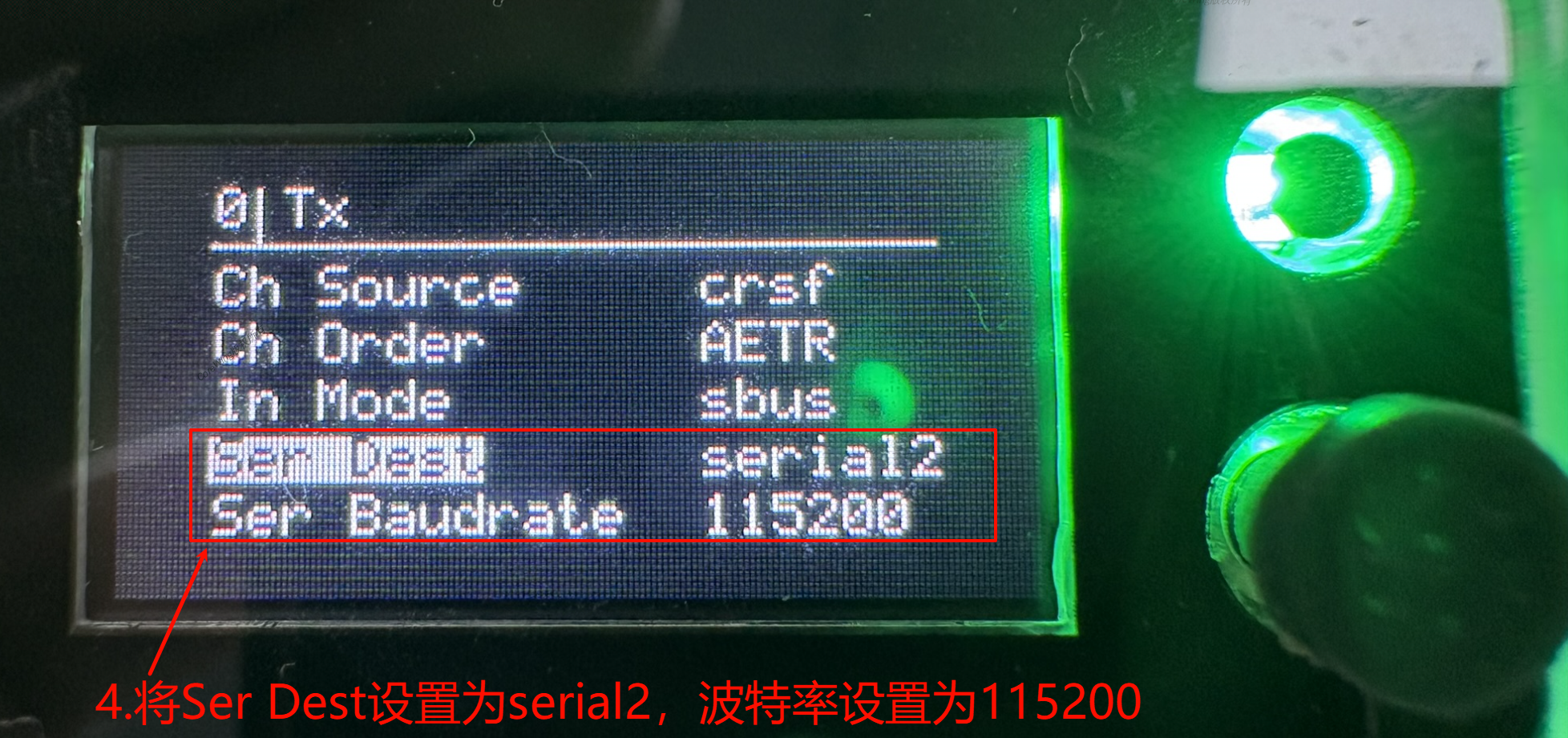
- Set Ser Dest to serial2 and set baud rate to 115200
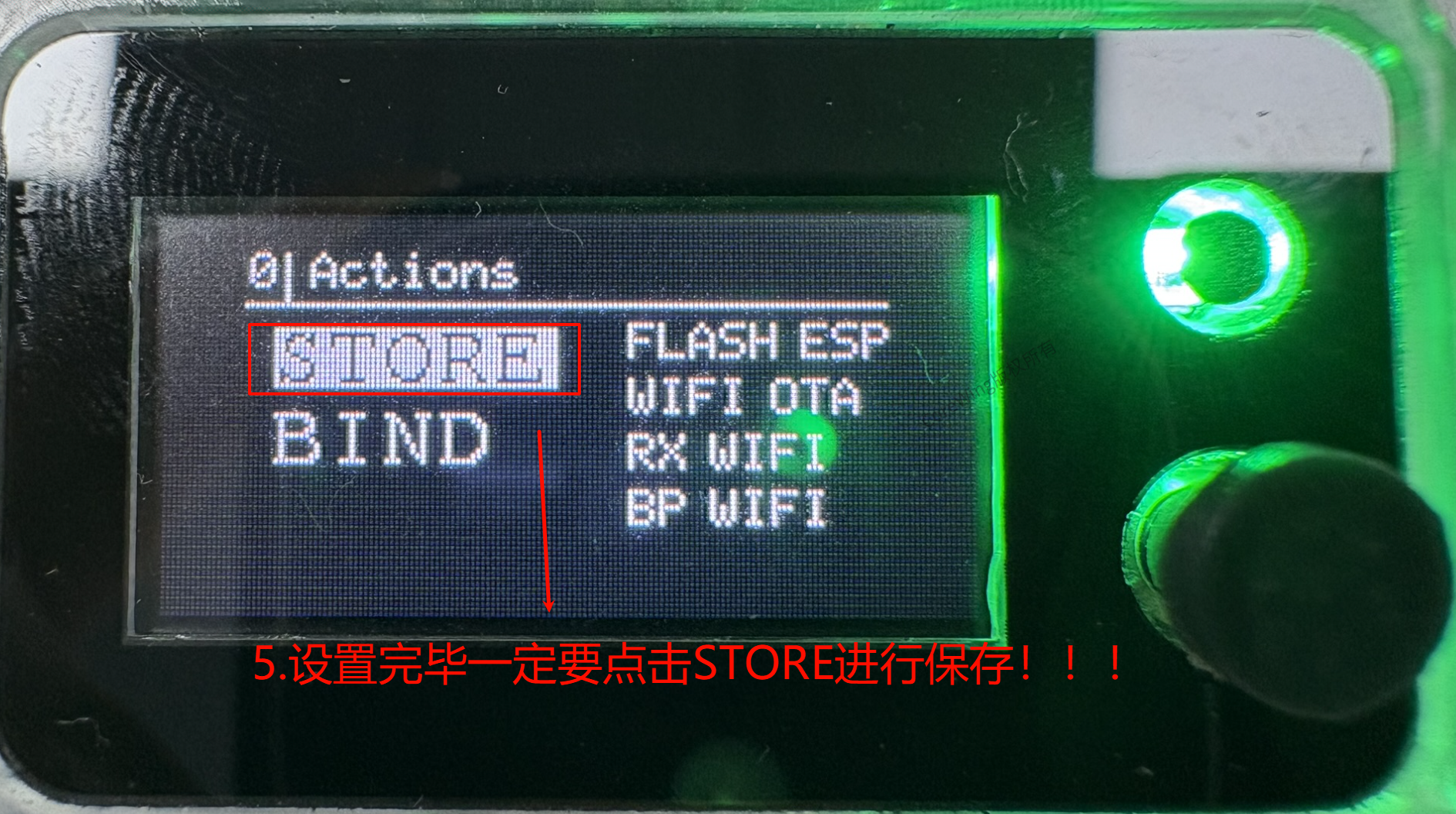
- Be sure to click STORE to save after setting!!!
8.2 CoreWing APP - Bluetooth Connection
- Open CoreWing APP → Click "+" → Select Bluetooth connection
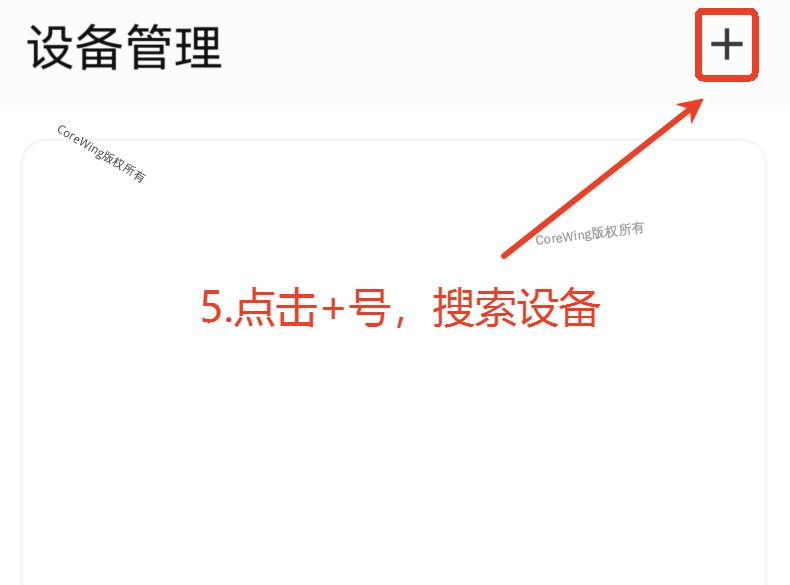
Find the CoreWing-Sirius-xxxx device and click to connect
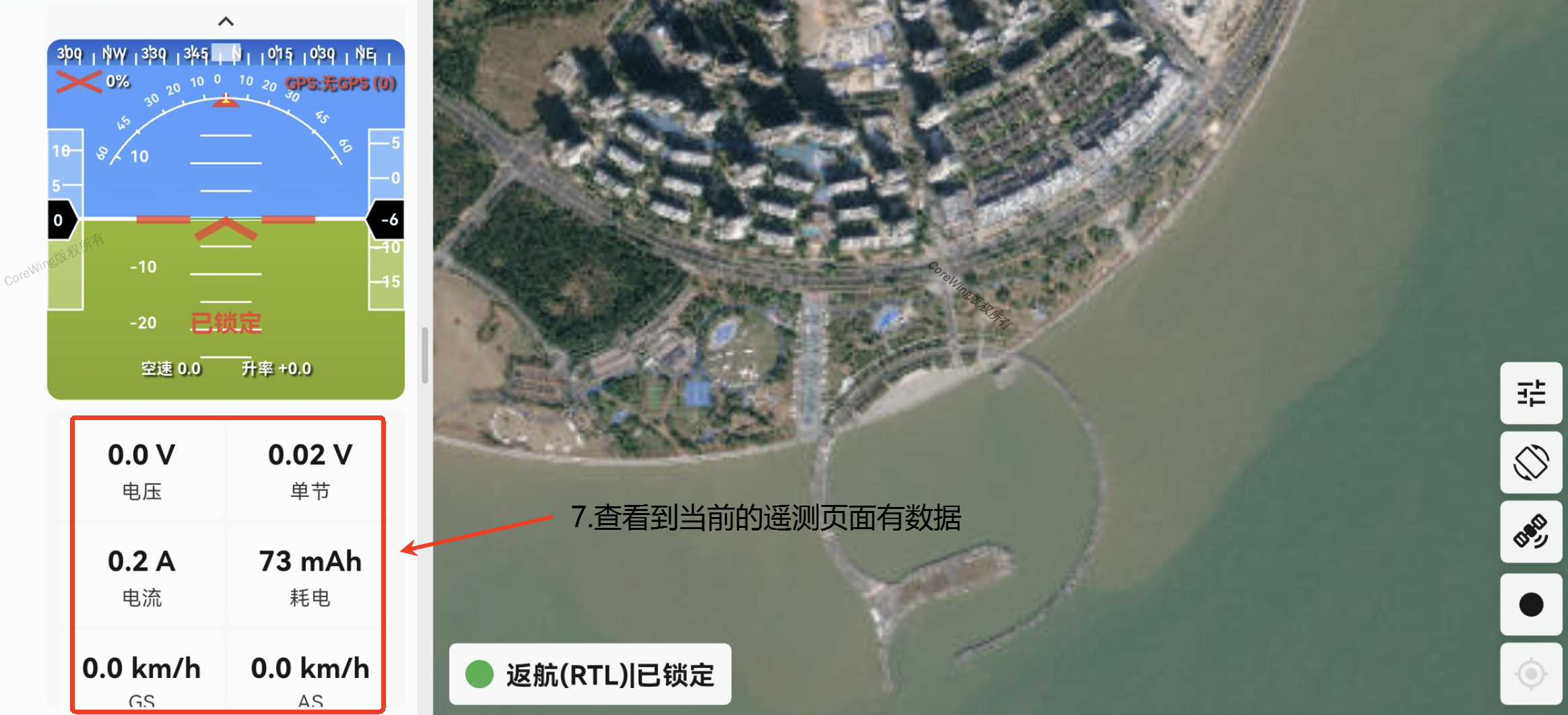
After successful connection, go to the telemetry viewing page. The information bar will display aircraft data transmitted back by the transmitter:
IX. Q&A
Q1: What is the difference between setting Tx Ser Dest to serial and serial2?
A1: If set to serial2, the transmitter can communicate with the ground control station using BLE mode, but the transmitter cannot connect to the ground control station using a USB data cable. If set to serial, the transmitter can connect to the ground control station using a USB data cable, but the transmitter cannot communicate with the ground control station using BLE mode.
Q2: Why not upgrade the Backpack firmware?
A2: Because the CoreWing Sirius transmitter comes with CoreWing's custom-developed Backpack firmware pre-installed, so there is no need to flash it.
Technical Support QR Code
If you have any questions, scan the code to contact technical support:
